

How to Edit Memorial Day Photos for TikTok Shop With AI
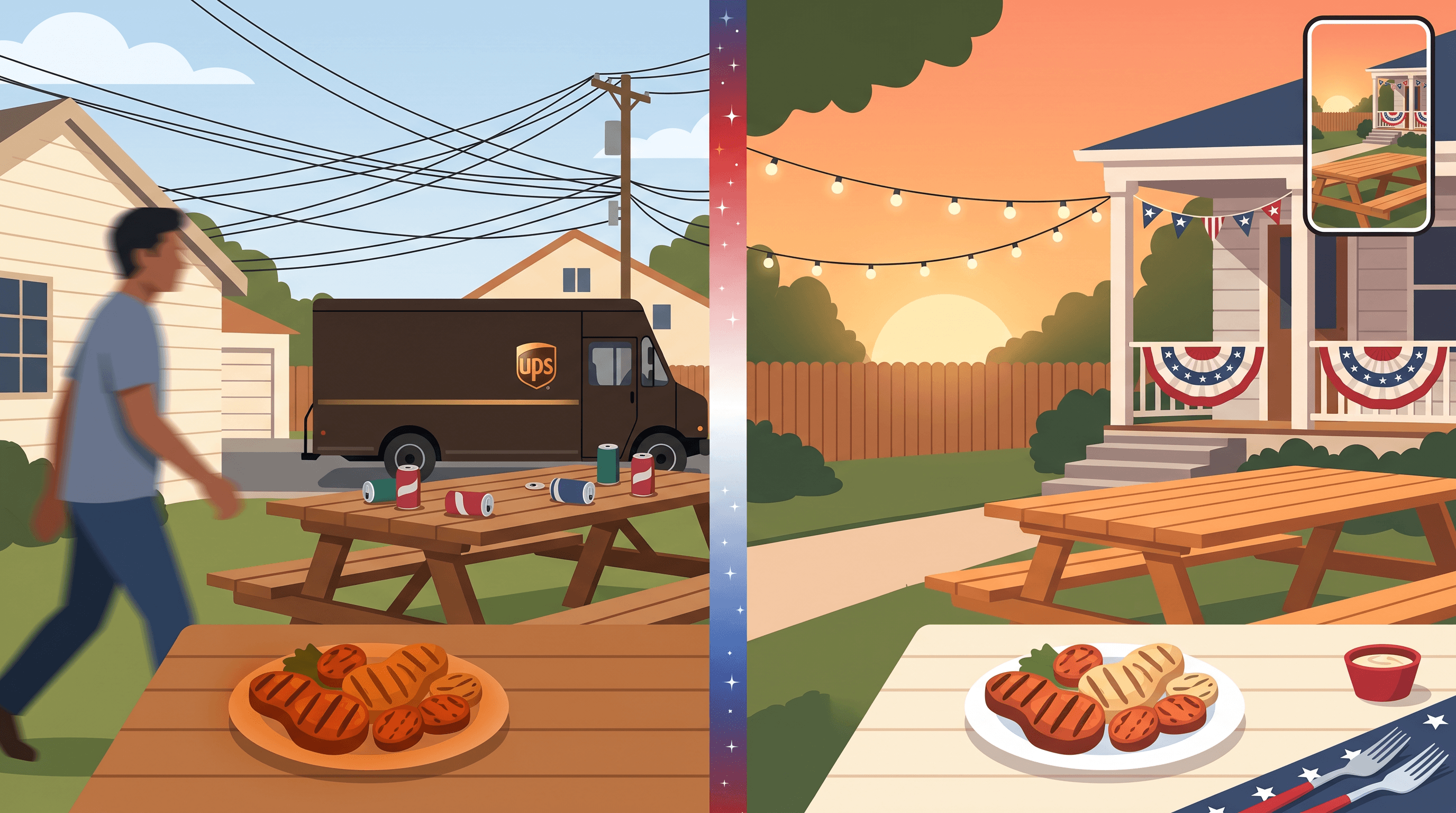
The Monday after the BBQ shoot, you scroll through 60 photos: half have your neighbor walking through the frame, three have a UPS truck parked in the background, and the lighting on your product flatlay went orange the second the sun dropped. Memorial Day weekend hits in 13 days, and your TikTok Shop posting calendar needs hero shots, lifestyle stills, and Reels covers — yesterday.
This guide walks through how to edit Memorial Day photos with a three-step AI cleanup workflow tuned for TikTok Shop sellers: removing tourists and clutter, swapping backgrounds into beach, fireworks, and star-spangled scenes, then pushing brightness and sharpness up for Reels and Shorts thumbnails. Average time per photo: about 28 seconds. Total cost: a fraction of a single freelance retouching gig.
Last updated: 2026-05-13
On this page
- The Memorial Day TikTok Shop Crunch
- How AI Photo Cleanup Solves It
- The 3-Step Workflow
- What to Expect
- Memorial Day Content Calendar
- Tips for TikTok Shop Sellers
- FAQ
- Conclusion
The Memorial Day TikTok Shop Crunch
Memorial Day is the first US summer sale window, and the 2026 numbers from TikTok US Trends (7-day, pulled May 13) show why sellers can't sit it out: #tiktokshopmemorialday jumped onto the new-trending list under Apparel & Accessories with around 20K posts, #giftgallery cleared 19K as a new trend, and #justgolive is sitting at 176K posts with platform livestream backing. Discovery is wide open for two weeks — then it slams shut.
The bottleneck for most sellers isn't ideas. It's photo throughput:
- Backyard, beach, and parade shoots collect strangers, license plates, and random brand logos that you can't legally repost.
- Lifestyle stills look great for half a minute, then a UPS truck parks behind your product flatlay.
- Reels and Shorts thumbnails need 1080×1920 sharpness, but your phone exposed for the sky and crushed the subject.
- You need 15–30 visuals across the window — hero, lifestyle, behind-the-scenes, Live cover — and you have a weekend to shoot them.
A freelance editor charges $5–$20 per cleanup. Across 25 photos, that's a flight to Miami you'd rather take after the campaign.
How AI Photo Cleanup Solves It
AI photo cleanup compresses the three slowest parts of seasonal content production — object removal, background replacement, and enhancement — into prompt-driven steps that finish in seconds. Instead of masking, cloning, and color-grading by hand, you describe what you want in plain English and let an image model handle the pixels.
Three model capabilities matter here:
- Context-aware inpainting: the model removes a tourist and rebuilds the wood deck, grass, or sand underneath rather than leaving a smear.
- Subject-anchored background generation: the model keeps your product or person sharp while swapping the scene to fireworks, a beach at golden hour, or a star-spangled banner.
- Detail restoration: the model lifts shadows, sharpens textures, and pulls back blown-out highlights without making the photo look plastic.
You don't need design skills. You need a process and a vocabulary for prompts.
The 3-Step Workflow
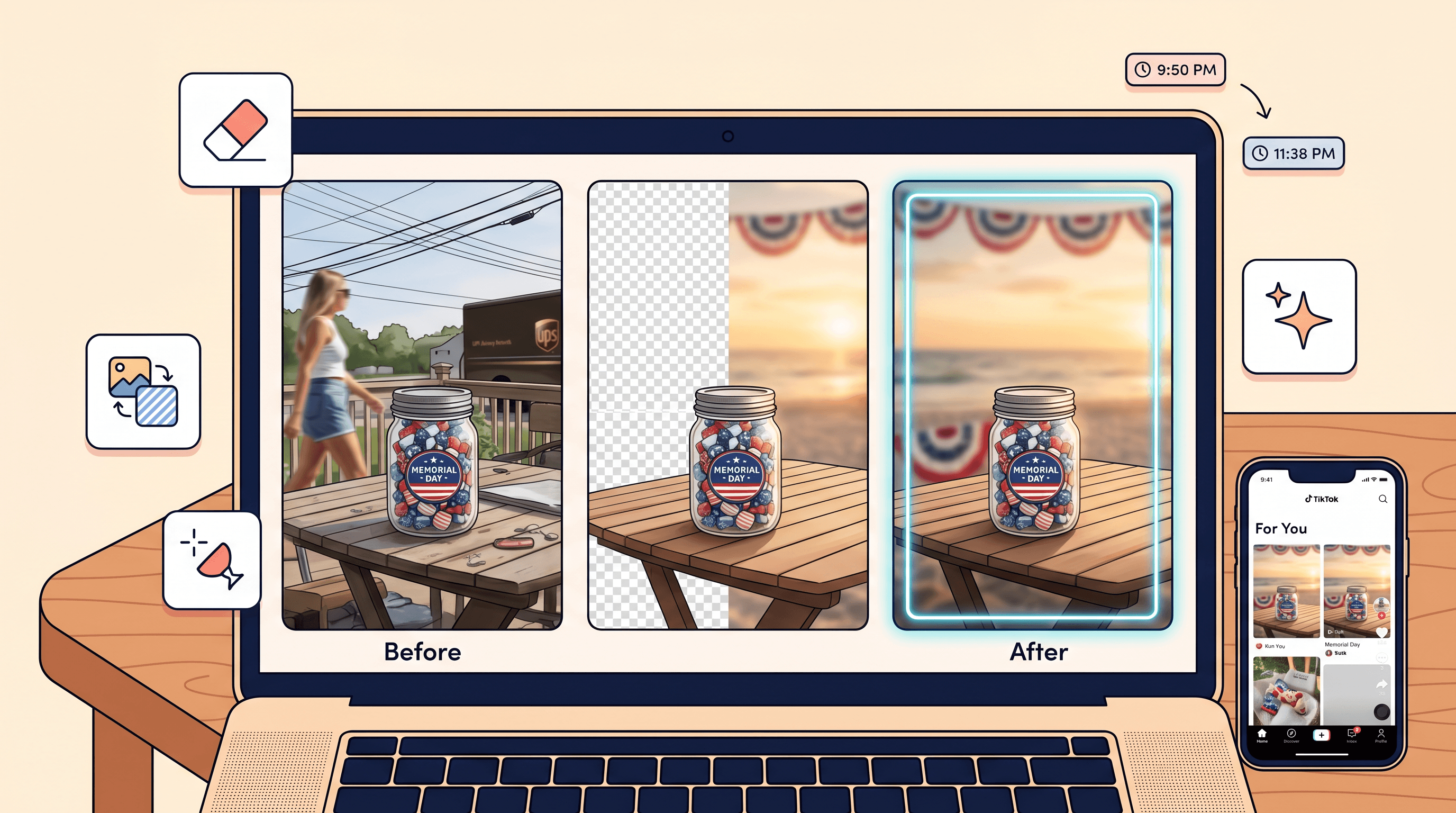
To edit Memorial Day photos at speed, run every shot through the same three stages: remove → replace → enhance. The order matters — cleaning the foreground before swapping the background prevents the model from misinterpreting clutter as part of the scene.
Step 1: Remove Tourists, Logos, and Background Clutter
Open the photo in Imgezy, which averages about five seconds per edit on the Nano Banana Pro model and has handled over 1M object removals across 200K+ users — meaning its inpainting catalog has already seen most of the awkward stuff you'll throw at it. Use a short, location-anchored prompt:
remove the person walking on the left side of the frameremove the UPS truck in the background and rebuild the streetremove the Coca-Cola logo on the coolerremove the power lines across the skyclean up the empty cans and napkins on the picnic table
Two practical rules:
- Anchor the object with a side or position ("on the left", "behind the grill", "top right"). Models guess less when you point.
- One target per pass. If a photo has a tourist and a logo, run two prompts. Multi-target prompts cause partial fixes.
When the cleanup looks clean, download the result and move to Step 2. The 5-second average means a 60-photo cleanup session finishes inside an afternoon, not a weekend.
Step 2: Replace the Background With a Memorial Day Scene
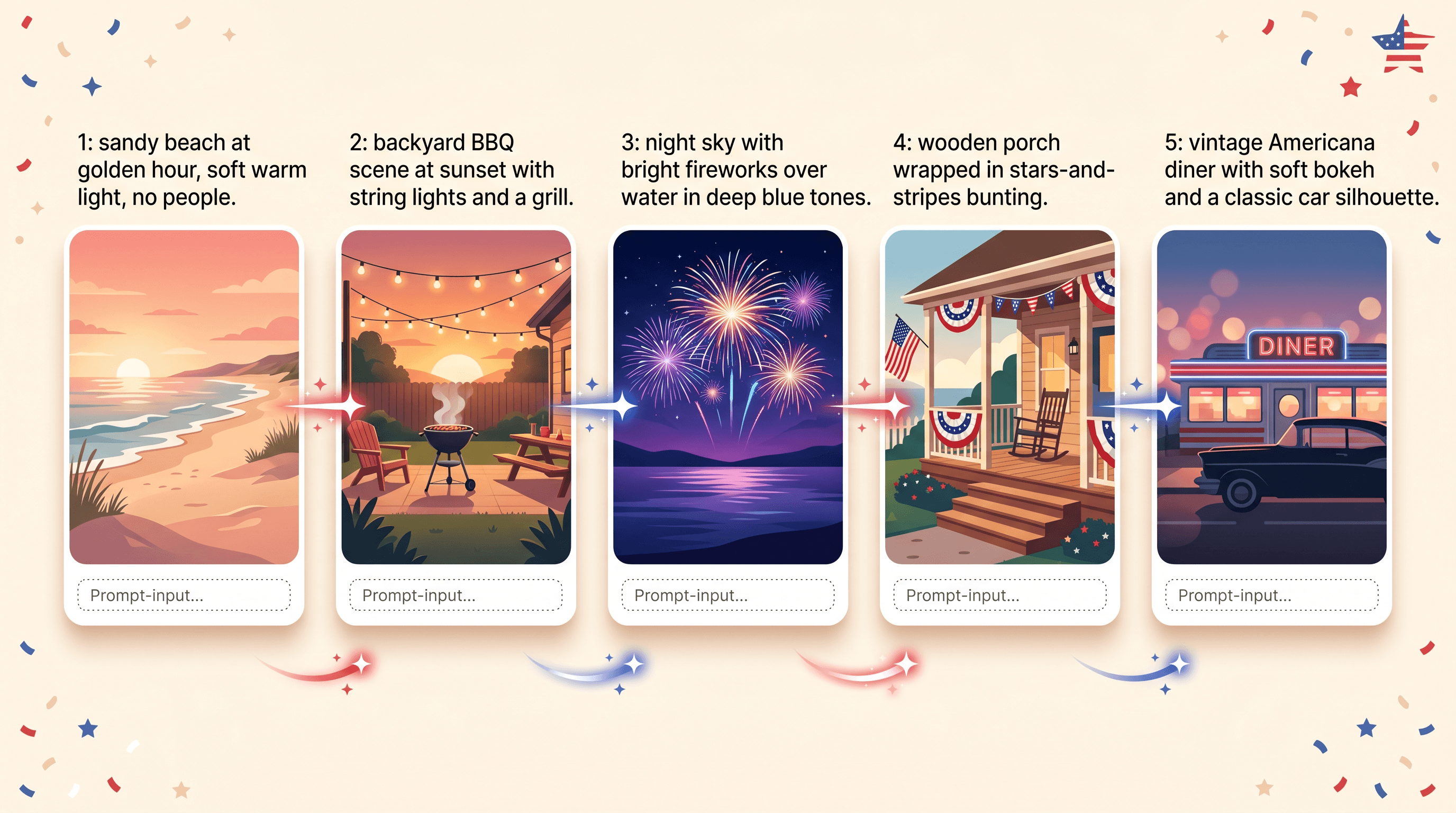
Once the foreground is clean, swap the scene to match where the content is going. TikTok Shop content under #tiktokshopmemorialday skews toward Americana — flag textures, beach golden hour, backyard fireworks, classic-car parade backgrounds — so build a small prompt library and reuse it.
Useful prompt patterns:
replace the background with a sandy beach at golden hour, soft warm light, no peoplereplace the background with a backyard BBQ scene at sunset, string lights, blurredreplace the background with a night sky and fireworks over water, deep blue tonesreplace the background with a wooden porch wrapped in stars-and-stripes buntingreplace the background with a vintage Americana diner, soft bokeh
Keep the subject prompt explicit too: keep the product and person sharp and unchanged. Models sometimes reframe the subject when given only a background instruction — pinning the subject avoids the regenerated-face problem.
For Apparel & Accessories sellers riding the #giftgallery wave, a single product can carry an entire campaign by rotating through 4–5 background variants. Same hero shot, five different vibes, five posts.
Step 3: Enhance Lighting and Sharpness for Reels/Shorts Covers
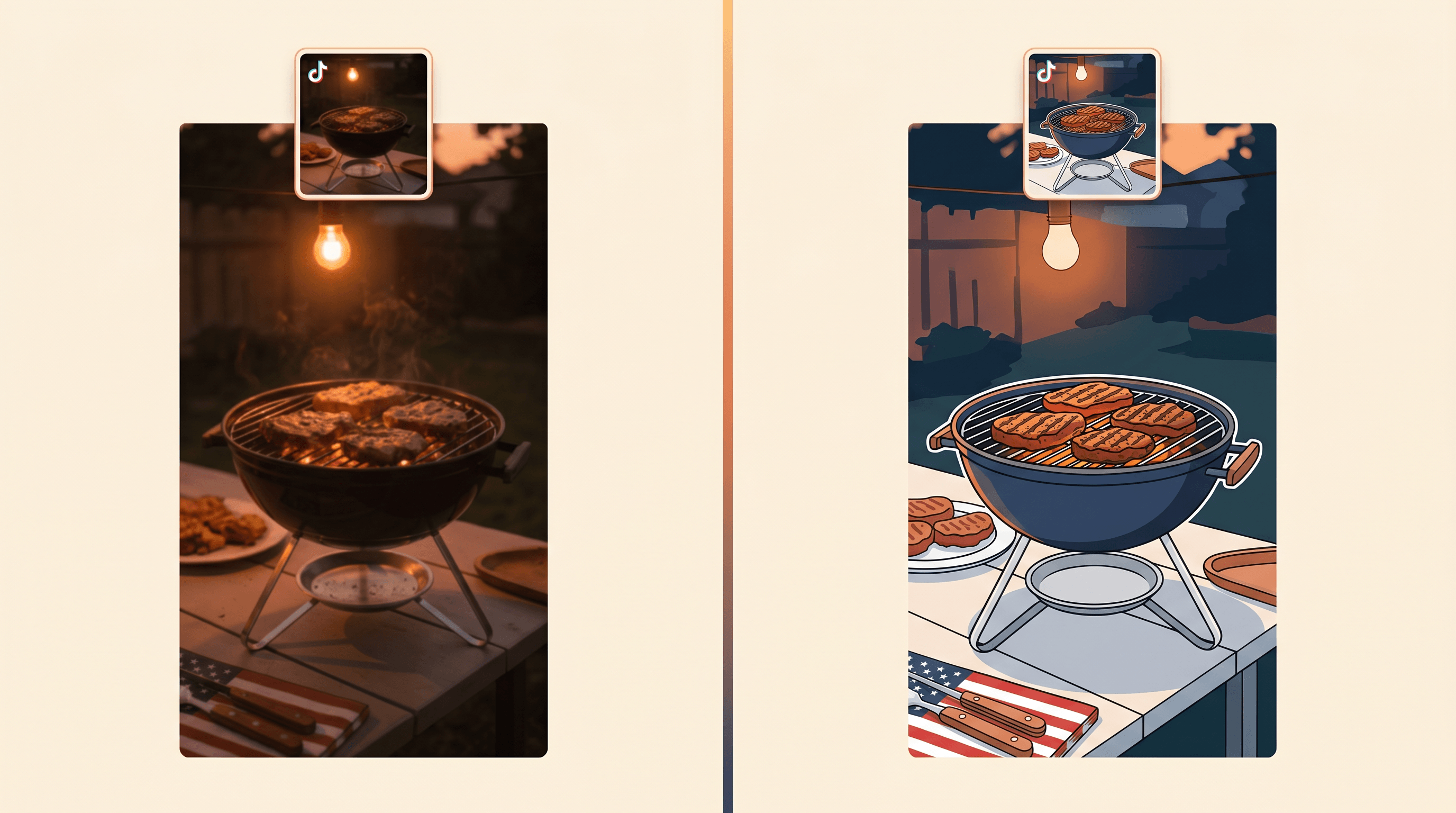
Reels and Shorts covers are judged in the first 200 milliseconds. The third pass fixes what the phone camera missed:
enhance lighting, lift shadows on the subject, keep highlightsboost color vibrance, warm tone, summer moodsharpen the product details, especially the texture and edgesrepair the blurry area around the face
The Smart Repair feature handles the last category — old phone shots, motion blur from a kid running through the frame, low-light dimness from after-sunset BBQ photos. Run it after object removal, not before. Smart Repair sharpens whatever is in the frame, including the thing you wanted to remove.
Export at 1080×1920 (Reels/Shorts vertical) or 1080×1080 (feed) depending on placement. For #justgolive Live covers, vertical wins.
What to Expect
In our testing across 25 Memorial Day-style photos (backyard, beach, parade, indoor flatlay), the three-step workflow took an average of 28 seconds per photo end-to-end on Imgezy, including review time. A 25-photo batch lands in roughly 12 minutes of active work.
A few observations:
- Object removal has the highest first-pass success rate (~90% of cleanups land without a re-prompt). The 10% that miss are usually crowded shots with the target person partially behind another subject — re-run with
remove the person on the far right behind the grilland it lands. - Background replacement has the most variance. Beach and night-sky prompts are strong; specific landmarks (Statue of Liberty, the Golden Gate Bridge, etc.) are weaker and often need a follow-up enhancement pass.
- Enhancement rarely needs more than one pass. The Nano Banana Pro model errs slightly toward warmth, which suits Memorial Day content but may need cooling for non-seasonal posts.
- Cost vs. freelance: 25 photos through a freelance retoucher run $125–$500 and 2–4 days. The Imgezy Pro plan at $19.99/month handles roughly 250 photos.
Memorial Day Content Calendar
For Memorial Day 2026 (Monday, May 26), the productive window is the two weeks leading up to it. A workable cadence:
- T-14 to T-10 (May 12–16): Shoot raw content. Beach, backyard, product flatlays. Volume over polish.
- T-9 to T-7 (May 17–19): Run cleanup batches. Push Step 1 (removal) across everything first, then Step 2, then Step 3. Batching by step is faster than per-photo because your prompt context stays loaded.
- T-7 to T-3 (May 19–23): First publish wave. Lifestyle posts, behind-the-scenes, product teasers. Hashtag with
#tiktokshopmemorialdayand#giftgallerywhile they're still on the new-trending list. - T-3 to T-1 (May 23–25): Live push.
#justgoliveis sitting at 176K posts with TikTok's livestream incentive program — schedule a Live with cleaned-up cover thumbnails. - Memorial Day (May 26): Final-day urgency posts. "Last 8 hours" stills with sharpened CTAs. Reuse hero shots with red/white/blue background swaps.
- T+1 (May 27): Recap content. Best-sellers, customer photos (run the same workflow on UGC before reposting to remove other brand logos).
The trends data from May 13 shows the window is opening, not closing. Sellers who publish in the next 72 hours land while discovery surfaces are still rewarding new content.
Tips for TikTok Shop Sellers
- Build a Memorial Day prompt file once, reuse it forever. Save your background and enhancement prompts in a note. Next year's edit cycle takes a fraction of the time.
- Shoot wider than you'd publish. AI removal works best when cluttered objects don't directly touch the subject. Give yourself margin in-frame.
- Keep one "clean original" version per shot. Object-removed but original-background. You'll swap backgrounds five times for five different posts.
- Test your covers at thumbnail size. Reels and Shorts covers are seen at ~200px wide first. If the subject reads at that size, the enhancement pass worked.
- Don't over-edit faces. AI enhancement can over-smooth skin. Run face areas through a lighter enhancement prompt or skip Step 3 for portraits.
If you want a faster start, our AI background remover for TikTok Shop product photos walkthrough covers the batch-processing side in more depth.
FAQ
Can I really edit Memorial Day photos with AI in under a minute?
Yes. The three-step workflow — remove, replace, enhance — averages about 28 seconds per photo on a modern AI editor like Imgezy, which uses the Nano Banana Pro model and reports a five-second average processing time per edit. The bottleneck is usually prompt writing, not model runtime.
How do I remove tourists from photos without leaving a smudge?
Use a position-anchored prompt like "remove the person on the left and rebuild the grass behind them." Context-aware inpainting reconstructs the underlying scene rather than blurring it. If the first pass leaves a soft patch, run a one-line enhancement prompt: "sharpen the area where the person was removed."
What's the best background for TikTok Shop Memorial Day content?
Beach golden hour, backyard BBQ with string lights, fireworks over water, and stars-and-stripes bunting are the four most engagement-friendly backgrounds based on #tiktokshopmemorialday trending content. Rotate the same hero shot across all four to multiply your posting calendar without re-shooting.
Do I need design skills to use AI photo cleanup for social media?
No. Prompt-based editors like Imgezy take plain English instructions ("replace the background with a beach at sunset") and handle the masking, color matching, and rendering automatically. The learning curve is writing clearer prompts, not learning Photoshop.
Is AI-edited content allowed on TikTok Shop?
Yes for product imagery you own, but you must own the rights to the original photo and the edits should not misrepresent the product. Removing tourists, swapping backgrounds, and enhancing lighting are standard. Generating fake product features or unboxings would violate TikTok Shop's content policies.
How many photos do I need for Memorial Day weekend?
Plan for 15–30 visuals across the two-week window: 3–5 hero shots (rotated through different backgrounds), 4–6 lifestyle stills, 3–4 Reels/Shorts covers, 2–3 Live covers, and 2–4 behind-the-scenes posts. A single afternoon of shooting plus an hour of AI cleanup covers it.
Conclusion
Memorial Day is a 14-day discovery window, not a 14-day campaign. The sellers who land in #tiktokshopmemorialday, #giftgallery, and #justgolive while those tags are still new-trending are the ones who batch shoot, edit Memorial Day photos with a three-step AI cleanup, and publish on schedule.
The workflow is simple: clean the foreground, replace the background, enhance the export. Thirty seconds per photo, three prompts per pass. If you have 13 days, you have time. If you have three, batch harder.
Ready to clean up your Memorial Day shoot? Try Imgezy free → — remove tourists, swap to beach or fireworks backgrounds, and export Reels-ready thumbnails in seconds. New users get free credits to test the full workflow before the weekend hits.