
Precision Image Generation with GPT Image 2
OpenAI's GPT Image 2 delivers precise, production-ready images with reference image support, 1K/2K/4K resolution controls, and flexible aspect ratios. Pay only for what you use with dynamic credits — from 3 credits for 1K drafts to 7 credits for 4K outputs.
Settings
Upload an image file to get started with your AI conversion
Maximum quality with the best detail and accuracy
Preview
View your AI-transformed result and compare with the original
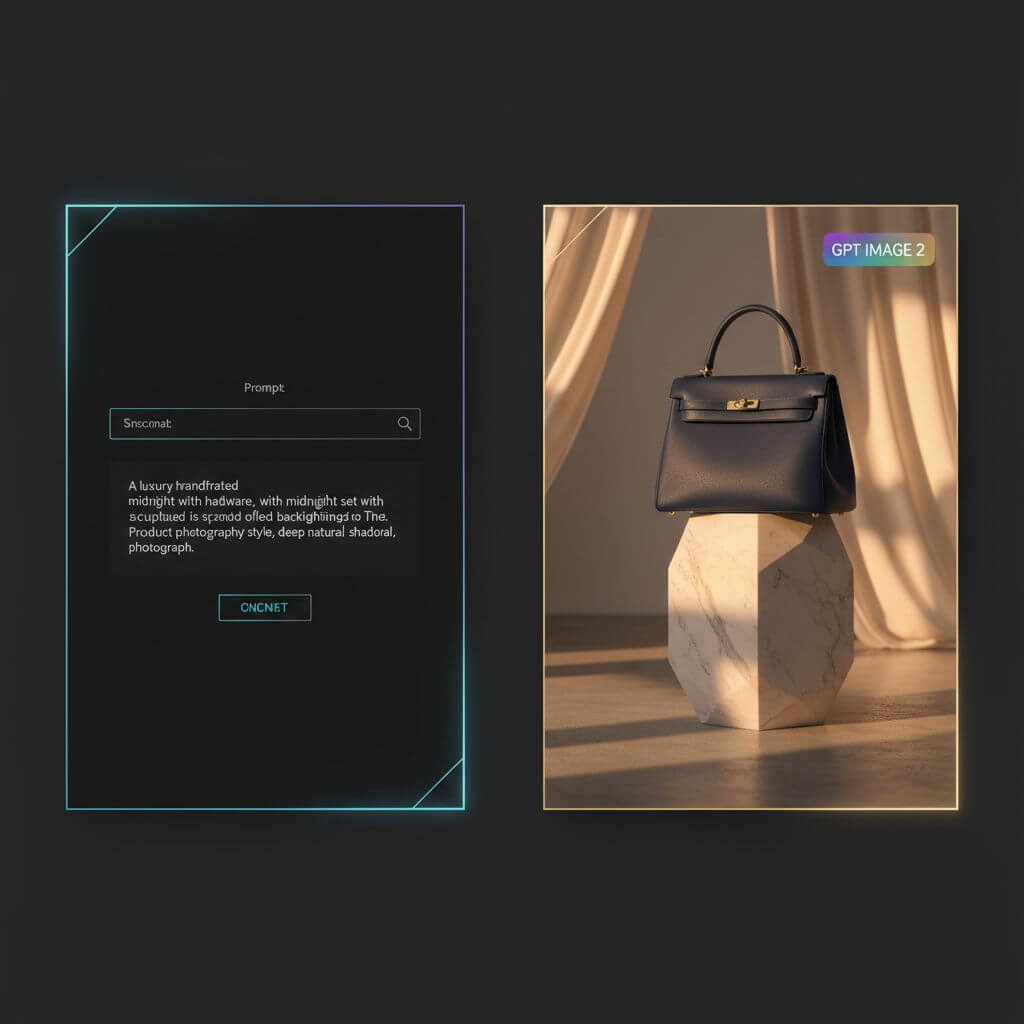
↑ Example result. Try it yourself!
Why GPT Image 2 Is Built for Production Workflows
GPT Image 2 combines OpenAI's world-class instruction following with reference image support, resolution controls, and flexible aspect ratios — the ideal model for designers, marketers, and developers who need precision, not guesswork.
Resolution Controls — Pay for What You Need
GPT Image 2 offers 1K, 2K, and 4K output options so you pay for the file size you actually need. Use 1K for rapid drafts, 2K for everyday work, and 4K for final production output.
Reference Image Support
Upload reference images to guide identity, product details, or visual style. GPT Image 2 can use those references alongside your prompt, which makes it easier to keep assets on-brand across iterations.
Strong Single-Image Iteration
Generate one precise image per request, then adjust the prompt, references, aspect ratio, or resolution for the next pass. This keeps each result easy to review and cost predictable.
Precise Instruction Following
Powered by OpenAI's latest image model, GPT Image 2 excels at rendering exact details from complex prompts — text, logos, product specs, brand guidelines. When you need the image you asked for (not an approximation), GPT Image 2 delivers with the precision OpenAI is known for.
Flexible Aspect Ratios
Choose between 1:1 square, 3:2 landscape, and 2:3 portrait aspect ratios to match your target medium. GPT Image 2 handles common production formats for social, web banners, posters, and editorial work.
Transparent Pricing with Dynamic Credits
GPT Image 2 pricing is fully transparent: 3 credits for 1K, 4 credits for 2K, and 7 credits for 4K. The Generate button shows the exact cost before you click. No hidden fees, no surprise charges.
Real-World Applications of GPT Image 2
Discover how designers, marketers, and product teams use GPT Image 2's precision generation, reference images, and resolution controls to ship faster and iterate smarter.

Reference-Guided Assets for Design Systems
Product designers use GPT Image 2's reference-image support to keep icon sets, stickers, and UI assets aligned with a visual system. Resolution controls let teams draft cheaply and finalize at higher detail.

Iterative A/B Creative Exploration
Marketing teams run focused GPT Image 2 variations to A/B test ad creatives, email headers, and social posts. Flexible aspect ratios (1:1, 3:2, 2:3) cover every platform, and precise instruction following keeps brand guidelines tight.

E-commerce Product Mockups
E-commerce teams use GPT Image 2 with product references to generate lifestyle mockups and catalog images. 4K output delivers production-ready detail, while 1K lets teams explore styling options at lower cost.
How to Use GPT Image 2
Start generating with OpenAI's GPT Image 2 in under a minute. Our dynamic credit UI shows exact cost before each generation, so you always know what you're paying for.
Sign Up for Free GPT Image 2 Credits
Create your Imgezy account to receive free credits for GPT Image 2. No payment required — try the resolution options and reference-image workflow before deciding to upgrade.
Configure Resolution, Aspect Ratio & References
Pick your resolution (1K, 2K, or 4K), aspect ratio (1:1, 3:2, or 2:3), and optional reference images. The Generate button updates in real time with exact credit cost.
Generate & Download from GPT Image 2
Click generate and GPT Image 2 produces a precision image in seconds. Download the result, then adjust your prompt, references, aspect ratio, or resolution for the next pass.
What Professionals Say About GPT Image 2
Hear from users who create with GPT Image 2 every day
“The resolution controls in GPT Image 2 are a game-changer for my workflow. I iterate at 1K while exploring, then finalize at 4K once I nail the prompt. It keeps costs predictable without changing models.”
Alex Parker
Senior UX Designer
“Reference images in GPT Image 2 eliminated guesswork in our design pipeline. We can keep product details and visual direction aligned from pass to pass, then only increase resolution for the final output.”
Priya Sharma
Brand Designer
“Single-image iteration is perfect for our campaign testing. GPT Image 2 returns a focused result, we adjust the prompt, and the dynamic credit display on the Generate button keeps budget tight.”
David Kim
Growth Marketing Lead
“GPT Image 2's instruction following is noticeably stronger when rendering specific product details and brand elements. For e-commerce cutouts and lifestyle mockups, it's now my go-to model — precision every time, no fighting with the prompt.”
Maya Thompson
E-commerce Creative Director
“Flexible aspect ratios in GPT Image 2 mean I can generate 1:1 for Instagram, 3:2 for Twitter headers, and 2:3 for TikTok covers — all from the same prompt. Dynamic credits keep my content budget predictable across a busy posting schedule.”
Lisa Park
Social Media Manager
“As a solo indie dev, I need every pixel to count. GPT Image 2's 1K option lets me prototype app icons and illustrations cheaply. When I find the right direction, 4K delivers production-ready output without switching tools.”
Jordan Rivera
Indie Developer
Frequently Asked Questions About GPT Image 2
Everything you need to know about using OpenAI's GPT Image 2 on Imgezy