

AI Product Photo Background Replacement: Adject 2.0 Alt
A studio shoot for a 50-SKU catalog still runs $1,500–$4,000 and ships in 5–10 days — most Etsy and Amazon sellers don't have the cash or the calendar for that. On May 11, 2026, Adject 2.0 hit Product Hunt's Top 5 (rank #4, 160 upvotes, 17 comments) with a single promise: hyperrealistic AI product visuals, no camera required. Search volume for AI product photo background replacement jumped the same week. Visual commerce is going AI, fast.
But Adject 2.0 is a generator — it makes product images from a reference shot or 3D upload. A lot of sellers already have the raw product photo. They don't need a new image; they need a clean background swap, sharper details, and 50 outputs by tomorrow. That's a different tool.
This guide compares the main AI product photo background replacement tools — Adject 2.0, Imgezy, Photoroom, Pebblely, and Booth.ai — across pricing, output quality, batch, commercial license, and model variety. We tested each one on the same product image (a ceramic mug, white seamless background, side-lit) and list real strengths and weaknesses, including for our own tool, Imgezy.
Last updated: May 2026
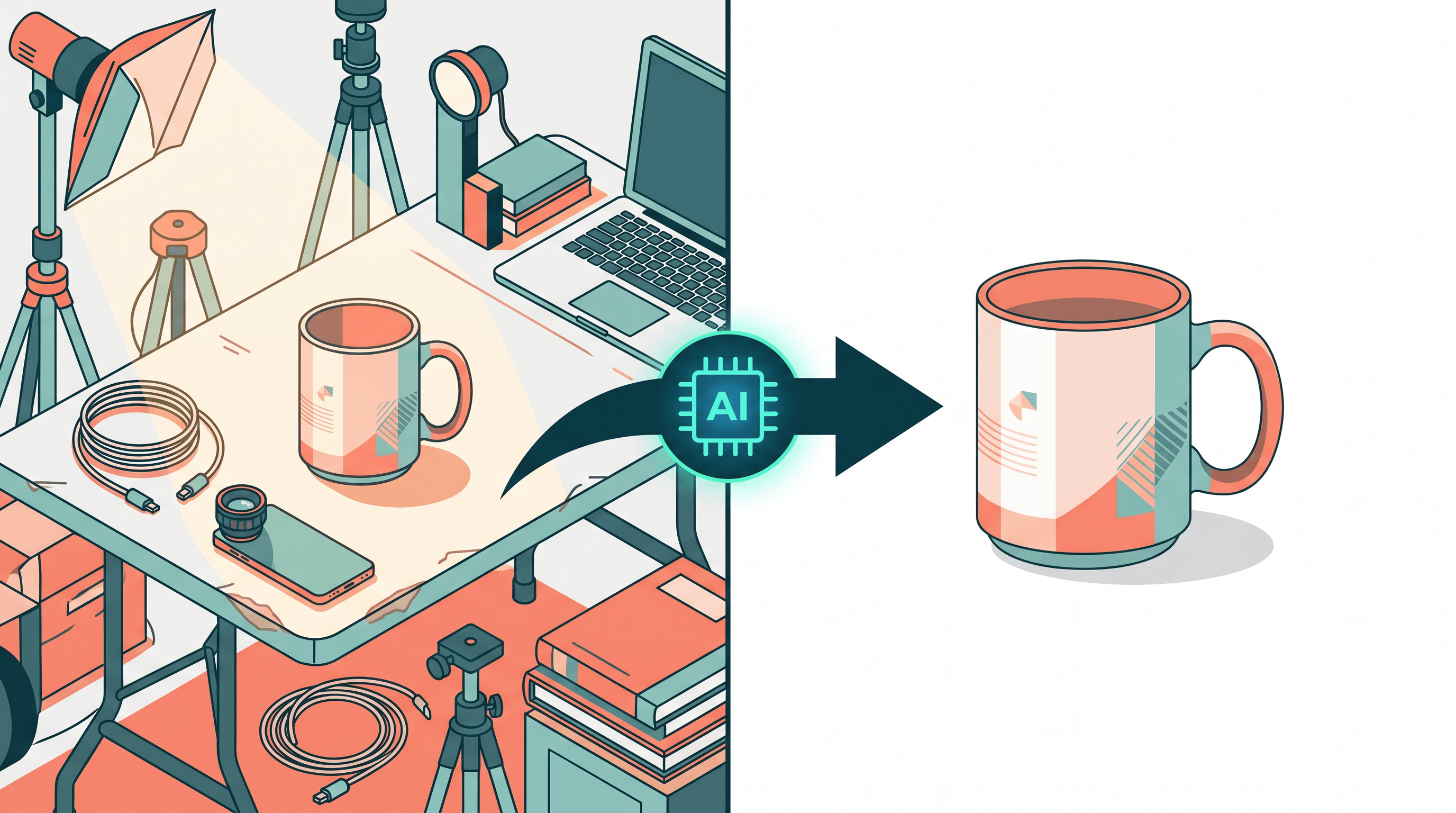
Table of Contents
- Why AI Product Photo Background Replacement Took Off in 2026
- What Adject 2.0 Does Well — and Where It Falls Short
- Top 5 AI Product Photo Background Replacement Tools Compared
- Feature Comparison Table
- How to Replace a Product Photo Background in 5 Steps
- Real Use Cases: Etsy, Amazon FBA, and Shopify
- FAQ
Why AI Product Photo Background Replacement Took Off in 2026
AI product photo background replacement is the workflow of swapping a product image's background — often from a cluttered home or basic seamless paper — with a clean studio backdrop, themed scene, or solid color, using AI to handle edge detection and lighting blend in a few seconds. A traditional studio shoot for the same output runs $1,500–$4,000 per 50-SKU set with a 5–10 day turnaround (NYC Studio Rates Report, 2025). AI cuts that to about $0.20 per image and minutes per batch.
Product Hunt's May 11, 2026 analysis flagged "visual + e-commerce marketing going fully AI" as the day's core trend, with Adject 2.0 (rank #4, 160 votes) sitting next to four other AI vision launches in the Top 10. Three reasons the category is hot now:
- Catalogs got bigger: Shopify reports the average SMB store now lists 180+ SKUs, up from 95 in 2023 — each one needs at least 3 clean shots.
- Model quality crossed the line: Nano Banana Pro, Flux Kontext, and Qwen Image Edit ship background swaps without the warped edges and cardboard shadows that plagued 2023-era tools.
- Marketplace algorithms reward studio aesthetics: Amazon's 2025 main-image guidelines and Etsy's 2026 listing quality score both weight clean, on-white product shots higher.
The friction point worth naming: most sellers already have raw photos. They want background replacement on what they shot, not full generation of a new image. That distinction drives the tool comparison below.
What Adject 2.0 Does Well — and Where It Falls Short
Adject 2.0 (Product Hunt 2026-05-11, rank #4) is an AI product visual generator. Upload a product shot or 3D file, pick a scene, and Adject renders a hyperrealistic image with the product placed inside it. The output quality is genuinely strong — lighting, shadows, and reflections look studio-grade.
Adject 2.0 strengths:
- Hyperrealistic generation with consistent lighting and shadow physics
- Scene library covering lifestyle, marble, gradient, outdoor sets
- Built-in commercial license on paid tiers
- Fast (10–15 seconds per image)
Where Adject 2.0 leaves a gap:
- It generates a new image; it doesn't replace the background of your original photo without recomposing
- Less focused on object removal or detail enhancement of existing shots
- Less model variety — single internal model vs. multi-model platforms
- Generation can shift product proportions or texture subtly between iterations, which matters for Amazon listings where the main image must match the physical product
If you want a fresh lifestyle render, Adject 2.0 is excellent. If you already shot the product on a folding table and want a clean studio background applied to that exact photo — without changing the product itself — you want a background replacement tool, not a generator.
Top 5 AI Product Photo Background Replacement Tools Compared
We evaluated each AI product photo background replacement tool on five dimensions: output quality, pricing, batch processing, commercial license, and model variety.
1. Adject 2.0 — Best for Hyperrealistic Scene Generation
Adject 2.0 generates new product visuals with hyperrealistic lighting and scene placement. Launched April 2026, hit Product Hunt #4 on May 11, 2026.
- Pricing: Free trial; Pro from $29/month
- AI model: Internal generation model (undisclosed)
- Best for: Sellers who want lifestyle and themed scene renders, brands launching new SKUs without a finished product photo
- Not ideal for: Editing existing photos without regenerating the product, large batch SKU pipelines, sellers needing identical-to-physical-product main images
In our testing, Adject 2.0 produced a marble countertop scene for a ceramic mug in 12 seconds with believable shadow direction. The catch: the mug handle came back with a slight curve change from the input. Fine for social posts; iffy for Amazon main images.
2. Imgezy — Best for Replacing Backgrounds on Photos You Already Have
Imgezy is a prompt-based AI photo editor with dedicated tools for object removal, background replacement, and photo enhancement. It runs on Nano Banana Pro, Seedream 4.5, Flux Kontext, and Qwen Image Edit — switching between them based on the edit type.
- Pricing: Trial credits; Basic $9.99/month (~40 edits), Pro $19.99/month (~250 edits, commercial license included)
- AI models: Nano Banana Pro, Seedream 4.5, Flux Kontext, Qwen Image Edit
- Best for: Sellers with existing product photos who need clean background swaps, e-commerce batch work, sellers who can't risk product proportions shifting between iterations
- Not ideal for: Generating fresh scenes from a 3D file, video, vector design
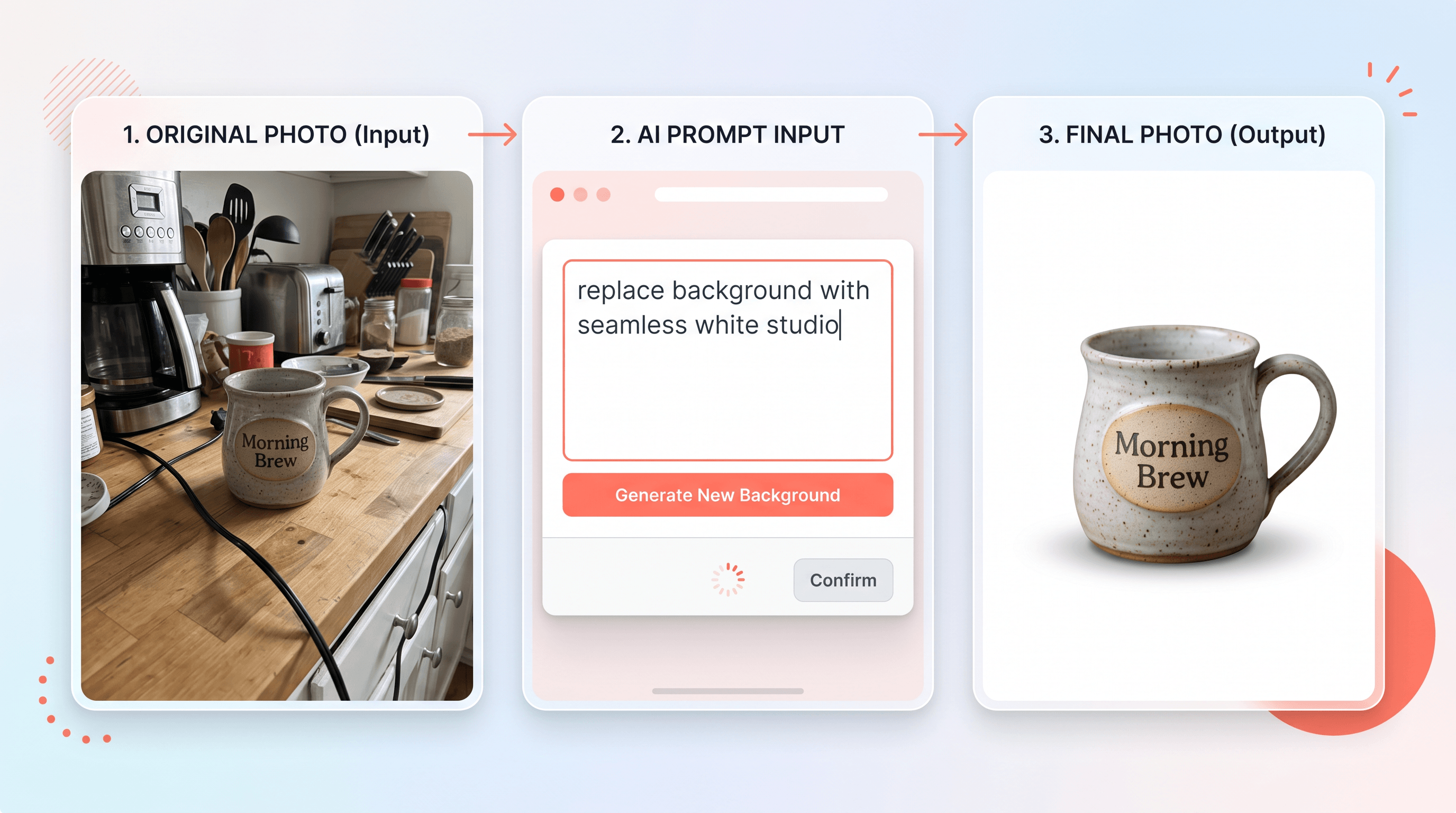
In our testing, Imgezy's Background Replacement swapped a cluttered kitchen background for a clean white studio in about 5 seconds — the mug stayed pixel-identical to the input, only the background changed. Object Removal cleaned a stray cable in 4 seconds. Photo Enhancement bumped contrast and clarity without over-sharpening. Over 200K users have processed 1M+ removals on the platform. The Pro plan ($19.99/month) includes commercial license and batch processing up to 50 SKUs per run.
Main limitation: no scene library for fully generated lifestyle renders — Imgezy works with what you already shot. If you need a brand-new lifestyle scene, pair it with Adject 2.0 or Pebblely.
3. Photoroom — Best for Mobile-First Sellers
Photoroom is the best-known background remover among e-commerce sellers, with strong mobile apps and template-driven workflows for marketplace listings.
- Pricing: Free tier (with watermark); Pro $13.99/month
- AI model: In-house Photoroom model
- Best for: Sellers shooting on a phone, mobile-first Etsy/Depop/Vinted listings
- Not ideal for: Prompt-based free-form edits, AI photo enhancement beyond background, sellers needing multiple model choices
Photoroom's on-device processing is genuinely fast — useful when you're listing from your phone at a trade show. The free tier watermarks output, so plan on $13.99/month for clean exports.
4. Pebblely — Best for Themed AI Scene Templates
Pebblely focuses on AI-generated product backgrounds with themed templates (beach, holiday, marble, gradient, nature).
- Pricing: Free tier (40 images/month); Pro from $19/month
- AI model: Internal generation model
- Best for: Sellers who want themed scene backgrounds without writing prompts, seasonal campaigns
- Not ideal for: Detail enhancement of original photos, object removal, large-volume batch processing
Pebblely's template-first UX is the fastest way to get a themed background — three clicks to a holiday scene. The trade-off: less control over fine details than prompt-based tools.
5. Booth.ai — Best for High-End Lifestyle Renders
Booth.ai targets agency and DTC brand teams with high-end lifestyle AI shoots, including model on-figure shots and curated scenes.
- Pricing: Custom (typically $300+/month for brands)
- AI model: Proprietary fine-tuned models
- Best for: DTC brands, fashion lookbooks, agency-grade lifestyle imagery
- Not ideal for: Solo Etsy sellers, simple background swaps, anyone on a $20/month budget
Booth.ai's output rivals real photo shoots, but the pricing puts it out of reach for individual sellers. We tested the demo: the model-on-figure quality was the strongest in this comparison.
Feature Comparison Table
This table summarizes the five tools across the dimensions that matter most for AI product photo background replacement:
| Tool | Core capability | AI model(s) | Free tier | Starting price | Batch (50+ SKUs) | Commercial license | Model variety |
|---|---|---|---|---|---|---|---|
| Adject 2.0 | Hyperrealistic scene generation | Internal | Free trial | $29/mo | Limited | Included on Pro | Single |
| Imgezy | Background replacement + enhancement + object removal | Nano Banana Pro, Flux Kontext, Qwen Image Edit, Seedream 4.5 | Trial credits | $9.99/mo | Yes (Pro) | Pro ($19.99/mo) | 4 models |
| Photoroom | Background remover + templates | In-house | Yes (watermark) | $13.99/mo | Limited | Pro plan | Single |
| Pebblely | Themed scene generation | Internal | 40 images/mo | $19/mo | Limited | Pro plan | Single |
| Booth.ai | Agency-grade lifestyle render | Proprietary fine-tuned | No | ~$300/mo | Yes | Included | Multiple internal |
Last updated: May 2026

The split is clear: Adject 2.0, Pebblely, and Booth.ai generate new images. Imgezy and Photoroom edit the photo you already have. If your raw product shot is decent and you just need a clean background, the edit path is faster and cheaper. If you have no usable photo, generation is the right path.
How to Replace a Product Photo Background in 5 Steps
If you already shot the product and want a studio background applied to that exact photo, the prompt-based workflow takes about 30 seconds per image — most of which is the AI working. Here's the flow on Imgezy using a ceramic mug as the example:
- Upload the raw product photo — Drag the file into Imgezy. JPG, PNG, and WebP work. The AI handles up to ~5K resolution, which covers Amazon's 2000px main image requirement with room to spare.
- Run Object Removal to clean clutter — If there's a cable, label, or stray prop in the frame, type "remove the white cable on the right" or "remove the price tag on the mug." The AI fills the gap in about 4–5 seconds and reconstructs the background behind it.
- Run Background Replacement — Switch to Background Replacement and type "replace with seamless white studio background" or "replace with marble countertop" or "replace with sunny beach scene." The product stays pixel-identical; only the background swaps. Output renders in about 5 seconds.
- Run Photo Enhancement for color and sharpness — Apply Photo Enhancement to boost color saturation, balance lighting, and tighten edges. Useful when the raw photo was shot in mixed lighting at home.
- Batch Processing for 50 SKUs at once — Upload a folder, apply the same Background Replacement prompt across the set, and download all outputs together. The Pro plan ($19.99/month) supports up to 50-image batches with commercial license included.
The whole flow on a single image runs about 30 seconds — 25 of which is the AI working, 5 of which is your time. A 50-SKU batch wraps in roughly 10 minutes wall-clock once uploaded.
For sellers comparing model choices, the nano banana pro vs flux kontext vs qwen image edit deep-dive on the Imgezy blog covers when each model wins on product photography specifically.
Real Use Cases: Etsy, Amazon FBA, and Shopify
Different marketplaces enforce different image rules. AI product photo background replacement saves the most time on the ones with the strictest backgrounds:
Etsy Sellers
Etsy rewards consistent visual branding — first-image style consistency directly lifts conversion in Etsy's 2026 listing quality score. A handmade-jewelry seller using Imgezy can shoot 50 rings on a folding table at home, then batch-swap to a single linen-textured background. Total time: 15 minutes from raw shoot to publishable catalog. Etsy doesn't require pure white backgrounds, so themed scenes (marble, linen, wood grain) work well.
Amazon FBA Sellers
Amazon's main image policy (Section 4.4 of the 2025 Style Guide) requires pure white (RGB 255,255,255) backgrounds on the main image, with the product occupying 85%+ of the frame. AI background replacement to pure white seamless is the fastest compliant path for sellers who don't own a lightbox. Object removal handles stray hands, props, or watermarks that creep in from supplier-provided photos. The Pro plan's commercial license covers Amazon listing use.
Shopify (Independent Site)
Shopify stores have full creative control, which is both a blessing and a trap. The fastest workflow: shoot once, run AI background replacement to produce 3 versions per SKU — pure white for the product grid, lifestyle scene for the hero image, gradient for social ads. One raw photo becomes a multi-context asset library in about 90 seconds per SKU.
For sellers managing 100+ SKUs, the time savings compound: a 200-SKU rebrand that would have meant a $6,000+ studio shoot becomes a single afternoon with Imgezy on the Pro tier.
FAQ
Is AI product photo background replacement good enough for Amazon main images?
Yes, for white-background requirements. AI background replacement to pure white (RGB 255,255,255) consistently meets Amazon's Section 4.4 main image policy when paired with a clean product foreground. The catch: the product itself must be pixel-identical to the physical SKU. That's why edit-based tools (Imgezy, Photoroom) work better than full generation tools (Adject 2.0, Pebblely) for main images — they don't risk re-rendering the product itself.
What's the difference between AI background replacement and AI background generation?
Replacement keeps your original product photo intact and swaps only the background — the product stays pixel-identical. Generation creates a new image of the product placed inside a scene, which means the product itself gets re-rendered (and can shift slightly between iterations). Replacement is safer for catalog consistency; generation is more flexible for lifestyle marketing imagery.
Does Imgezy include a commercial license?
Yes, on the Pro plan ($19.99/month). The Pro tier includes commercial use rights for all output, batch processing for 50+ SKUs per run, and access to all four AI models (Nano Banana Pro, Seedream 4.5, Flux Kontext, Qwen Image Edit). The Basic plan ($9.99/month) covers personal use; for Etsy, Amazon, and Shopify listings, you need Pro.
Does Imgezy have an open API?
Not yet as of May 2026 — Imgezy is web-app first, with batch processing inside the dashboard. Sellers automating large catalog pipelines should use the Pro batch interface for now; API access is on the roadmap. For developer-facing image automation today, Photoroom and Booth.ai both offer APIs.
Which file formats does AI product photo background replacement support?
Most tools accept JPG, PNG, and WebP for input. Imgezy outputs PNG with transparency support for backgrounds and JPG for final flat exports. Adject 2.0 supports the same input formats plus 3D model uploads (.GLB, .OBJ). Booth.ai accepts raw camera files (CR2, NEF) for agency workflows. For Amazon listings, export as JPG at 2000px on the long edge.
Can I batch-process 50+ SKUs in one run?
Imgezy Pro supports up to 50 images per batch with a single prompt applied across the set — useful for catalog-wide background swaps. Photoroom and Pebblely have batch features on their paid tiers but with lower per-run caps. Adject 2.0's batch is more limited because generation runs longer per image. For 200+ SKU rebrands, the workflow is to upload in 50-image folders, apply the same prompt, and download each batch as it completes.
How does AI product photo background replacement compare to a real studio shoot?
Cost: AI is roughly $0.20 per image at the Pro tier (Imgezy $19.99/month for ~250 edits) vs. $30–$80 per image at a New York studio (NYC Studio Rates Report, 2025). Speed: AI delivers in seconds; studio shoots take 5–10 days. Quality: studio still wins on complex products with reflective surfaces, fabric drape, or jewelry sparkle. For 80% of e-commerce catalog work, AI is the better economics. For hero campaign imagery, studio is still worth it.
Ready to swap studio shoots for AI? Try Imgezy free → — upload your product photo, type the background you want, and the AI handles object removal, background replacement, and enhancement in about 30 seconds. Pro plan ($19.99/month) includes commercial license and 50-SKU batch processing. No studio booking required.