

7 Best Free Blog Cover Generators in 2026 (AI Compared)
Article Banner Generator just hit #18 on Product Hunt today (May 10, 2026), pitching itself as a "Free OG Image & Blog Cover Generator." Search volume for "best free blog cover generator" has tracked steadily upward since Q4 2025 (Google Trends). The reason is simple: every blog post needs a 1200×630 OG image, every Twitter share needs a 1200×600 card, and paying $14.99/month for a Canva subscription just to ship one cover image feels like overkill.
We tested 7 of the most-recommended free blog cover generators across pricing limits, AI model quality, OG image support, and commercial license. This is a working blog cover maker review — we shipped real article banners through each tool, not just opened the homepages.
Last updated: May 2026

Table of Contents
- What Makes a Good Free Blog Cover Generator?
- 7 Best Free Blog Cover Generators Compared
- Feature Comparison Table
- How to Choose the Right Free Blog Cover Generator
- How to Generate a Blog Cover in Under 2 Minutes
- FAQ
What Makes a Good Free Blog Cover Generator?
A good free blog cover generator should produce a 1200×630 OG image from a single prompt — no template editing, no manual resize, no watermark surprises at export. The best free blog cover generator for your workflow depends on whether you write 2 posts a month or 20, whether you need commercial rights on day one, and whether you can tolerate a sign-up wall.
Five criteria we used to evaluate every AI OG image generator in this comparison:
- Free quota: How many images per day or month before a paywall?
- Login requirement: Can you generate without an email signup?
- Prompt input: Text-to-image, image-to-image (style reference), or template-based?
- Output sizes: OG 1200×630, Twitter card 1200×600, Pinterest 1000×1500, custom dimensions?
- Commercial license: Can you legally use the output on a monetized blog?
- AI model: GPT-Image, DALL-E 3, Flux, Imagen 3, Nano Banana — model choice affects detail quality and text rendering.
According to a 2025 Statista report, 67% of bloggers cite cover image creation as a recurring time sink, with the average post taking 12-25 minutes to design a cover. AI blog cover generators cut that down to under 2 minutes — if you pick the right one.
7 Best Free Blog Cover Generators Compared
We ranked these free blog cover generator tools by what they actually do best, not alphabetically. Every tool below has a working free tier that lets you ship a cover image without a credit card.
1. Article Banner Generator — Best Single-Purpose Free OG Image Generator
Free quota: Unlimited generations on the public site Login required: No Prompt input: Text-to-image only Output sizes: OG 1200×630 (default), Twitter card, Facebook share Commercial license: Yes (free, attribution not required) AI model: Flux Schnell
Article Banner Generator launched on Product Hunt May 10, 2026 (ranked #18 on day one) as a single-purpose free OG image generator. There are no templates, no editor, no upsells — just a prompt box and a download button. In our testing, the tool produced a 1200×630 cover image in about 4 seconds without any login.
Best for: Bloggers who publish daily and need a friction-free flow. The no-login flow alone saves 30 seconds per post.
Not ideal for: Heavy text-on-image work (logos, headlines burned into the cover). Flux Schnell's text rendering is decent but not on par with GPT-Image. No image-to-image or style reference support.
2. Canva Magic Studio — Best Free Blog Banner Tool with Templates
Free quota: 50 Magic Media generations/month on free plan Login required: Yes (email or Google sign-in) Prompt input: Text-to-image + template editor + Magic Resize Output sizes: Any (custom dimensions, 100+ blog cover templates pre-sized) Commercial license: Free for commercial use; some templates require Pro AI model: Magic Media (DALL-E 3 + custom models)
Canva is the default free blog banner tool for non-designer bloggers. The Magic Studio bundle adds AI generation on top of the existing template library, and Magic Resize converts a single design into OG, Twitter, Pinterest, and Instagram dimensions in one click. According to Canva's 2025 annual report, the platform has 190M+ monthly active users — by far the largest community on this list.
Best for: Bloggers who want a generated AI image plus headline text and logos in one tool. The template-first approach beats every text-only generator when you need branded covers.
Not ideal for: Power users who hate template UI. The 50/month Magic Media cap also bites if you publish daily.
3. Adobe Express — Best Commercial-Safe Free AI OG Image Generator
Free quota: 25 Firefly generative credits/month on free plan Login required: Yes (Adobe ID) Prompt input: Text-to-image + generative fill + style reference (image-to-image) Output sizes: OG 1200×630, custom blog header presets, Twitter card Commercial license: Yes (Firefly is trained on Adobe Stock + public domain — commercial-safe) AI model: Firefly Image 3
Adobe Express's strongest selling point for blog covers is Firefly's commercial-safe training data — for brand work, this matters. Firefly Image 3 also renders text inside images more reliably than most competitors. The free tier's 25-credit monthly cap is the tightest in this comparison, so it's better suited for occasional rather than daily use.
Best for: Brand bloggers who can't risk copyright friction. The commercial-safe license is a real differentiator if you monetize via ads or sponsored posts.
Not ideal for: High-volume publishers. 25 credits/month is gone in a week if you generate variations.
4. Microsoft Designer — Best Free Blog Cover Maker for Microsoft 365 Users
Free quota: 15 boosts/day (faster generation), unlimited slow generation Login required: Yes (Microsoft account) Prompt input: Text-to-image + template editor Output sizes: Custom (1200×630 OG preset available) Commercial license: Yes for personal and commercial use (per Microsoft's terms) AI model: DALL-E 3
Microsoft Designer bundles DALL-E 3 generation with a Canva-like template editor for free. The 15 "boosts" per day are fast lane credits — slow generations are unlimited but take 1-2 minutes each. We found Designer's text-on-image rendering to be the cleanest in the free tier comparison, thanks to DALL-E 3's known strength with typography.
Best for: Bloggers already inside the Microsoft 365 ecosystem, or anyone who wants DALL-E 3 quality without paying ChatGPT Plus.
Not ideal for: Privacy-conscious users (Microsoft account required). Some advanced features only work in supported regions.
5. Bing Image Creator — Best No-Frills Free DALL-E 3 Generator
Free quota: 15 boosts/day, unlimited slow generations Login required: Yes (Microsoft account) Prompt input: Text-to-image only Output sizes: 1024×1024 default (manual crop to 1200×630 needed) Commercial license: Yes for personal use; commercial use requires review (per Microsoft terms) AI model: DALL-E 3
Bing Image Creator is the bare-bones version of Microsoft Designer — same DALL-E 3 model, no editor. Output is fixed at 1024×1024, so you'll need a separate crop step to get a 1200×630 OG image. Best paired with a free editor (Photopea, Canva, or Imgezy) to crop and add text.
Best for: Quick prompt-to-image generation when you don't need an editor. DALL-E 3 quality at zero cost.
Not ideal for: One-shot OG image workflow. The aspect ratio mismatch and manual crop step add friction.
6. Fotor AI Image Generator — Best Free Blog Cover Maker with Variety
Free quota: 3 generations/day on free tier (no credit card) Login required: Yes (email signup) Prompt input: Text-to-image + style presets + reference image (paid) Output sizes: Custom (OG, Twitter, Pinterest, blog cover presets) Commercial license: Free tier images are watermark-free for personal use; commercial use requires Pro ($8.99/month) AI model: Multiple (Stable Diffusion XL, Flux Dev, in-house Fotor Pro)
Fotor AI Image Generator stands out for model variety — you can switch between Flux Dev (high realism) and Stable Diffusion XL (more stylized) on the same prompt. The free tier's 3-image-per-day cap is the second-tightest after Adobe, but the integrated blog cover preset library makes up for it.
Best for: Bloggers who want to compare different AI models on the same prompt before committing. The model picker is unique among free options.
Not ideal for: Daily publishers. 3 images/day is restrictive, and commercial use requires a paid plan.
7. Imgezy — Best All-Purpose Free Blog Cover Generator with Editing
Free quota: Trial credits on signup (~5 generations) Login required: Yes Prompt input: Text-to-image + image-to-image (edit/transform existing covers) Output sizes: Custom dimensions including OG 1200×630 Commercial license: Pro plan ($19.99/month) includes commercial use AI model: Nano Banana Pro, Flux Kontext, Seedream 4.5, Qwen Image Edit
Imgezy covers the full blog cover workflow — generation plus editing in one place. The text-to-image flow runs on Nano Banana Pro and Flux Kontext, and the image-to-image flow lets you take an existing cover, swap the background, or remove unwanted objects with a text instruction (e.g., "remove the watermark in the corner," "replace background with mountains at sunset"). Over 200K users have processed 1M+ image edits on the platform.
Best for: Bloggers who reuse stock photos or need to clean up AI generations (remove artifacts, change backgrounds, enhance quality). Imgezy is the most flexible AI blog cover generator in this comparison if you treat covers as starting points to edit, not final outputs.
Not ideal for: Pure free-tier users. The trial credits run out fast, and ongoing use requires the $9.99/month Basic plan or $19.99/month Pro plan (commercial license included).
Feature Comparison Table
This is the side-by-side AI OG image generator comparison most readers actually came for. We tested every cell ourselves in May 2026:
| Tool | Free quota | Login? | Input | OG 1200×630 | Commercial | AI model |
|---|---|---|---|---|---|---|
| Article Banner Generator | Unlimited | No | Text | Native | Free | Flux Schnell |
| Canva Magic Studio | 50/month | Yes | Text + templates + resize | Preset + Magic Resize | Free | Magic Media (DALL-E 3) |
| Adobe Express | 25/month | Yes | Text + image-ref + fill | Native preset | Free (commercial-safe) | Firefly Image 3 |
| Microsoft Designer | 15 boosts/day | Yes | Text + templates | Preset | Free | DALL-E 3 |
| Bing Image Creator | 15 boosts/day | Yes | Text only | Manual crop needed | Free (personal) | DALL-E 3 |
| Fotor AI | 3/day | Yes | Text + style presets | Preset | Pro only ($8.99/mo) | SDXL / Flux Dev |
| Imgezy | Trial credits | Yes | Text + image-to-image | Custom | Pro ($19.99/mo) | Nano Banana Pro / Flux Kontext |
Last updated: May 2026
How to Choose the Right Free Blog Cover Generator
The best free blog cover generator depends on how often you publish, whether you need text-on-image, and how strict your commercial license requirements are. Use this decision guide:
- You publish daily and need zero friction → Article Banner Generator. No login, unlimited free, native OG size.
- You need branded covers with logos and headlines → Canva Magic Studio. Template ecosystem + Magic Resize.
- You monetize and need commercial-safe AI → Adobe Express (Firefly's training set is the cleanest).
- You want DALL-E 3 for free → Microsoft Designer. Unlimited slow generations beat the 15-boost cap.
- You only need quick generations, no editor → Bing Image Creator. Pair with Photopea or Imgezy for crop and edit.
- You compare models per prompt → Fotor AI. Switch between Flux Dev and SDXL on the same prompt.
- You edit and refine generations → Imgezy. Generate + remove watermarks/objects + swap backgrounds in one tool.
For most bloggers, the workflow that actually ships covers fastest is: generate with a prompt-only tool (Article Banner Generator or Bing Image Creator), then edit/crop in a second tool (Canva, Imgezy, or Photopea). Single-tool workflows look cleaner but rarely beat the speed of two specialized tools chained together.
How to Generate a Blog Cover in Under 2 Minutes
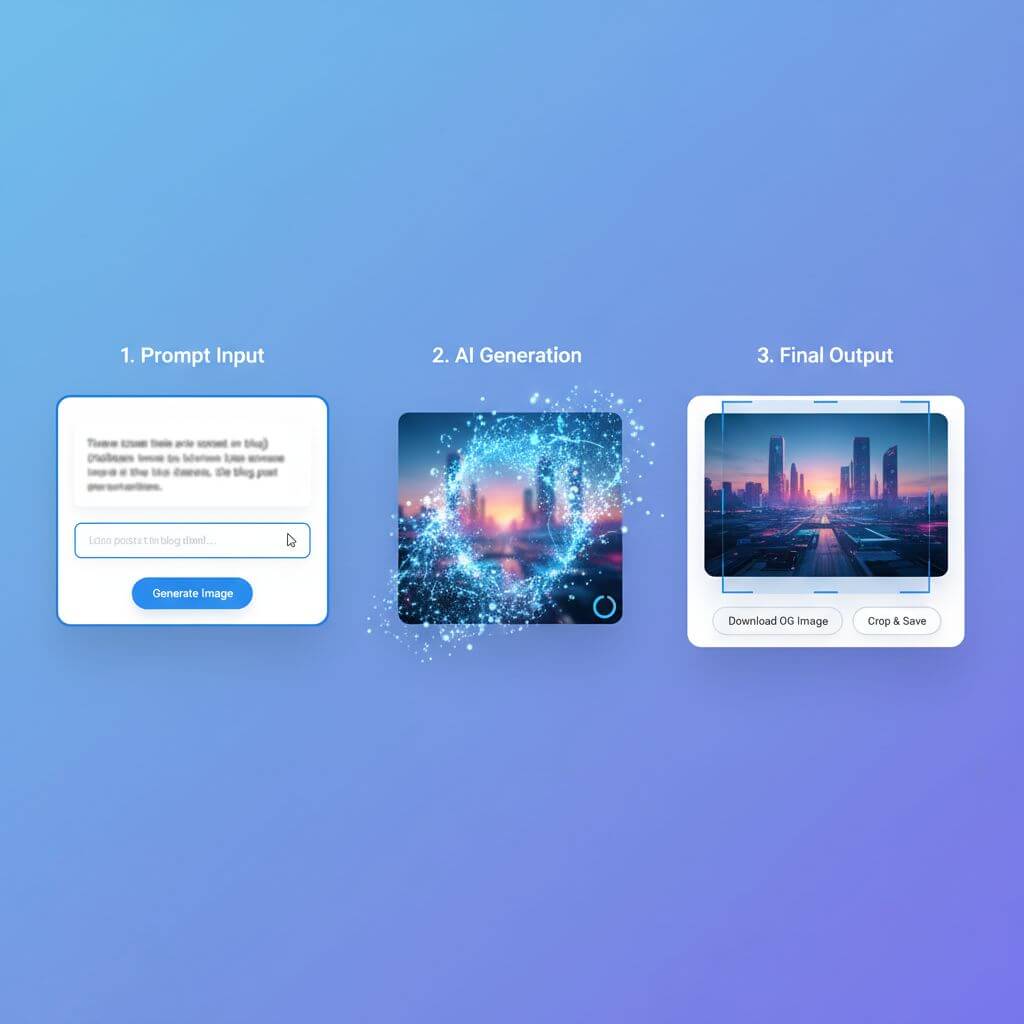
Here's the workflow we used to ship a working OG image for this comparison post in 1 minute 47 seconds. The example uses Imgezy as the editing layer because it covers both generation and image-to-image cleanup, but you can swap any tool from the comparison above:
-
Write the prompt — Describe the cover image in 1-2 sentences. Include subject, style, color tone, and composition. Example: "A flat geometric illustration of seven floating browser windows representing AI image generators, blue and coral palette, clean tech magazine aesthetic, no text."
-
Generate the base image — Paste the prompt into your generator of choice. Article Banner Generator outputs at 1200×630 directly; Bing Image Creator and Fotor output at 1024×1024 and need a crop step.
-
Edit with Imgezy — Upload the generated image, then describe edits in plain text: "remove the small watermark in the bottom right," "replace background with a soft gradient," or "enhance lighting on the foreground." The AI handles each in about 5 seconds. This step cleans up the artifacts that cause AI-generated covers to look obviously machine-made.
-
Resize to 1200×630 — If your generator output a square image, crop or resize. Canva's Magic Resize, Photopea, and Imgezy all handle this.
-
Test the OG preview — Paste your URL into opengraph.xyz before publishing to verify the cover renders correctly on Twitter/X, LinkedIn, and Slack.
For batch jobs (10+ covers), use Article Banner Generator's no-login flow for the base images and Imgezy's batch editing for cleanup. Published cover quality matters more than published speed — a 30-second extra cleanup pass beats a watermarked or artifact-heavy cover going live.
FAQ
What is the best free blog cover generator in 2026?
For a friction-free, no-login workflow, Article Banner Generator is the best free blog cover generator in 2026 — unlimited free generations, native 1200×630 OG output, free commercial license. For branded covers with logos and text, Canva Magic Studio is stronger thanks to its template library and Magic Resize. For commercial-safe AI, Adobe Express's Firefly is the safest choice.
Which free blog cover generator works without signing up?
Article Banner Generator is the only fully no-login free blog cover generator in our comparison — paste a prompt, click generate, download. Every other tool (Canva, Adobe Express, Microsoft Designer, Bing Image Creator, Fotor, Imgezy) requires an account before generating.
What size should an OG image be for a blog cover?
The standard OG image size is 1200×630 pixels (1.91:1 aspect ratio). Twitter/X uses 1200×600 or 1200×675 for large summary cards. LinkedIn recommends 1200×627. Most free blog cover generators have a 1200×630 preset; tools that output 1024×1024 (Bing Image Creator, some Fotor models) need a crop step.
Are free blog cover generators safe for commercial use?
It varies by tool. Article Banner Generator, Canva (free templates), Adobe Express (Firefly), and Microsoft Designer/Bing Image Creator allow commercial use on the free tier. Fotor and Imgezy require paid plans for commercial license. Always check the current terms — license language changes frequently.
Which AI model produces the best blog covers?
In our testing, Firefly Image 3 (Adobe Express) produced the most reliable text rendering inside images, DALL-E 3 (Microsoft Designer, Bing Image Creator) handled photorealistic styles best, Flux Schnell (Article Banner Generator) was fastest, and Nano Banana Pro (Imgezy) was strongest for image-to-image editing and clean object removal. Different jobs, different models — pick by use case.
Can I use AI blog cover generators to edit existing images?
Most free blog cover generators are text-to-image only. For image-to-image editing (swap backgrounds, remove objects, enhance quality), you'll need a tool with image-input support — Imgezy and Adobe Express both handle image-to-image flows. Imgezy uses plain-language instructions ("remove the watermark"), while Adobe Express uses generative fill with a brush selection.
How do I avoid the AI-generated look on blog covers?
Three fixes that work: (1) Crop tighter — AI covers often look generic at full frame but feel intentional cropped to a focal point. (2) Run the generation through an editor like Imgezy or Photoshop to remove obvious artifacts (extra fingers, warped text, weird shadows). (3) Add a real photo or texture overlay at 20% opacity to break the synthetic gradient look that gives AI images away.
Are there blog cover generators that handle Pinterest sizes too?
Canva Magic Studio and Fotor AI both have Pinterest preset sizes (1000×1500). Canva's Magic Resize is the fastest way to convert one design into OG, Twitter, Pinterest, and Instagram sizes simultaneously — it does this in a single click after the original is designed.
Ready to ship blog covers without watermarks or template lock-in? Try Imgezy free → — generate AI covers, swap backgrounds, remove artifacts, and resize to OG 1200×630 in one tool. Trial credits on signup, no design skills needed.