

MAI Image 2.5 vs Nano Banana Pro: Scene Control Test
You shot the perfect product photo, but the background is wrong — and every time you fix one thing, something else breaks. Swap the sky and the lighting on your subject suddenly looks fake. Erase a sign and the wall behind it smears. That gap — changing one part of a scene without wrecking everything around it — is what "scene control" means, and it is the exact problem MAI Image 2.5 is pitching itself to solve.
MAI Image 2.5 landed at #3 on Product Hunt on June 7, 2026 with one line: "Generate and edit images with precise scene control." That framing is pulling searches like MAI Image 2.5 vs Nano Banana Pro into the long tail, because Nano Banana Pro has been the model most people reach for when they need scene-consistent edits on real photos.
This comparison puts the two head-to-head on what actually matters for scene work: local editing, background replacement, and scene consistency. We also bring in Flux Kontext, the third model most editors test for the same job. Want a broad, all-purpose model roundup instead? See our Nano Banana Pro vs Flux Kontext vs Qwen Image Edit breakdown — this piece stays narrow on scene control.
Last updated: June 2026
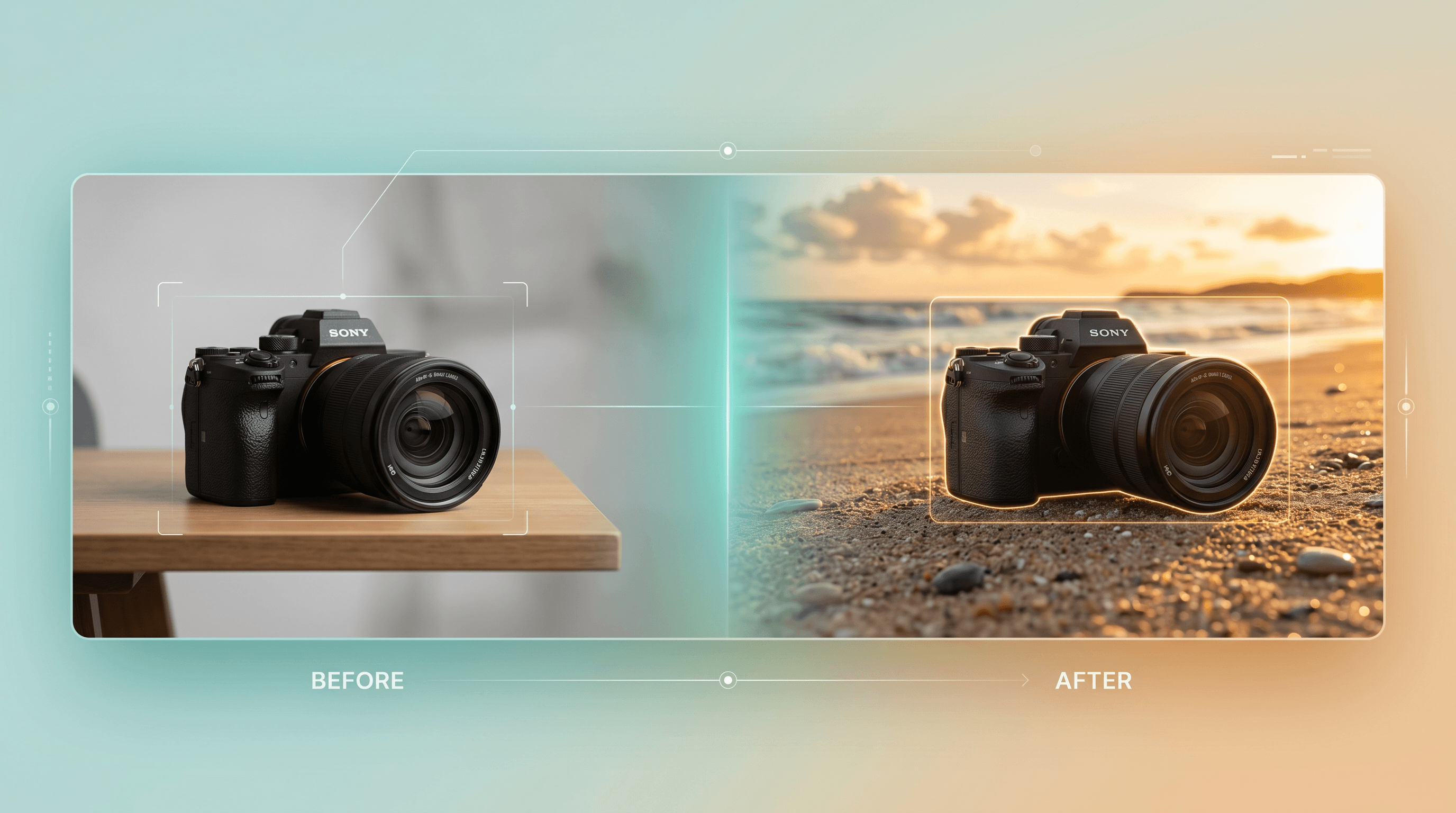
Table of Contents
- What Is Scene Control in AI Image Editing?
- MAI Image 2.5 vs Nano Banana Pro: Quick Comparison
- MAI Image 2.5: What It Does Well and Where It Falls Short
- Nano Banana Pro: What It Does Well and Where It Falls Short
- Scene Control Head-to-Head: Three Tests
- How to Choose the Right Scene Control Tool
- How to Replace a Background Without Breaking the Scene
- FAQ
What Is Scene Control in AI Image Editing?
Scene control is an AI editor's ability to change one element of a photo — an object, the background, the lighting — while keeping the rest of the scene physically consistent. Strong scene control means the edited region matches the original perspective, shadows, and color, so the result looks photographed, not pasted.
Three skills sit under that umbrella:
- Local (regional) editing — change a single object or area and leave the rest pixel-identical.
- Background replacement — swap the whole environment while the subject's edges, lighting, and reflections stay believable.
- Scene consistency — when you do alter lighting or perspective, the model re-renders shadows and highlights so nothing fights the new setup.
A model can be brilliant at generating images from scratch and still be weak at scene control, because editing a real photo means respecting pixels that are already there. That is the line that separates these tools.
MAI Image 2.5 vs Nano Banana Pro: Quick Comparison
The short version: MAI Image 2.5 is a generation-first model built to compose new scenes with tight prompt control, while Nano Banana Pro is tuned for editing real photos with high scene consistency. Flux Kontext sits closest to Nano Banana Pro for reference-guided local edits. Here is the side-by-side:
| Dimension | MAI Image 2.5 | Nano Banana Pro | Flux Kontext |
|---|---|---|---|
| Primary strength | Generating scenes with precise prompt control | Editing real photos with scene consistency | Reference-guided local edits |
| Local editing | Strong on generated scenes; newer for real-photo regions | Strong — preserves untouched pixels well | Strong — built for in-context edits |
| Background replacement | Good, especially for composed scenes | Very good on real photos | Good with a reference image |
| Scene consistency | High within its own generations | High on edited photos | High with guidance |
| Real-photo editing | Emerging | Core use case | Core use case |
| Access | MAI Image 2.5 platform (newer, limited) | In Imgezy + Google surfaces | In Imgezy + Flux tools |
| Best for | Art directors composing new scenes | Editing photos you already have | Pro editors who work from references |
MAI Image 2.5 details are based on its June 2026 Product Hunt launch and demos; hands-on real-photo data is still thin.
MAI Image 2.5: What It Does Well and Where It Falls Short
MAI Image 2.5 is Microsoft AI's image model, launched with "precise scene control" as its headline. In its demos, the standout is composition: you describe a layout — subject here, light source there, depth like this — and it holds that structure across regenerations. For building a scene from a prompt, that control is genuinely useful.
Best for:
- Art directors and designers composing new scenes from a brief
- Prompt-heavy workflows where you iterate on layout and lighting
- Concept work where you do not start from an existing photo
Not ideal for:
- Editing a specific real photo you already shot (it is generation-first)
- Users who need it inside an existing editor — at launch it lives on its own platform, not in multi-model tools like Imgezy
- Anyone who needs a proven track record today; it is days old and real-photo editing data is limited
We are holding judgment on its real-photo editing until there is more hands-on evidence. The scene-control pitch is real for generation; for editing the photo already on your drive, the model is still unproven.
Nano Banana Pro: What It Does Well and Where It Falls Short
Nano Banana Pro is the model people lean on when an edit has to blend into a real photo. In our testing inside Imgezy, it is consistently strong at the unglamorous part of scene control: you remove an object or swap a background and the untouched areas stay untouched — no smearing, no color drift across the rest of the frame.
Best for:
- Editing real photos: object removal, background replacement, retouching
- Keeping lighting and edges believable after a change
- Everyday users who want a clean result without prompt gymnastics
Not ideal for:
- Composing a brand-new scene from a pure text brief (a generation-first model fits better)
- Extremely stylized, illustrative output
Because Nano Banana Pro is available in Imgezy, you can run a real-photo scene edit in about five seconds without managing the model yourself. Flux Kontext, available in the same editor, is the one to reach for when you have a reference image and want the edit to follow it precisely.

Scene Control Head-to-Head: Three Tests
Here is how the three models line up on the three jobs that define scene control. Ratings reflect each model's design intent plus hands-on results for the two available in Imgezy; MAI Image 2.5 is assessed from its launch demos.
| Scene control task | MAI Image 2.5 | Nano Banana Pro | Flux Kontext |
|---|---|---|---|
| Local edit (change one object, keep the rest) | Good on generated scenes | Excellent on real photos | Excellent with a reference |
| Background replacement | Strong for composed scenes | Strong on real photos | Strong with reference |
| Scene consistency after a lighting change | High within its generations | High on edited photos | High with guidance |
Test 1 — Local edit. Removing a single object and leaving the surrounding pixels identical is the hardest, most common scene-control task. Nano Banana Pro and Flux Kontext are built for exactly this and reconstruct the background cleanly. MAI Image 2.5 handles it well when the scene is its own generation; on an arbitrary uploaded photo, expect more variance until more data is in.
Test 2 — Background replacement. Swapping a background while keeping the subject's edges and lighting believable is where consistency shows. Nano Banana Pro keeps subject edges crisp on real photos; MAI Image 2.5's composed backgrounds look great but are easier to control when it generated the subject too.
Test 3 — Scene consistency under a lighting change. Ask for "same room, warmer evening light" and a strong model re-renders shadows coherently. All three can do this within their wheelhouse; the difference is whether you are editing an existing photo (favor Nano Banana Pro or Flux Kontext) or building the scene (favor MAI Image 2.5).
How to Choose the Right Scene Control Tool
Pick by where your image starts, not by launch-day buzz.
- You are editing a photo you already have → Nano Banana Pro (or Flux Kontext with a reference). Real-photo scene consistency is their core job.
- You are composing a new scene from a prompt → MAI Image 2.5, for its tight layout and lighting control.
- You work from reference images → Flux Kontext.
- You want one place to try the editing models without setup → an Imgezy account gives you Nano Banana Pro and Flux Kontext side by side.
- You are chasing the newest model for production work today → wait for more real-photo evidence on MAI Image 2.5; for now, the proven editors are safer.
How to Replace a Background Without Breaking the Scene
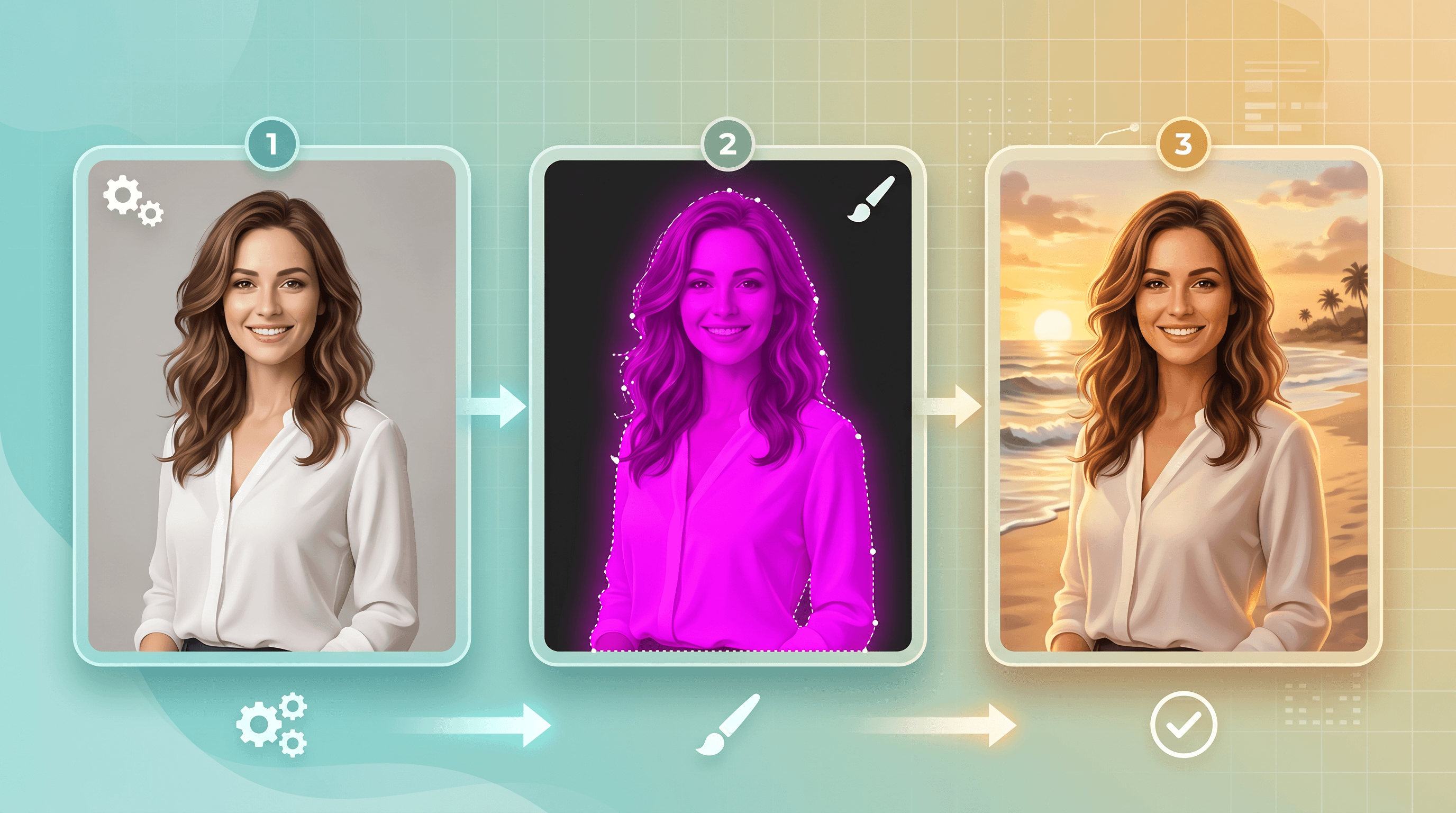
Background replacement is the fastest way to feel whether a tool has real scene control. Here is the workflow we use, with Imgezy as the example because it runs both Nano Banana Pro and Flux Kontext so you can compare without juggling APIs:
- Upload your photo. Drop a JPG, PNG, or WebP into Imgezy — start from a real shot where the subject lighting matters.
- Describe the new background. Type something specific: "replace the background with a soft beach at golden hour." Specific beats vague for scene consistency.
- Pick the model. Choose Nano Banana Pro for a clean real-photo blend, or Flux Kontext if you are feeding a reference image of the background you want.
- Check the edges and lighting. Zoom into the subject's outline and any reflections — good scene control keeps them believable. Imgezy returns an edit in about five seconds, so iterating is cheap.
- Download in full quality. Export without quality loss and you are done.
That five-second loop is the point: scene control is a try-and-check skill, and a fast editor lets you test "does this background actually fit?" before you commit.
FAQ
Is MAI Image 2.5 better than Nano Banana Pro for scene control? For generating a new scene with tight layout control, MAI Image 2.5's pitch is strong. For editing a real photo with scene consistency, Nano Banana Pro is the safer pick today — it is purpose-built for that and has a real track record, while MAI Image 2.5's real-photo editing is still new.
Can I use MAI Image 2.5 and Nano Banana Pro together? Yes, and it is a smart split: compose a base scene in MAI Image 2.5, then bring it into an editor like Imgezy to clean up objects, swap backgrounds, or fix lighting with Nano Banana Pro. Generation and editing are different jobs.
Is MAI Image 2.5 free? At launch it runs on Microsoft AI's own platform; check its Product Hunt listing and official page for current access and pricing, since launch-day terms change fast.
Which model is best for background replacement? For real photos, Nano Banana Pro gives a clean automatic blend, or use Flux Kontext when you have a specific reference background. Both are available in Imgezy.
Where can I try Nano Banana Pro for scene editing? Inside Imgezy — upload a photo, describe the edit, and pick Nano Banana Pro or Flux Kontext. No setup or model management required.
Ready to put scene control to the test on your own photos? Try Imgezy free → — replace backgrounds, remove objects, and keep every edit consistent with Nano Banana Pro and Flux Kontext. No design skills needed.