

Krea 2 Alternative: Krea 2 vs Imgezy Compared (2026)
Krea 2 just hit #9 on Product Hunt with one pitch: "An image model built for style control and moodboards." The launch buzz is now pulling "krea 2 alternative" and "krea vs X" into the long tail, mostly from people asking a fair question — do I actually need a brand-new image generator, or do I need a tool that edits the photos I already have?
This comparison answers that. Krea 2 is a generation-first model: feed it a moodboard, get back fresh images tuned to that aesthetic. Imgezy sits on the other side of the workflow — you start with a real photo and the AI removes objects, swaps backgrounds, enhances lighting, or batches the same edit across hundreds of files. They overlap in name ("AI image tool") and almost nowhere in practice.
If you're searching for a krea 2 alternative because you want to edit rather than generate, this guide is for you. If you want to generate from a moodboard, Krea 2 is probably the answer and we'll say so.
Last updated: May 2026
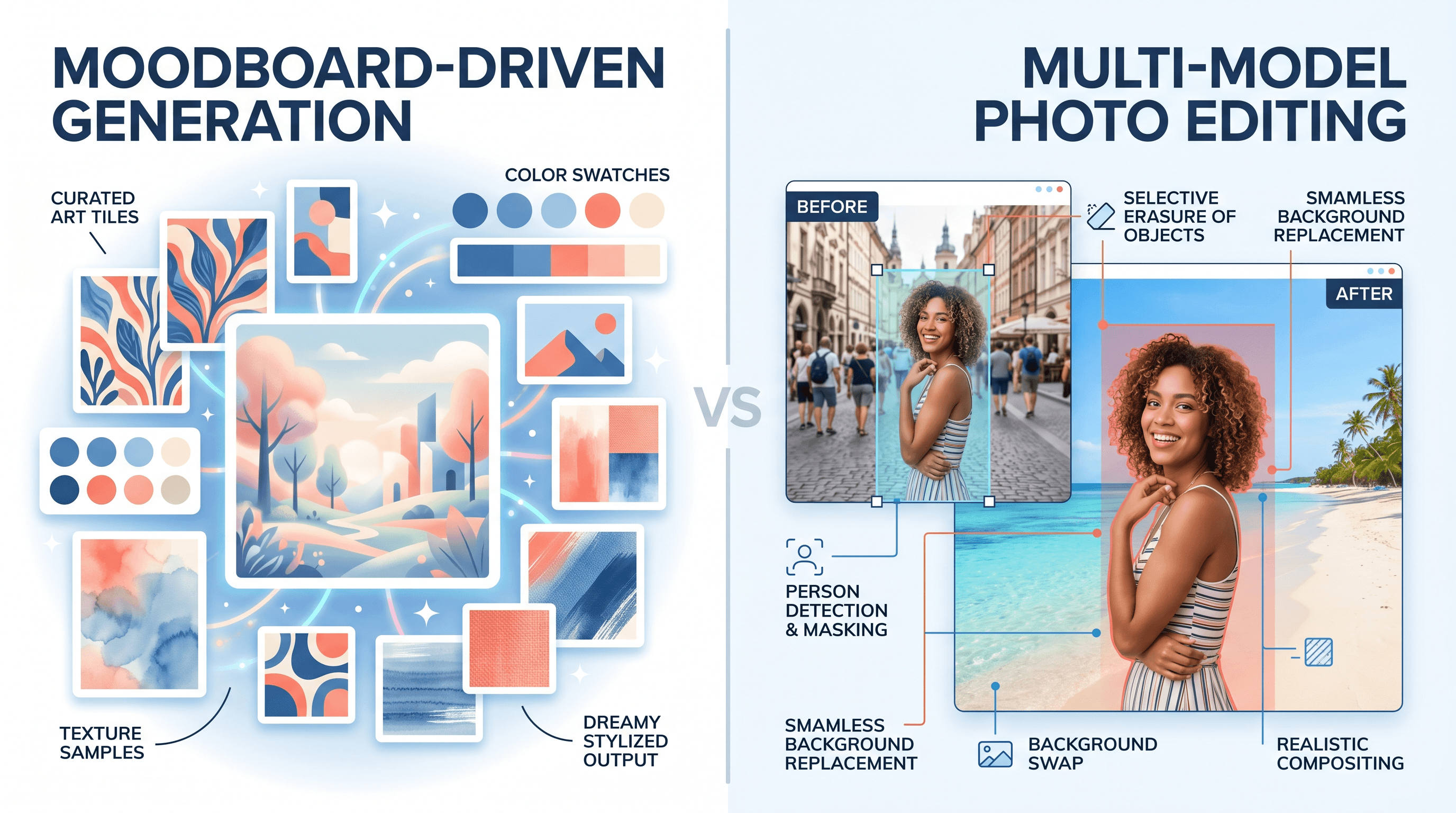
Table of Contents
- What Is Krea 2 and Why Look for a Krea 2 Alternative?
- Krea 2 vs Imgezy: Quick Comparison Table
- Krea 2 vs Imgezy: Feature-by-Feature Breakdown
- Three Real Scenarios: Which Tool Should You Pick?
- When to Use Krea 2, When to Use Imgezy, and When to Combine Them
- How to Edit a Real Photo with a Krea 2 Alternative
- FAQ
What Is Krea 2 and Why Look for a Krea 2 Alternative?
Krea 2 is an image generation model built around style control and moodboards. Instead of stuffing every aesthetic instruction into one long prompt, you upload reference images that define the look — palette, texture, mood, lighting — and Krea 2 generates new images that match. It launched on Product Hunt at #9 ("An image model built for style control and moodboards") and is currently the loudest tool in the moodboard-to-image category.
The reasons people search for a krea 2 alternative break into two groups:
- "I don't need to generate, I need to edit." Krea 2 makes new images from a style direction. It doesn't open your iPhone photo and remove a stranger from the background. If your work is fixing real photos — tourist removal, background swap, batch enhancement — Krea 2 isn't the right shape of tool.
- "I want multi-model coverage." Krea 2 is one model with one philosophy. Some users want to switch between Nano Banana Pro for photorealism, Flux Kontext for in-place edits, Qwen Image Edit for tight object work, and Seedream for generation — without juggling four tools.
That's the gap most krea 2 alternative searches are pointing at. Below, we compare Krea 2 head-to-head with Imgezy, which represents the edit-first, multi-model side of the AI image stack.
Krea 2 vs Imgezy: Quick Comparison Table
The shortest answer to "is Imgezy a krea 2 alternative?" is: only if you're editing real photos. Here's the difference at a glance.
| Dimension | Krea 2 | Imgezy |
|---|---|---|
| Core purpose | Generate new images from prompts + moodboards | Edit real photos with AI |
| Input | Text prompt + reference images (moodboard) | Real photo + plain-text instruction |
| Style control | Strong — moodboard-driven aesthetic matching | Limited — preserves source photo's style |
| Photo editing | Not the primary use case | Core feature (object removal, BG swap, enhance) |
| Models | One Krea-trained model | Nano Banana Pro, Seedream 4.5, Flux Kontext, Qwen Image Edit |
| Batch processing | Not designed for batch real-photo workflows | Yes — apply one prompt to a folder of photos |
| Output | New synthesized image | Edited version of your original photo |
| Best for | Brand visuals, concept art, style exploration | Tourist removal, background swap, photo enhancement, e-commerce |
| Pricing | Subscription (Krea pricing tiers) | Basic $9.99/mo (≈40 edits), Pro $19.99/mo (≈250 edits, commercial license) |
| Commercial license | Per Krea terms | Included on Pro plan |
Last updated: May 2026. Krea 2 specifics from the Product Hunt launch page and Krea's official site.
Krea 2 vs Imgezy: Feature-by-Feature Breakdown
This is where the krea 2 alternative question gets concrete. The two tools sit on opposite ends of the same workflow.
Style Control vs Edit Fidelity
Krea 2's headline is style control through moodboards. You upload 3–10 reference images defining the visual direction — a Wes Anderson palette, a 90s grunge zine, a brutalist concrete library — and the model generates new images locked to that aesthetic. The grain, the color, the composition: all guided by the board, not by adjectives in the prompt.
Imgezy doesn't compete on style generation. It competes on edit fidelity: when you tell it "remove the third person from the left," the surrounding pixels stay intact. The hair on the woman in the foreground doesn't shift. The shadow on the wall doesn't break. Different model, different goal.
Generation vs Editing
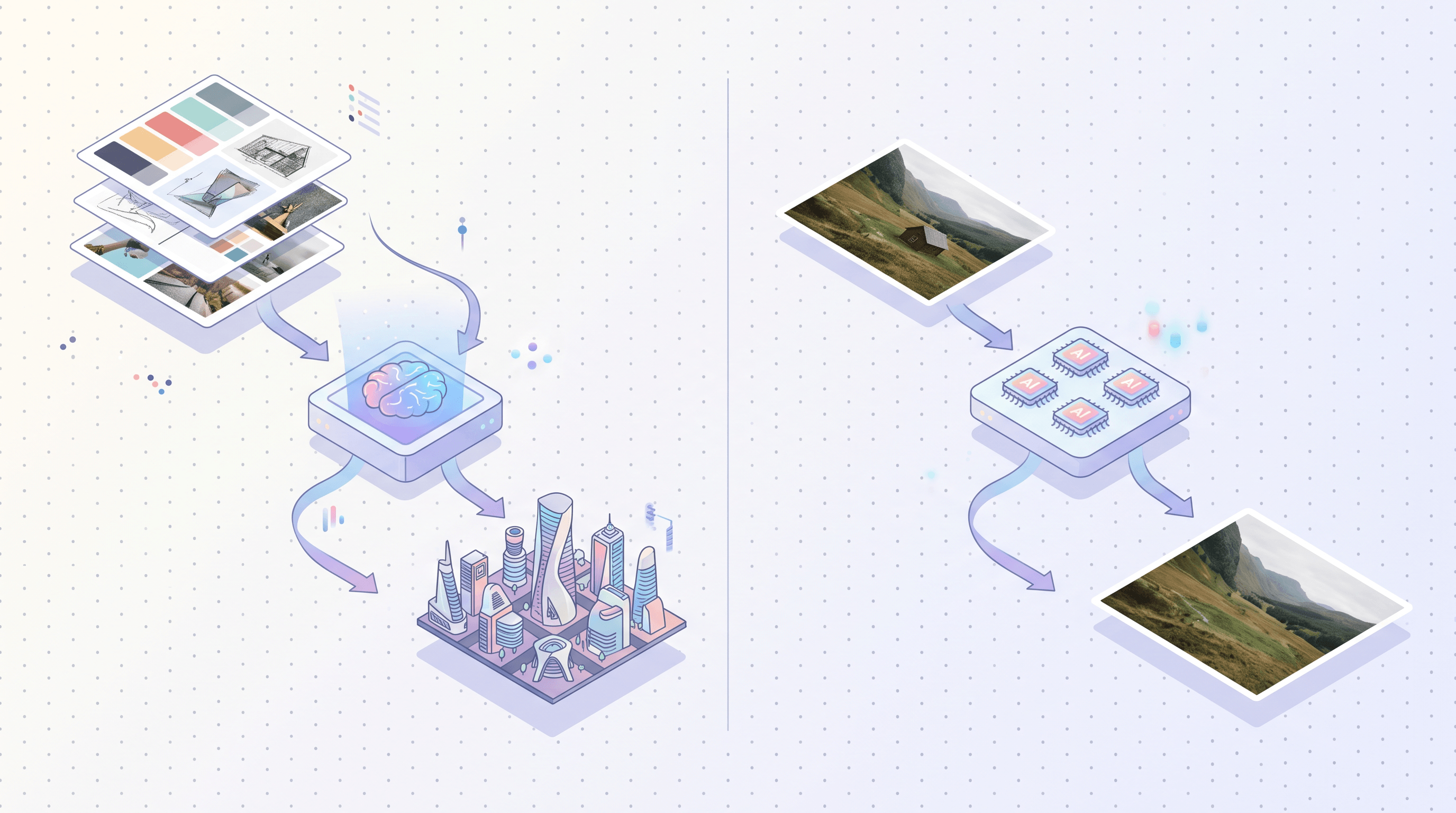
- Krea 2: prompt + moodboard → brand-new image. Great when you don't have a source photo, or the source photo is just inspiration.
- Imgezy: real photo + instruction → edited photo. Great when the photo already exists and you need to fix or transform it.
In our testing, asking Krea 2 to "remove this lamppost" from an uploaded photo is misusing the tool. Asking Imgezy to "generate a moodboard-style brand visual from scratch" is also misusing it. They aren't designed for each other's jobs.
Model Lineup
Krea 2 runs on Krea's own trained model — one consistent voice. That's a feature for style consistency.
Imgezy multiplexes:
- Nano Banana Pro for highest-fidelity photorealistic edits
- Seedream 4.5 for advanced generation when needed
- Flux Kontext for context-aware in-place edits
- Qwen Image Edit for tight object work
When one model fails on a tricky region (say, hair against patterned background), you switch. Krea 2 doesn't expose that knob because it isn't trying to.
Batch Workflows
Krea 2 is built for one-image-at-a-time style exploration. Imgezy is built for batch: drop 50–500 photos into a folder, apply the same instruction ("remove the tourists" / "enhance lighting" / "replace the gray sky with blue"), and download the lot. Real estate, e-commerce, and event photographers tend to land on Imgezy specifically for this — the average per-photo time on the platform is around 5 seconds, and over 1M removals have been processed by 200K+ users.
Pricing
Krea bundles its tools into subscription tiers (free trial → paid). Imgezy keeps it simple: Basic at $9.99/month (≈40 photo edits, ideal for casual use) or Pro at $19.99/month (≈250 edits with a commercial license included). Anyone who needs commercial use on a budget — Etsy sellers, Shopify stores, indie photographers — usually picks Imgezy Pro because the license is bundled, not a separate enterprise call.
Three Real Scenarios: Which Tool Should You Pick?
The quickest filter for "which krea 2 alternative do I actually need" is to match the scenario to the tool.
Scenario 1 — "I want to generate a set of brand visuals in a consistent aesthetic"
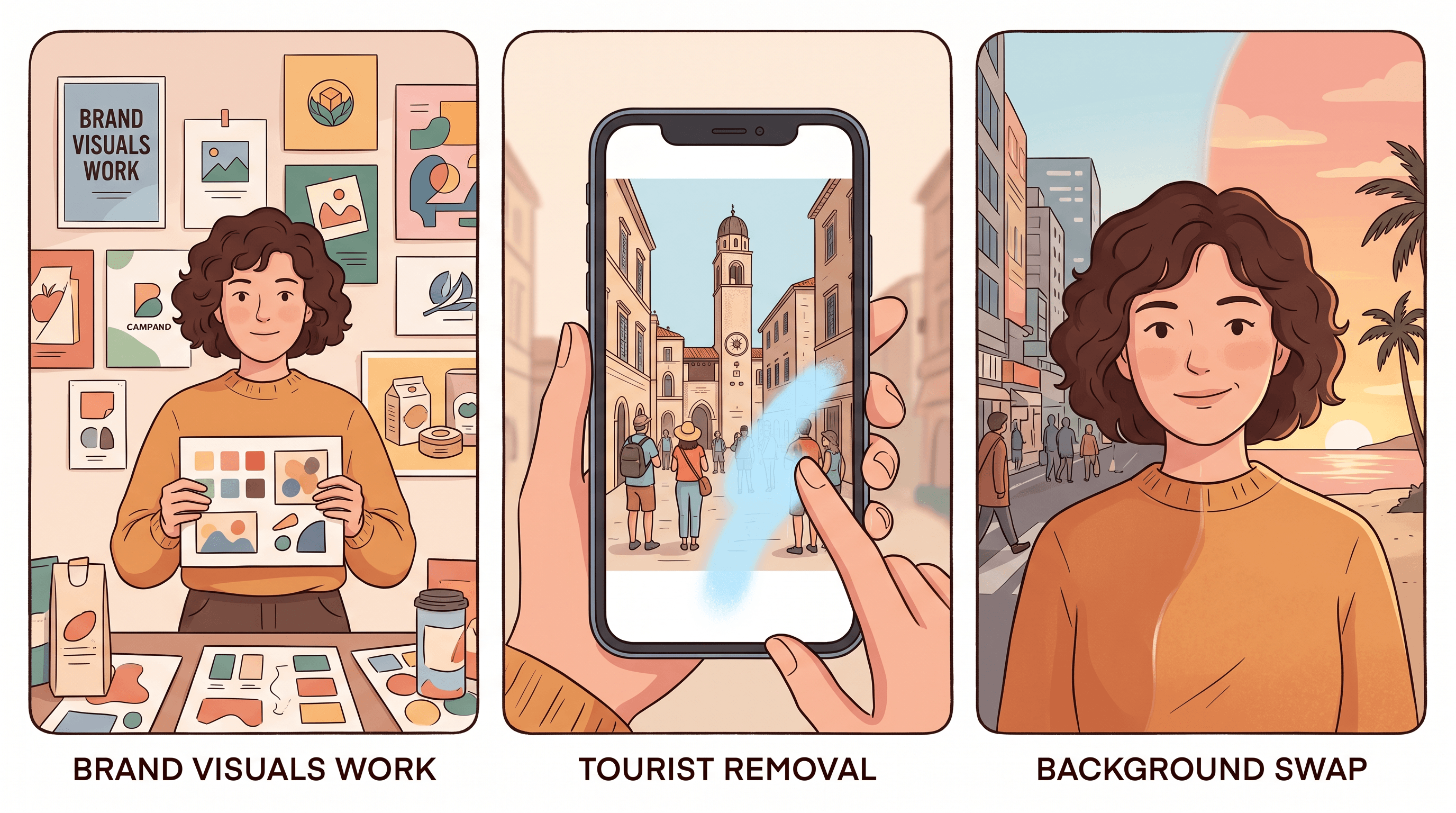
Pick Krea 2. This is exactly what moodboard-driven generation is built for. Upload your brand's mood references — say, the photography from your last campaign — and Krea 2 will produce new images locked to that visual identity. No source photo needed. The output is fresh, on-brand, and consistent across the set.
Imgezy here would be the wrong tool. It doesn't generate from a moodboard; it edits photos you bring in. Use Krea 2.
Scenario 2 — "I want to batch-remove tourists and distractions from a folder of travel photos"
Pick Imgezy. This is the edit-first lane Imgezy was built for. Drop the folder in, type "remove the people in the background," pick a model (Nano Banana Pro is the default for photorealism), and let it run. Each photo takes ~5 seconds, the background reconstructs cleanly behind where the tourists were, and your Pro plan covers commercial use if you're publishing the photos.
Krea 2 isn't designed for this — it generates new images rather than editing existing ones. Use Imgezy.
Scenario 3 — "I want to keep the original subject of my photo but swap the background or restyle it"
Pick Imgezy. Background Replacement is one of its core features: upload your portrait, type "replace the background with a sunset beach," and the subject stays exactly as photographed. The model preserves the person's lighting, edges, and detail, then composites the new scene behind them. Flux Kontext is particularly good at keeping subject fidelity here.
Krea 2 in this scenario would re-generate a new subject in a new background — it doesn't isolate and preserve your original. Use Imgezy.
When to Use Krea 2, When to Use Imgezy, and When to Combine Them
The honest answer to most krea 2 alternative questions is "they aren't substitutes — they're stages."
- Use Krea 2 when: you're at the start of a project, you need fresh images with a controlled aesthetic, and you don't have a source photo to edit. Brand campaigns, concept boards, mood explorations, marketing imagery from scratch.
- Use Imgezy when: you already have a real photo and need to fix it — remove a distraction, swap the background, enhance the lighting, batch-process a shoot. Travel photos, e-commerce product shots, real estate listings, event photography, social posts that need a quick cleanup.
- Combine them when: you need both the aesthetic direction and the photo realism. A common workflow we've seen: generate a brand visual in Krea 2 → bring it into Imgezy for cleanup, object removal, or compositing real product photography on top. Generate-then-edit is faster than trying to force one tool to do both jobs.
Krea 2 doesn't try to be a krea 2 alternative to itself, and Imgezy doesn't try to replace Krea 2's strength. The category isn't "AI image tool" — it's "generation tool" and "editing tool," and most working pipelines need both.
How to Edit a Real Photo with a Krea 2 Alternative
If the reason you searched "krea 2 alternative" was specifically because you wanted to edit a photo, here's the workflow on Imgezy as an example:
- Upload — Drag your photo into Imgezy. JPG, PNG, WebP all work. The AI handles up to ~5K resolution.
- Describe the edit in plain text — Type the instruction the way you'd say it out loud: "remove the tourist on the left," "replace the sky with a sunset," "enhance the lighting on the subject."
- Pick a model (optional) — Default is Nano Banana Pro. Switch to Flux Kontext for context-heavy edits, Qwen Image Edit for tight object work, or Seedream 4.5 if you want a more generative pass.
- Preview and download — Output renders in about 5 seconds. Download the high-resolution file. On Pro ($19.99/month), the output ships with a commercial license, so you can publish the result without a separate clearance.
For batch jobs, upload a folder and apply the same instruction across the whole set. The average edit time stays around 5 seconds per photo, and on Pro the output isn't watermarked — useful when you're cleaning a 200-photo travel album, real estate listing, or e-commerce catalog.
If you want to compare Imgezy against other AI editors instead of generators, the Imgezy blog covers head-to-heads against Picsart, Photoshop, Canva, and prompt-based competitors.
FAQ
Can Imgezy replace Krea 2?
Only partially. Imgezy is a krea 2 alternative for editing real photos — object removal, background replacement, enhancement, batch work. It is not a replacement for Krea 2's core strength of moodboard-driven style generation. If you need to generate new images locked to a specific aesthetic, Krea 2 is the better tool. If you need to fix or transform photos you already have, Imgezy is.
Which is cheaper, Krea 2 or Imgezy?
Imgezy starts at $9.99/month (Basic, ≈40 edits) and $19.99/month for Pro (≈250 edits, commercial license included). Krea bundles its tools into its own subscription tiers — pricing varies by plan and changes periodically. For users whose use case is photo editing rather than generation, Imgezy Pro is generally the cheaper way to get a commercial license bundled in.
What about commercial licensing — Krea 2 vs Imgezy?
Krea's commercial terms depend on the active subscription and Krea's published license. Imgezy includes a commercial license on the Pro plan ($19.99/month), which covers most indie, e-commerce, and freelance use cases without a separate enterprise conversation. Always check current terms on each provider's site before publishing — both update licensing periodically.
What's the model difference between Krea 2 and Imgezy?
Krea 2 is a single model trained specifically for style-controlled image generation. Imgezy multiplexes four models — Nano Banana Pro (default, photorealism), Seedream 4.5 (generation), Flux Kontext (context-aware edits), and Qwen Image Edit (precise object work) — and routes the task to the right one. Different shapes of problem: Krea 2 optimizes for aesthetic consistency, Imgezy optimizes for edit fidelity and model coverage.
Does Imgezy support moodboards like Krea 2?
Not in the same way. Krea 2's moodboard is a generation steering input — you give it a style direction and it makes new images. Imgezy works on a source photo and uses plain-text instructions, plus optional reference photos for tasks like background replacement. They are different paradigms; if moodboard-driven generation is the core need, Krea 2 is the right tool.
Can I use Krea 2 and Imgezy together?
Yes — and this is the workflow many designers settle on. Generate a base image in Krea 2 (moodboard-locked aesthetic), then bring it into Imgezy for cleanup, object removal, or to composite real product photography on top. Generate-then-edit covers both the style direction and the photo realism in two steps instead of forcing one tool to do both.
Is there a free krea 2 alternative for editing photos?
Imgezy provides trial credits so you can test prompt-based editing — object removal, background swap, enhancement — before committing to a subscription. That's the closest to free for the editing use case. For pure generation, Krea offers a free trial as well; check each provider's current free tier on their pricing page.
Will a krea 2 alternative work for e-commerce product photos?
For e-commerce photo editing — clean product shots, white-background swaps, batch enhancement, removing distracting backgrounds — Imgezy is the krea 2 alternative most sellers land on, because the workflow is edit-first and supports batch. Krea 2 fits earlier in the funnel (concept visuals, brand mood), not the daily "clean up 200 SKU photos" job.
Ready to edit photos with AI instead of generating new ones from scratch? Try Imgezy free → — describe what you want changed and the AI handles object removal, background swaps, and photo enhancement in about 5 seconds. Four models, batch support, commercial license on Pro. No design skills required.