

What Is Gemini Omni? A Beginner's Guide to Google AI
The first time you type "draw a movie poster for a 1980s noir detective film with the title written on the poster" into Google's Gemini app and watch it render the actual words on the canvas correctly, it lands differently than the dozens of image models that came before. That is what Gemini Omni is for — image generation and editing that sits inside Google's broader multimodal stack, designed to take text, images, and reference assets as input and return something usable on the first try.
If you are searching what is Gemini Omni, you probably saw the term in a release note, a comparison article, or someone's social post and want a clean explanation of what it actually is, where it fits in Google's product line, and whether it is worth your time. This guide answers exactly that.
Last updated: May 2026

Table of Contents
- What Is Gemini Omni?
- Key Features and Capabilities
- How Gemini Omni Works
- Gemini Omni vs Nano Banana, Seedream, Flux
- How to Try Gemini Omni
- Common Use Cases
- Limitations and What's Next
- FAQ
What Is Gemini Omni?
Gemini Omni is Google's multimodal image generation and editing model in the Gemini family — a system that accepts text prompts, reference images, and natural-language edit instructions, and returns generated or edited images as output. It sits one layer above the foundation Gemini language models and powers image features inside the Gemini app, Google AI Studio, and the Gemini API.
To place it inside Google's product line:
- Gemini is the umbrella model family (text, code, reasoning, multimodal understanding).
- Gemini Omni is the image generation/editing model built on top of that family — the part you talk to when you want a picture made or changed.
- Nano Banana / Nano Banana Pro are the publicly named generations of the Gemini image model line (Nano Banana = Gemini 2.5 Flash Image; Nano Banana Pro = the upgraded successor). Gemini Omni is the broader product surface; Nano Banana Pro is the current best-in-class model inside it.
In practice, when someone says "Gemini Omni did this image" they almost always mean "Nano Banana Pro running inside the Gemini Omni product surface." The naming is messy because Google uses an internal codename (Nano Banana), a public model name (Gemini 2.5 Flash Image, Gemini 3 Image), and a product surface name (Gemini Omni / Gemini image) at the same time.
The short version: Gemini Omni is the Google image AI you use; Nano Banana Pro is the model under the hood.
Key Features and Capabilities
Gemini Omni's headline features cluster into five areas. All of these are accessible through the same prompt box — there is no separate "edit mode" or "text mode."
1. Text-to-Image Generation
Type a description, get an image. Resolutions go up to 2048×2048 natively, with optional upscaling to 4K through the Imagen pipeline. The model is tuned for photorealism, illustration, and graphic design with a single unified interface — no switching between style models.
2. Image Editing with Natural Language
Upload an existing photo and describe the change in plain English: "remove the person on the left," "swap the sky for a sunset," "change the shirt to navy blue." The model preserves untouched regions and applies only the requested edit. Mask-based editing is supported but optional.
3. Text Rendering on the Canvas
Gemini Omni's text rendering is one of its strongest claims. Long English headlines, short logos, and non-Latin scripts (Chinese, Japanese, Korean) render with substantially higher accuracy than the previous generation of image models. This is why the model shows up in poster, ad, and packaging workflows.
4. Style Control and Reference Conditioning
Feed the model a reference image plus a prompt — "in the style of this poster" — and it preserves the source style while applying new content. Useful for brand consistency across many assets.
5. Multimodal Input
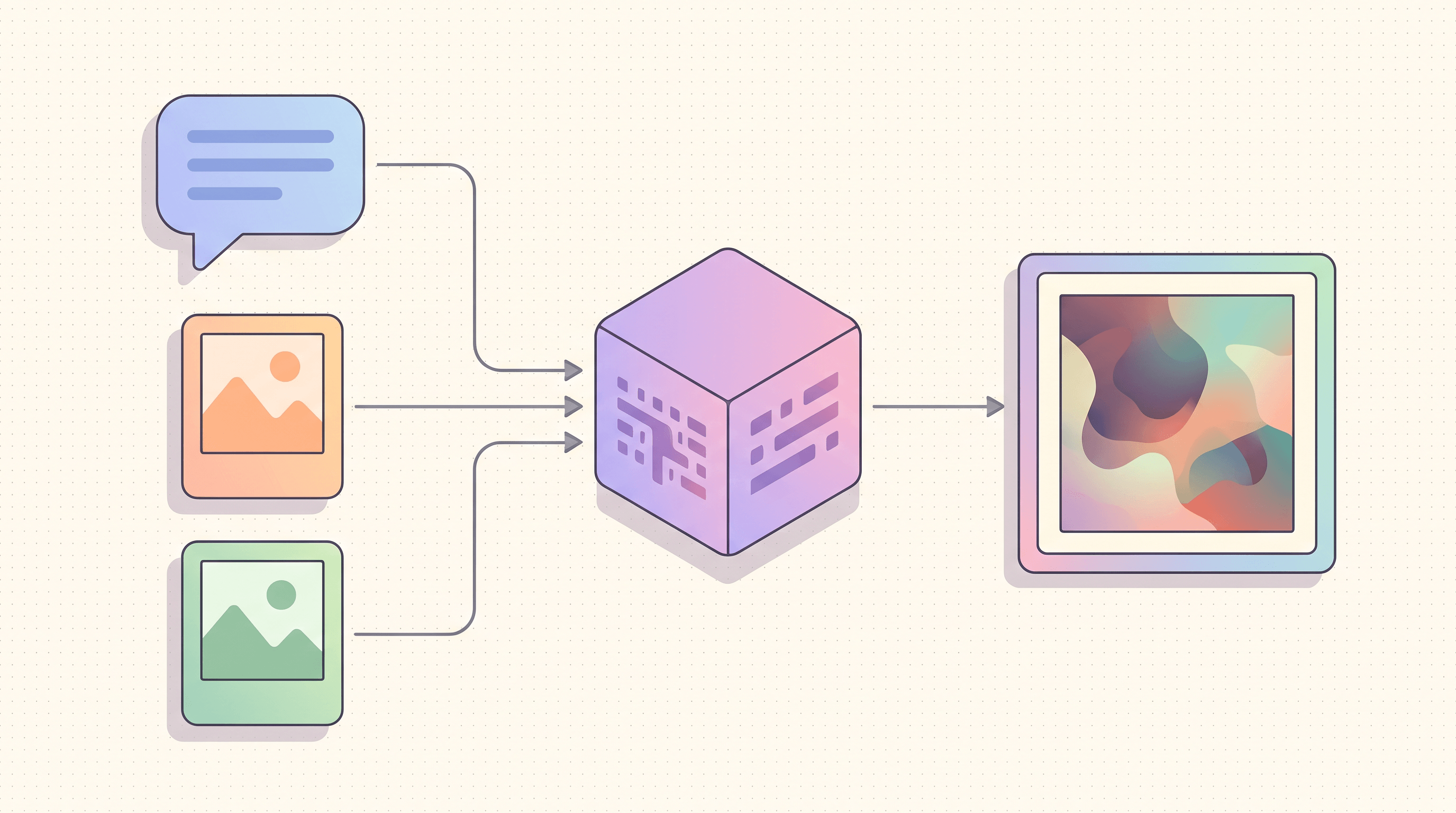
Gemini Omni accepts text, multiple reference images, and natural-language edit instructions in the same request. You can hand it three photos and say "combine these into a magazine spread" in a single call. This is the practical meaning of "omni" — input modalities are unified, not split across separate endpoints.
Supporting capabilities worth knowing:
- Output formats: PNG, JPEG; transparent PNG supported.
- Aspect ratios: square, portrait, landscape, story (9:16), banner (16:9), and custom.
- Safety filters: built-in, with adjustable thresholds in the API.
- Free tier: limited daily quota through Google AI Studio.
How Gemini Omni Works
Gemini Omni is built on the multimodal foundation of Google's Gemini language models. The simple mental model:
- Shared multimodal tokenizer. Text, image, and reference image inputs are all converted into the same kind of internal representation (tokens). The model does not treat "text understanding" and "image understanding" as separate skills — they share the same vocabulary inside the network.
- Single transformer backbone. A large transformer processes those tokens together. When you mix a sentence and a reference image in one prompt, the model can attend across both at the same time. This is what makes instructions like "make this product look like the one in the second image" work without a separate retrieval step.
- Image decoder head. The output side is a diffusion-style image decoder. The transformer produces a latent representation of the intended image; the decoder turns that latent into pixels. Newer generations (Nano Banana Pro) use improved decoders with better text-on-canvas rendering and stronger compositional control.
- Reinforcement learning from human feedback (RLHF). The model is fine-tuned on human ratings of generated images. This is the layer that handles "does this actually look right" — hands with five fingers, readable text, faithful brand styles.
The practical consequence: Gemini Omni treats image generation and image editing as the same task. Generating from scratch is just editing a blank canvas with a long prompt. This unification is why you can swap between "make me an image" and "edit this image" in the same conversation without changing tools.
The non-obvious bit: "omni" refers to the input side. The model is not a single network that also handles text generation, audio, and video — those are handled by sibling models in the Gemini family. Gemini Omni's specific job is image in / image out, conditioned on any combination of text and image inputs.
Gemini Omni vs Nano Banana, Seedream, Flux
The four models you most often see compared against Gemini Omni are Nano Banana Pro (the model that powers it under the hood), Seedream 4.5 (ByteDance), and Flux Kontext (Black Forest Labs). Short version:
| Model | Strongest at | Weakest at | Best for |
|---|---|---|---|
| Gemini Omni (Nano Banana Pro) | On-canvas text, multimodal input, editing fidelity | Highly art-directed illustration | Ads, posters, ecommerce, packaging, photo edits |
| Nano Banana (gen 1) | Speed, low cost, photorealism | Long-text rendering, character consistency | High-volume creative variants on a budget |
| Seedream 4.5 | Cinematic photoreal, Chinese-language understanding | English-only typography polish | Lifestyle and portrait photo generation, Chinese market work |
| Flux Kontext | Targeted local editing, mask-based control | First-shot generation from scratch | Photo editing pipelines, retouching, object swaps |
A few notes that the table flattens:
- Gemini Omni and Nano Banana Pro are not separate products. Gemini Omni is the user-facing surface; Nano Banana Pro is the model. Comparisons between "Gemini Omni" and "Nano Banana Pro" are usually comparing two phrasings of the same thing.
- Seedream 4.5 is the strongest competitor in the Chinese market — better Chinese-language prompt understanding and a distinctive cinematic look, with weaker performance on English typography.
- Flux Kontext is the strongest in pure editing — local changes, mask-based control, retouching tasks. It is less interesting for generation from scratch.
If you want to see the same prompt run through Nano Banana Pro, Seedream 4.5, and Flux Kontext side by side without setting up three API integrations, Imgezy has them wrapped in one editor. Same input, three outputs, immediate comparison.
How to Try Gemini Omni
Four real paths, ranked by friction.
Path 1: Gemini App (easiest)
Open the Gemini app, type your prompt, attach an image if you want to edit it. Image generation and editing are routed through Gemini Omni automatically. Free with a Google account; advanced features sit behind Google AI Pro / AI Ultra.
Path 2: Google AI Studio (free API sandbox)
Go to Google AI Studio, pick the Gemini image model in the model selector, and use the prompt sandbox. Free daily quota (around 100 generations/day at the time of writing), API key available for graduating to production.
Path 3: Gemini API (production)
For production pipelines, call the Gemini API directly with gemini-2.5-flash-image (or the latest published model ID). Pay per image; current pricing is around $0.039 per 1024×1024 image. Suited for building your own product on top.
Path 4: A Multi-Model Editor That Already Wraps It
If your goal is to compare Gemini Omni's output against other models on the same prompt, or to do everyday photo editing without API setup, a multi-model editor is the fastest path. Imgezy has Nano Banana Pro (the engine inside Gemini Omni), Seedream 4.5, Flux Kontext, and Qwen Image Edit integrated in a single editor. Type one prompt, see what each model produces, pick the best output, download. About 5 seconds per result. Free trial credits to get started, no API key needed.
Common Use Cases
Gemini Omni shows up in five high-frequency workflows.
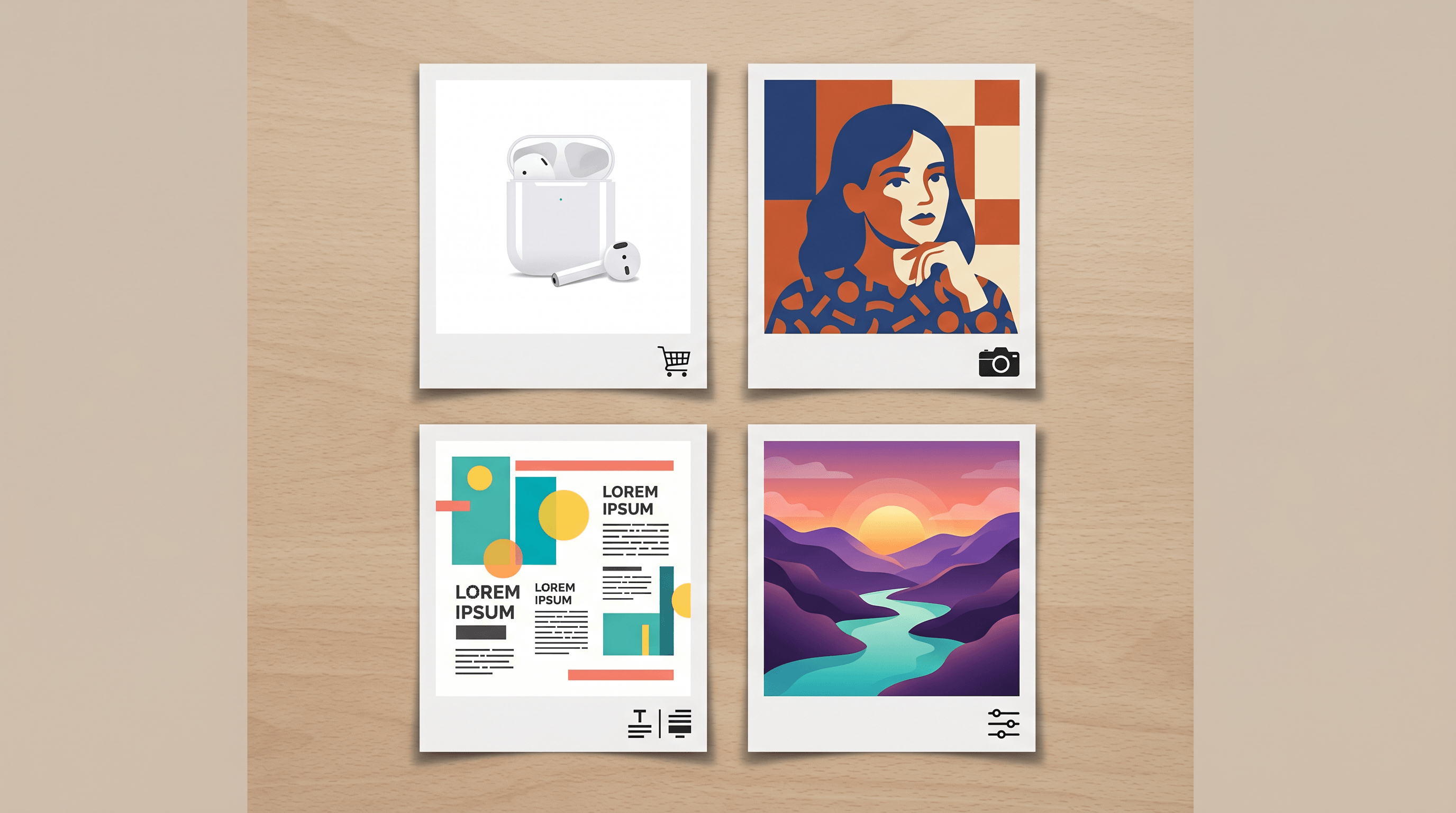
Ecommerce hero shots and product photos. Generate clean product imagery from a description or a reference shot. Swap backgrounds, change lighting, add lifestyle context. The strong text rendering matters here for any image that needs a price tag, label, or promotional copy on the canvas.
Portraits and people photos. Stylized portraits, restyled headshots, age and outfit edits. The latest generation is noticeably better at hands, fingers, and skin texture than the model from a year ago — the two failure modes that used to give away AI-generated portraits at a glance.
Posters and social media graphics. Single-asset posters with on-image headlines, story-format social posts, blog covers. This is where Gemini Omni's text rendering compounds — a poster with a typo is unusable, so reliability matters more than raw quality.
Marketing creative variants. Generate ten variations of the same ad with different copy, color schemes, or layouts. The multimodal input is useful here: feed a style reference plus a prompt, get a variant in the same family.
Photo editing for everyday content. Remove a tourist from a vacation photo, swap a cluttered background, brighten an underexposed shot. Natural-language edits work well, and the model preserves the untouched regions of the photo more reliably than first-generation image models.
Limitations and What's Next
Gemini Omni is strong but not infinite. Three real limits to know:
- Heavily art-directed illustration is still a coin flip. If your prompt specifies a very particular illustration style ("flat editorial in the style of a 1960s travel poster, with this exact color palette"), expect mixed results. Models tuned for art direction — like GPT Image 2 — are still safer for that work.
- Multi-character scene consistency degrades. Three or more characters in the same scene, each with specified outfits and poses, often produces drift. The fix is breaking the scene into stages or using single-character generations composited together.
- Brand safety / regulated content. Built-in filters block a lot of edge cases. For regulated industries (alcohol, pharma, finance), expect manual review on outputs and occasional refusals on safe-but-borderline prompts.
What's coming next: stronger video frame generation, longer context windows for reference image stacks, and tighter integration with Google Workspace (Docs, Slides, Workspace email). The model line is moving toward "any input, any image output, in any product surface" — the omni in the name is a direction of travel, not a finished state.
FAQ
Is Gemini Omni free?
Yes — there is a free tier. The Gemini app gives free image generation and editing with a Google account, and Google AI Studio offers a limited free daily quota for API testing. Production API use is paid, currently around $0.039 per 1024×1024 image. Advanced quotas and features sit behind Google AI Pro and AI Ultra subscriptions.
What's the difference between Gemini and Gemini Omni?
Gemini is the umbrella family of Google's multimodal AI models — text, code, reasoning, image understanding. Gemini Omni is the specific image generation and editing product surface inside that family, built on top of the Nano Banana model line. When you ask Gemini to write an email, you are talking to a text model in the Gemini family; when you ask it to draw something, you are talking to Gemini Omni.
Can Gemini Omni edit existing images?
Yes. Upload an image, describe the change in natural language ("remove the person on the left," "change the background to a beach"), and the model returns the edited result. Mask-based editing is also supported through the API. Unlike older image models, generation and editing share the same model and interface.
Does Gemini Omni support Chinese?
Yes. Both Chinese-language prompts and Chinese on-image text are supported, with reasonable accuracy on the latest generation. For Chinese-first workflows where prompt nuance matters most, Seedream 4.5 is a stronger choice; for mixed-language workflows where on-image text reliability matters most, Gemini Omni (Nano Banana Pro) holds up.
Is commercial use allowed?
Commercial use is allowed for images generated on paid tiers and through the API, subject to Google's usage policies. Free-tier outputs may carry restrictions — check the current Gemini terms before using a free-tier output in a paid client deliverable. As with any generative model, you are responsible for the legality of the prompt content (no infringing on third-party trademarks, no regulated content without compliance review).
How does Gemini Omni compare to ChatGPT image generation?
Gemini Omni (powered by Nano Banana Pro) and OpenAI's GPT Image 2 are the two flagship image models people pick between in 2026. Gemini Omni is faster (5–8 seconds vs 18–25 seconds per image), cheaper per image, and stronger at on-canvas text — especially non-English text. GPT Image 2 is stronger at art-directed illustration, multi-character compositions, and conversational multi-step editing inside ChatGPT. The practical answer for most teams is to use both, routed by job type.
Conclusion
Gemini Omni is the Google image product you actually use; Nano Banana Pro is the model under the hood that does the work. It is the strongest generally available choice for on-canvas text, photo editing, and high-volume ad / poster / ecommerce creative — and a good default if you want a single tool that handles both generation and editing without switching modes.
The fastest way to know whether it fits your workflow is to run a few of your real prompts through it and see what comes out.
Ready to compare Gemini Omni's output against other top models? Try Imgezy free → — Nano Banana Pro (the engine inside Gemini Omni), Seedream 4.5, and Flux Kontext are all integrated in one editor. Same prompt, multiple outputs, pick the best. No API setup, free trial credits to get started.