
6 Best Airbrush Studio Alternatives for AI Photo Editing
You shot 300 frames at a Saturday wedding. A dozen have a stranger wandering through the background, half need skin and color cleanup, and the couple wants their gallery by Tuesday. Doing that by hand — layer masks, frequency separation, clone stamp — is two days you don't have.
That gap is exactly what Airbrush Studio aimed at on its 2026 Product Hunt launch, where it reached #15 with 116 upvotes and one pitch: "AI-powered photo editor for pro results without manual editing." It leans on smart portrait sliders, background cleanup, image expansion, and bulk sync to apply a single edit across a whole shoot.
Airbrush Studio is strong at portrait retouching and preset-driven jobs (headshots, product, real estate). But "AI photo editing" is a wide field. If your work is more about erasing objects from busy scenes, swapping backgrounds with a text prompt, choosing between AI models, or editing in a browser with nothing to install, a different Airbrush Studio alternative may fit better.
This guide compares six AI photo editors against Airbrush Studio across the four jobs people actually hire these tools for: automatic retouching, object removal, background replacement, and photo enhancement. We list real strengths and weaknesses for each — including the limits of our own tool, Imgezy.
Last updated: June 2026
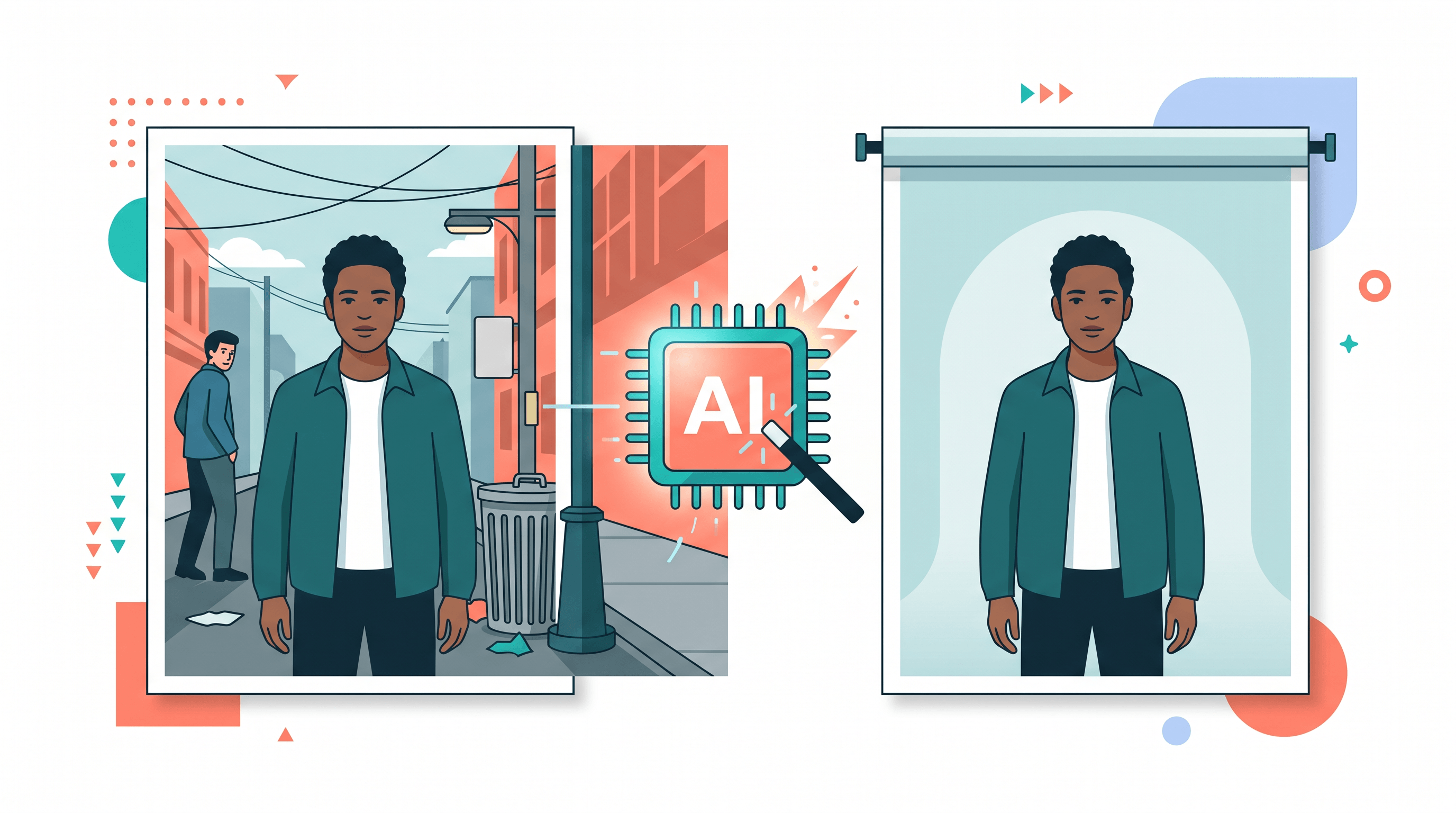
Table of Contents
- What "AI Photo Editing Without Manual Retouching" Means
- Airbrush Studio at a Glance
- 6 Best Airbrush Studio Alternatives
- Feature Comparison Table
- How to Choose the Right Airbrush Studio Alternative
- How to Remove Objects and Replace Backgrounds — Step by Step
- FAQ
What "AI Photo Editing Without Manual Retouching" Means
AI photo editing without manual retouching means the software does the pixel-level work — smoothing skin, erasing objects, cutting out backgrounds, sharpening detail — from a simple instruction or one click, instead of you painting masks by hand. Four jobs cover most of it:
- Automatic retouching — skin, blemishes, color, and lighting fixed on portraits without adjusting sliders per photo.
- Object removal — erasing photobombers, wires, or trash and rebuilding the background behind them.
- Background replacement — cutting the subject out and dropping in a new scene or solid color.
- Photo enhancement — upscaling, denoising, and sharpening to recover detail.
Most tools are great at one or two of these and average at the rest. That's why the best Airbrush Studio alternative depends on which job dominates your week.
Airbrush Studio at a Glance
Airbrush Studio is an AI photo editor built for portrait-heavy, preset-driven work — its core strength is fast, natural retouching and bulk edits across a shoot. It comes from the AirBrush family, a mobile selfie editor with a large existing user base, so its retouching is mature and its presets are tuned for headshots, product, and real estate.
Best for: photographers and creators who mostly retouch portraits, want task presets, and need bulk sync across many similar images.
Not ideal for: heavy object removal on cluttered scenes, prompt-based background generation, choosing between multiple AI models, or anyone who wants a purely web-based editor with commercial licensing built into the plan.
Pricing: the AirBrush subscription runs about $7.99/month (cheaper billed yearly), with a launch discount at debut; dedicated AI headshots start around $4.99. (As of June 2026.)
If that profile doesn't match your work, here are six alternatives worth testing.
6 Best Airbrush Studio Alternatives
1. Imgezy — best web alternative for object removal + background swaps
Imgezy is a browser-based AI photo editor where you describe the edit in plain language — "remove the person on the left," "replace the background with a beach" — and the AI handles it in about five seconds. It covers object removal, background replacement, photo enhancement, smart repair, and batch processing in one place, and lets you pick the model behind the edit (Nano Banana Pro, Seedream 4.5, Flux Kontext, and Qwen Image Edit). More than 200K users have run over 1M object removals through it.
As an Airbrush Studio alternative, Imgezy trades preset portrait sliders for prompt-driven, model-flexible editing that shines on object and background work.
Best for: prompt-based object removal and background replacement, model choice, batch jobs, and web users who want a commercial license on the Pro plan.
Not ideal for: photographers who specifically want manual, slider-level portrait retouching or an offline desktop RAW catalog.
Pricing: Basic $9.99/month (80 credits, ~40 images); Pro $19.99/month (500 credits, ~250 images, commercial license). Free trial credits for new users.
2. Photoroom — best for e-commerce product photos
Photoroom is built around product photography. It removes and replaces backgrounds fast, adds realistic AI shadows, and ships templates for marketplaces — popular with resellers and small brands.
Best for: sellers who need clean product cutouts and branded backgrounds at scale. Not ideal for: portrait retouching or rebuilding complex backgrounds after removing large objects. Pricing: free tier; Pro around $9.99/month. (As of June 2026.)
3. Adobe Photoshop (Firefly) — best for pixel-perfect control
Photoshop's Generative Fill, content-aware fill, and Remove tool set the industry bar for precise object removal and compositing. Firefly's generative models now expand images and replace elements inside Photoshop.
Best for: pros who need exact, layer-level control and complex compositing. Not ideal for: beginners, speed-first batch work, or anyone avoiding a learning curve. Pricing: Photography plan around $9.99/month; full plan higher. (As of June 2026.)
4. Luminar Neo — best desktop catalog + generative tools
Luminar Neo (Skylum) pairs a desktop photo catalog with generative tools: GenErase for object removal, GenSwap for replacing elements, and AI portrait and skin enhancement.
Best for: photographers who want desktop editing plus generative AI, with a lifetime-license option. Not ideal for: quick web or mobile edits with nothing to install. Pricing: subscription around $9.95/month or a one-time license. (As of June 2026.)
5. Evoto — best for high-volume portrait retouching
Evoto is a desktop app dedicated to automating portrait retouching — skin, body, and color — at batch scale. It's a direct answer to the manual Photoshop retouching that Airbrush Studio also targets, aimed at wedding and studio photographers.
Best for: high-volume portrait and event photographers replacing manual retouching. Not ideal for: object removal, background scene generation, or casual one-off edits. Pricing: credit-based and subscription tiers. (As of June 2026.)
6. Pixelcut — best mobile-first alternative
Pixelcut is a mobile and web editor with a magic eraser, AI background remover, and product-photo templates, built for fast edits on a phone.
Best for: mobile sellers and creators who edit on the go. Not ideal for: high-end portrait retouching or desktop RAW workflows. Pricing: free tier; Pro subscription. (As of June 2026.)
Feature Comparison Table
The table below maps each Airbrush Studio alternative to the four core jobs, platform, model choice, and starting price.
| Tool | Automatic retouching | Object removal | Background replacement | Photo enhancement | Platform | Model choice | Starting price |
|---|---|---|---|---|---|---|---|
| Airbrush Studio | ★★★★★ | ★★★☆☆ | ★★★☆☆ | ★★★★☆ | Web + mobile | No | ~$7.99/mo |
| Imgezy | ★★★☆☆ | ★★★★★ | ★★★★★ | ★★★★☆ | Web | Yes (4+ models) | $9.99/mo |
| Photoroom | ★★☆☆☆ | ★★★★☆ | ★★★★★ | ★★★☆☆ | Web + mobile | No | Free / ~$9.99 |
| Photoshop (Firefly) | ★★★★☆ | ★★★★★ | ★★★★★ | ★★★★☆ | Desktop | Limited | ~$9.99/mo |
| Luminar Neo | ★★★★☆ | ★★★★☆ | ★★★☆☆ | ★★★★☆ | Desktop | No | ~$9.95/mo |
| Evoto | ★★★★★ | ★★☆☆☆ | ★★☆☆☆ | ★★★★☆ | Desktop | No | Credit-based |
| Pixelcut | ★★☆☆☆ | ★★★★☆ | ★★★★☆ | ★★★☆☆ | Mobile + web | No | Free / Pro |
Ratings reflect each tool's primary focus, not a lab benchmark — pick by the job you do most.

How to Choose the Right Airbrush Studio Alternative
Match the tool to the job that fills most of your editing time:
- You mostly retouch portraits → Evoto for volume, or stay close to Airbrush Studio's strengths. Imgezy and Photoshop also handle skin and color.
- You remove objects from busy scenes → Imgezy or Photoshop rebuild backgrounds best; both regenerate what was hidden behind the object.
- You swap product backgrounds for a store → Photoroom or Imgezy for prompt-based swaps with commercial licensing.
- You want exact, manual control → Photoshop, no contest.
- You edit on a phone → Pixelcut or Photoroom.
- You want one web tool for object removal, backgrounds, and enhancement with model choice → Imgezy.
If most of your week is erasing objects and changing backgrounds rather than sliding skin-smoothing dials, a prompt-driven Airbrush Studio alternative will move faster than a preset-first editor.
How to Remove Objects and Replace Backgrounds — Step by Step
Here's the fastest no-install workflow for the two jobs Airbrush Studio handles least, using Imgezy as the example.
- Upload your photo. Drag a JPG, PNG, or WebP onto Imgezy — no account setup or software install needed.
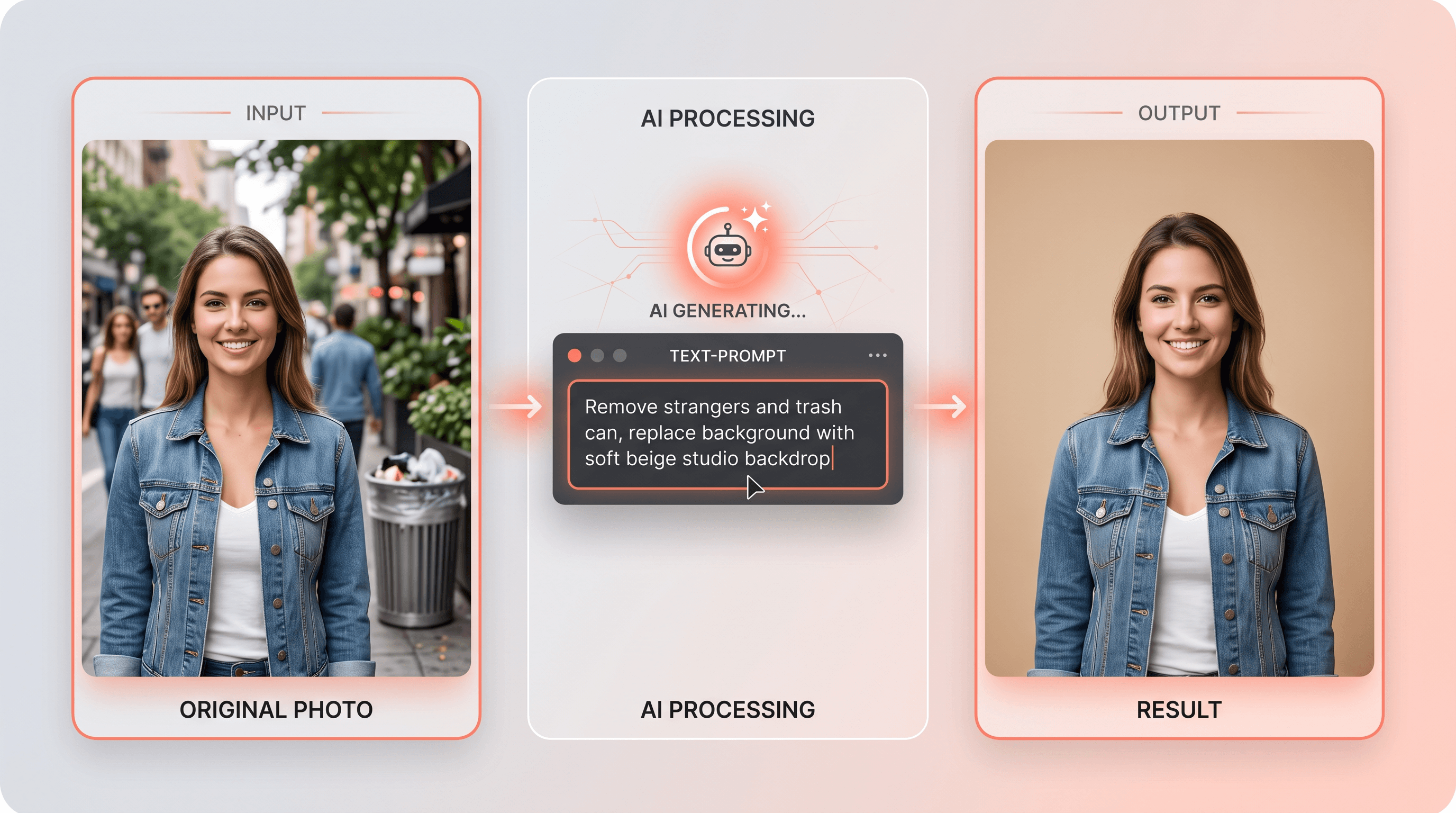
- Describe the edit in plain words. Type something like "remove the two people in the background and the trash can on the right." The AI finds the objects and rebuilds the scene behind them in about five seconds — the same engine behind removing objects from photos with AI.
- Swap the background. Run a second prompt — "replace the background with a soft beige studio backdrop" — to cut out the subject and drop in a new scene.
- Pick a model if needed. For tricky edges or fine detail, switch to Nano Banana Pro or Flux Kontext and re-run.
- Enhance and download. Apply photo enhancement to sharpen and clean up, then download at full quality. Batch processing repeats the same edit across a folder.
Upload your photo to Imgezy and describe what you want gone — the AI handles the removal and rebuild in about five seconds, no layer masks involved.
FAQ
What is the best Airbrush Studio alternative? It depends on the job. For object removal and background replacement in a browser, Imgezy is the strongest pick. For high-volume portrait retouching, Evoto. For pixel-perfect manual control, Photoshop. For e-commerce product photos, Photoroom.
Is there a free Airbrush Studio alternative? Yes. Photoroom and Pixelcut have free tiers, and Imgezy gives new users free trial credits to test object removal and background swaps before paying.
Which Airbrush Studio alternative is best for object removal? Imgezy and Photoshop lead here because both rebuild the background behind the removed object instead of leaving a blur. Imgezy does it from a text prompt in the browser; Photoshop gives manual control.
Can these tools replace manual Photoshop retouching? For routine jobs — skin cleanup, object removal, background swaps, enhancement — yes, and far faster. For complex compositing or art direction that needs layer-level control, Photoshop still wins.
Does Imgezy offer a commercial license? Yes. Imgezy's Pro plan ($19.99/month) includes a commercial license, so edited images can be used in client and commercial work.
Do I need to install anything to use an Airbrush Studio alternative? Not for web tools. Imgezy, Photoroom, and Pixelcut run in the browser. Photoshop, Luminar Neo, and Evoto are desktop apps that require installation.
Ready to edit without manual retouching?
If your work leans on removing objects, swapping backgrounds, and enhancing photos rather than sliding retouch dials, skip the preset-first editors. Try Imgezy free → — describe the edit in plain words, pick your AI model, and get a clean result in about five seconds. No design skills, no install, no layer masks.