

OpenCV Background Removal vs AI Background Remover
You nailed the perfect shot of the old town square — except a stranger in a neon jacket strolled into frame at the worst moment. You want him gone, the background rebuilt like he was never there. Search for how to do it and you land in two very different camps: developers telling you to "just use OpenCV," and everyone else pointing to an AI background remover.
Both can erase that stranger. But they work in completely different ways, demand completely different skills, and fail in completely different places. OpenCV is a free code library that runs classic computer-vision math. An AI background remover is a trained model that understands what it's looking at. This guide compares the two head-to-head on the three jobs people actually care about — removing objects, replacing backgrounds, and repairing detail — so you can pick the right one before you waste an afternoon.
Last updated: June 2026.
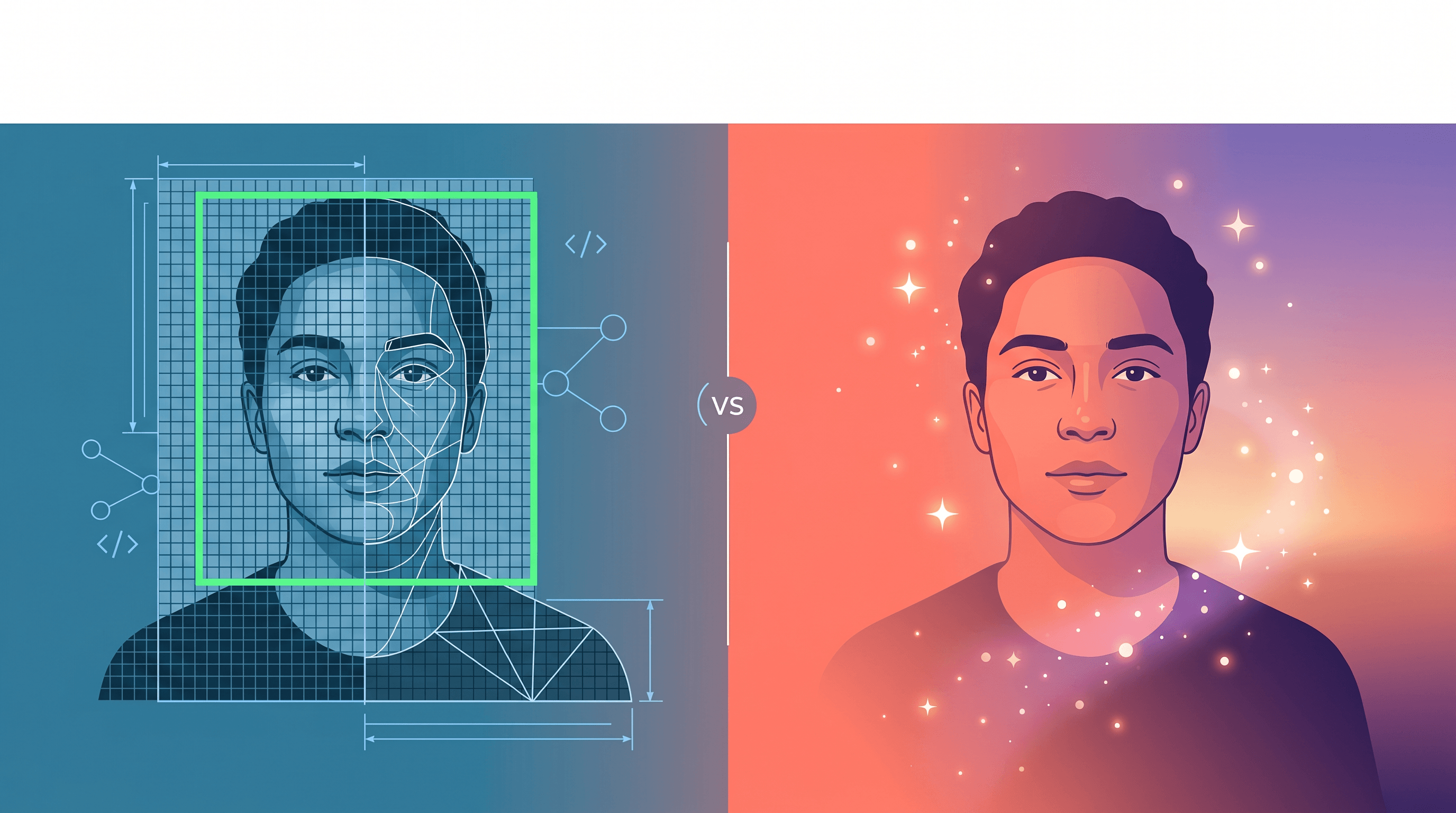
Table of Contents
- OpenCV vs AI Background Remover: Quick Answer
- What Is OpenCV Background Removal?
- What Is an AI Background Remover?
- Feature Comparison Table
- Object Removal, Background Replacement & Detail Repair Compared
- Which One Should You Choose?
- How to Remove Objects and Swap Backgrounds with AI — Step by Step
- FAQ
OpenCV vs AI Background Remover: Quick Answer {#quick-answer}
OpenCV is best when you can write code and your images are predictable — a product on a white sweep, a subject on a green screen, a small scratch to patch. An AI background remover wins on messy real-world photos: a person with flyaway hair, a tourist to delete from a busy plaza, a background to swap entirely. OpenCV gives you control and zero per-image cost; an AI background remover gives you results without coding or manual masking.
The short version: OpenCV is a library for developers, and an AI background remover is a tool for getting the photo done. The rest of this comparison shows exactly where each one breaks.
What Is OpenCV Background Removal? {#what-is-opencv}
OpenCV (Open Source Computer Vision Library) is a free, BSD-licensed library — currently the #2 trending repository on GitHub with more than 80,000 stars — that you call from Python or C++ to process images with classic, hand-engineered algorithms. It doesn't "understand" a photo; it does math on pixels.
For isolating or removing a background, OpenCV gives you a toolbox:
- Color thresholding / HSV masking (
cv2.inRange) — isolate a subject when the background is a known, uniform color. The backbone of green-screen (chroma key) work. - GrabCut (
cv2.grabCut) — an iterative graph-cut algorithm that separates foreground from background after you draw a bounding box or rough mask around the subject. - Background subtraction (
MOG2,KNN) — for video from a fixed camera, where anything that moves becomes the foreground. - Contour and watershed segmentation — for shapes with clear, high-contrast edges.
For removing an object, OpenCV offers inpainting (cv2.inpaint) with two classic methods — Telea's Fast Marching Method and a Navier-Stokes approach. You supply a mask of the area to erase, and the algorithm fills it by spreading in colors and textures from the surrounding pixels.
Here is the entire "background removal" most OpenCV tutorials show:
import cv2, numpy as np
img = cv2.imread("photo.jpg")
mask = np.zeros(img.shape[:2], np.uint8)
bgd, fgd = np.zeros((1, 65), np.float64), np.zeros((1, 65), np.float64)
rect = (50, 50, 450, 290)               # box around the subject
cv2.grabCut(img, mask, rect, bgd, fgd, 5, cv2.GC_INIT_WITH_RECT)
out = np.where((mask == 2) | (mask == 0), 0, 1).astype("uint8")
cv2.imwrite("cutout.png", img * out[:, :, np.newaxis])
It works cleanly only when the subject and background are easy to separate.
Best for: developers and automated pipelines, green-screen and solid-color backgrounds, batch processing, small-defect repair (dust, scratches, a tiny logo), offline and private work, zero per-image cost.
Not ideal for: removing large objects (inpainting smears, because it has no idea what should be there), hair and fur edges, cluttered backgrounds, and anyone who doesn't code.
What Is an AI Background Remover? {#what-is-ai}
An AI background remover is a tool built on deep neural networks trained on millions of images, so they recognize what is in a photo — person, hair, sky, table — and act on that understanding. Two model families do the heavy lifting:
- Segmentation and matting models (U²-Net, MODNet, BiRefNet) produce a precise alpha mask of the subject, including individual hair strands and semi-transparent edges, with no manual box-drawing.
- Generative inpainting models (diffusion models such as Flux, Stable Diffusion, and Google's Nano Banana) don't just copy nearby pixels — they generate new, plausible content. Delete a person from a beach and the model paints in believable sand and waves.
Most consumer AI background removers — remove.bg, Adobe's Generative Fill, and Imgezy — wrap these models behind a one-click or describe-it interface.
Best for: real-world photos with messy backgrounds, hair and fur, removing large objects and rebuilding what's behind them, background replacement with matched lighting, and non-coders who want a result in seconds.
Not ideal for: users who need fully offline processing with no upload, pixel-identical reruns, or zero ongoing cost (most charge credits or a subscription). Generative fill can also occasionally hallucinate an odd detail that needs a redo.
OpenCV vs AI Background Remover: Feature Comparison Table {#comparison-table}
| Factor | OpenCV | AI Background Remover |
|---|---|---|
| What it is | Code library, classic CV algorithms | Trained deep-learning models |
| Skill needed | Python / C++ coding | None — upload and click or describe |
| Setup | Install + write a script | Open a website |
| Hair & fine edges | Struggles | Strong (matting models) |
| Remove large objects | Poor (smears) | Strong (generative fill) |
| Background replacement | Manual mask + composite | Automatic, one step |
| Detail repair | Classic inpaint / denoise | Super-resolution + face restore |
| Cost | Free, no per-image fee | Free tier, then credits / subscription |
| Runs offline | Yes | Usually cloud-based |
| Reproducible | Deterministic | Can vary between runs |
| Best user | Developers, automation | Creators, marketers, everyday users |
Object Removal, Background Replacement & Detail Repair Compared {#three-jobs}
The choice gets clearer when you split it into the three jobs people actually do, because OpenCV and an AI background remover diverge most on effort, skill, and the kind of photo each can handle.
Object removal
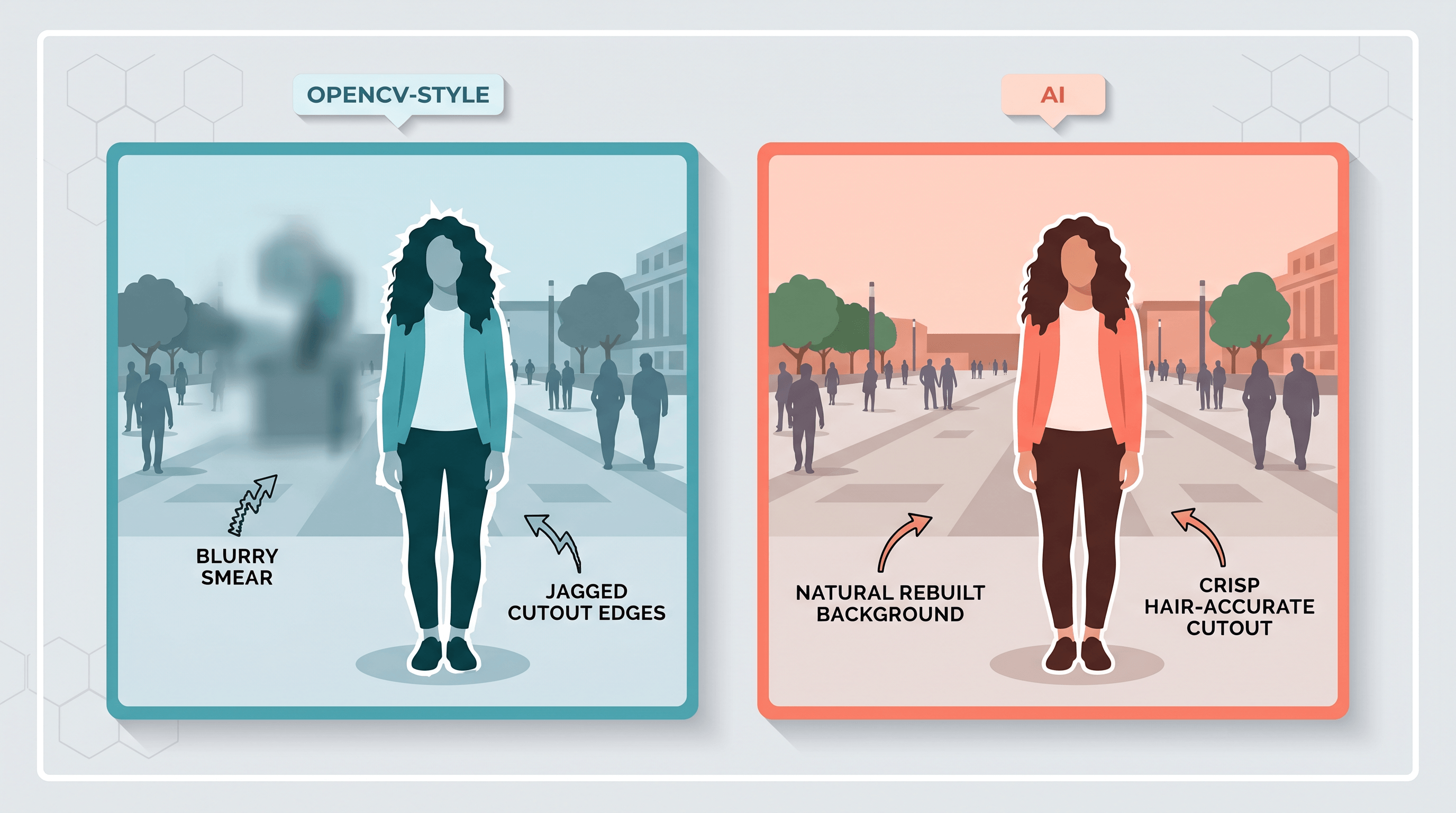
OpenCV's cv2.inpaint was built for small defects — scratches, dust, a date stamp, a tiny logo. Mask the spot and it patches by copying texture inward. Ask it to remove a whole person and it produces a blurry smear, because it has no concept of the wall, fence, or crowd that belongs behind them. An AI background remover uses generative inpainting that reconstructs the hidden scene, so a deleted photobomber is replaced with believable background. (See our walkthrough on removing objects from photos with AI.)
Verdict: OpenCV for tiny touch-ups in code; AI for anything person-sized or larger.
Background replacement
With OpenCV you first cut the subject out (GrabCut or chroma key), then composite it onto a new background — and any imperfection in the mask shows up as a halo, especially around hair. Lighting won't match unless you adjust it by hand. An AI background remover extracts the subject with a matting model and can swap or generate a new background in one step, often blending the lighting automatically.
Verdict: OpenCV is reliable only with a green screen; AI handles ordinary photos.
Detail repair
For repairing detail, OpenCV offers classic denoising, sharpening, and inpainting filters that smooth noise and patch small areas — but they can't invent detail that isn't there. AI restoration uses super-resolution and face-restoration models to add plausible sharpness and reconstruct faces in old or low-resolution photos.
Verdict: OpenCV cleans; AI rebuilds.
Which One Should You Choose? {#which-to-choose}
Pick OpenCV if you're a developer building an automated pipeline, you control the shooting conditions (studio, green screen, white background), you need offline or private processing, or you're patching small defects at scale for free.
Pick an AI background remover if you're editing real-world photos, you want hair-accurate cutouts, you need to delete large objects or swap backgrounds, or you simply don't want to write code.
Plenty of teams use both: OpenCV inside an app to handle the predictable cases, and an AI editor for the messy ones. For most creators, marketers, and everyday users, the AI route is faster and the results are better on the photos they actually have.
How to Remove Objects and Swap Backgrounds with AI — Step by Step {#how-to}
You don't need a model or a line of code to test the AI side. Here's the full workflow using Imgezy, an AI image editor that handles object removal, background replacement, and enhancement from a single upload:
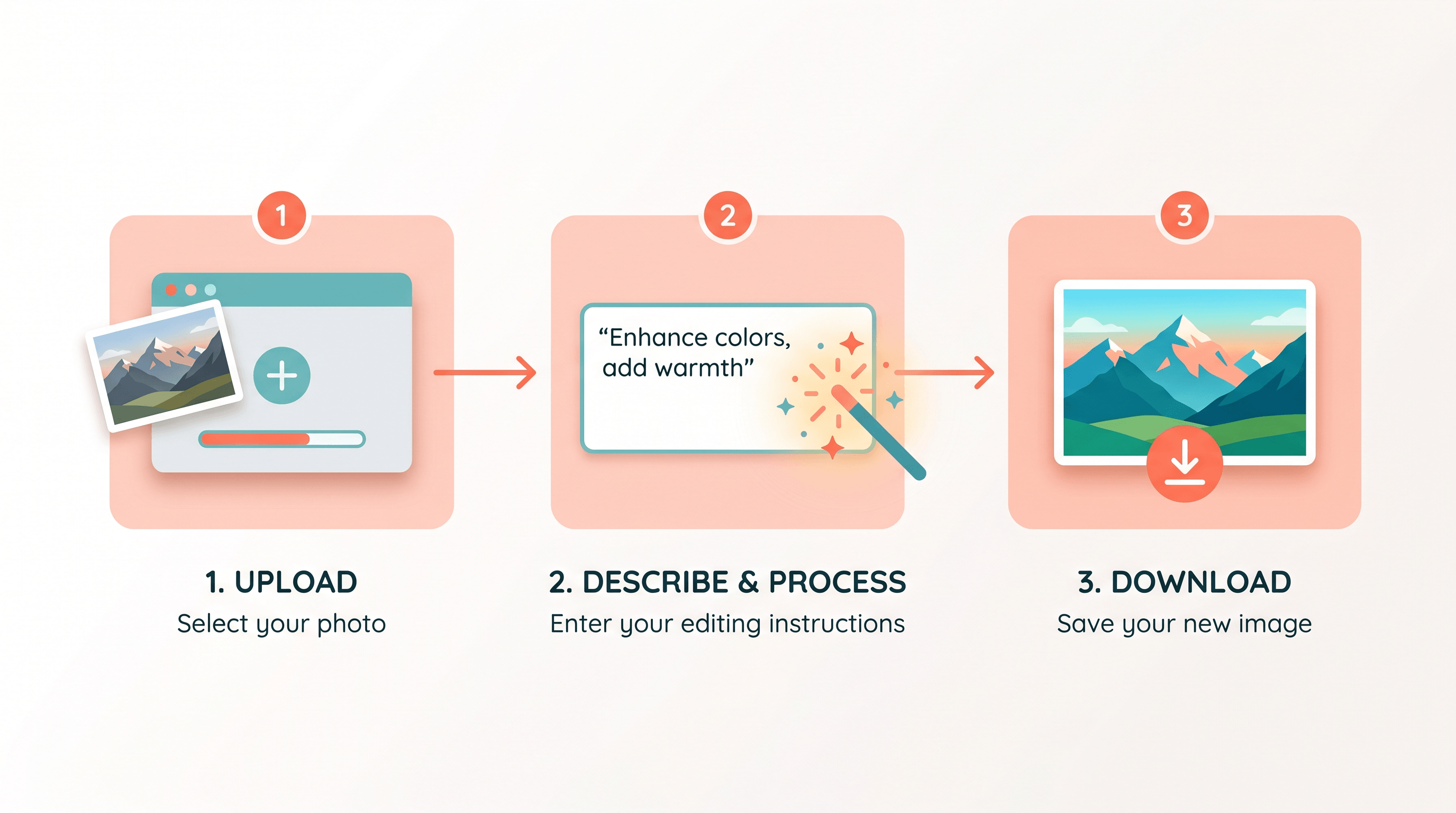
- Upload your photo. Drag a JPG, PNG, or WebP into Imgezy — the same image you'd otherwise script around.
- Say what to change. Type a plain instruction like "remove the person on the left" or "replace the background with a beach at sunset." No mask drawing, no parameters to tune.
- Let the AI rebuild. Imgezy's models cut the subject, erase the object, and regenerate the background — typically in about 5 seconds.
- Refine if needed. Not happy with a detail? Re-run with a tweaked instruction instead of hand-editing a mask.
- Download in full quality. Export the result with no loss in resolution.
For background-only work, jump straight to the background remover or object remover tools. In our testing, a person-sized object that OpenCV's inpaint turned into a smudge came back as a clean, rebuilt background in a single AI pass.
FAQ {#faq}
Can OpenCV remove backgrounds for free?
Yes. OpenCV is completely free and open-source, and you can remove backgrounds with GrabCut or chroma keying at no per-image cost. The catch is that you have to write Python or C++ code, and the result is clean only when the subject and background separate easily.
Is an AI background remover better than OpenCV?
For messy, real-world photos — hair, cluttered backgrounds, large objects to delete — an AI background remover produces noticeably better results with no coding. OpenCV is "better" when you need free, offline, scriptable, deterministic processing of predictable images.
Can OpenCV remove a person from a photo?
Only small or distant figures, and not cleanly. cv2.inpaint fills by copying nearby texture, so a large person leaves a blur. Generative AI inpainting rebuilds the actual background behind the person, which OpenCV cannot do.
Do I need to know how to code to use OpenCV?
Yes. OpenCV is a programming library with no built-in interface — you use it through Python or C++. If you don't code, an AI background remover like Imgezy gives you the same outcomes through a browser.
Which is faster, OpenCV or an AI background remover?
For a one-off photo, an AI tool is faster — upload and you have a result in seconds. OpenCV is faster only once you've already written and tuned a script and need to batch-process many predictable images automatically.
Ready to Skip the Code?
You don't have to choose between learning OpenCV and getting a clean cutout. Try Imgezy free → — remove objects, swap backgrounds, and repair detail in seconds, with no masks and no scripting. Upload a photo, describe the edit, and download it in full quality.