
Krea 2 vs Nano Banana Pro: Photo Editing Guide
A product photo can fail for two very different reasons. Sometimes the image does not exist yet, so you need a model that can generate a new visual style from scratch. Other times the photo is already right, except for a bad background, a distracting object, or a product detail that needs a precise edit.
That is the real decision behind Krea 2 vs Nano Banana Pro. Krea 2 RAW and Turbo now give builders an open-weight route for local text-to-image generation, LoRA training, and custom model workflows. Nano Banana Pro, available in Imgezy as a hosted photo editing model, is built for people who want to upload a photo, describe the change, and download a commercial-ready result without running model infrastructure.
Quick answer: choose Krea 2 if you want open weights, local control, fine-tuning, or an internal image generation stack. Choose Nano Banana Pro through Imgezy if your job is photo editing: object removal, background replacement, image enhancement, batch-ready production, and simple browser-based output.
This article is for creators, ecommerce operators, marketers, and small teams deciding whether an open/local model or an online AI image editor fits their photo workflow. It covers photo editing and commercial production, not a broad art-model leaderboard.
Last updated: June 25, 2026
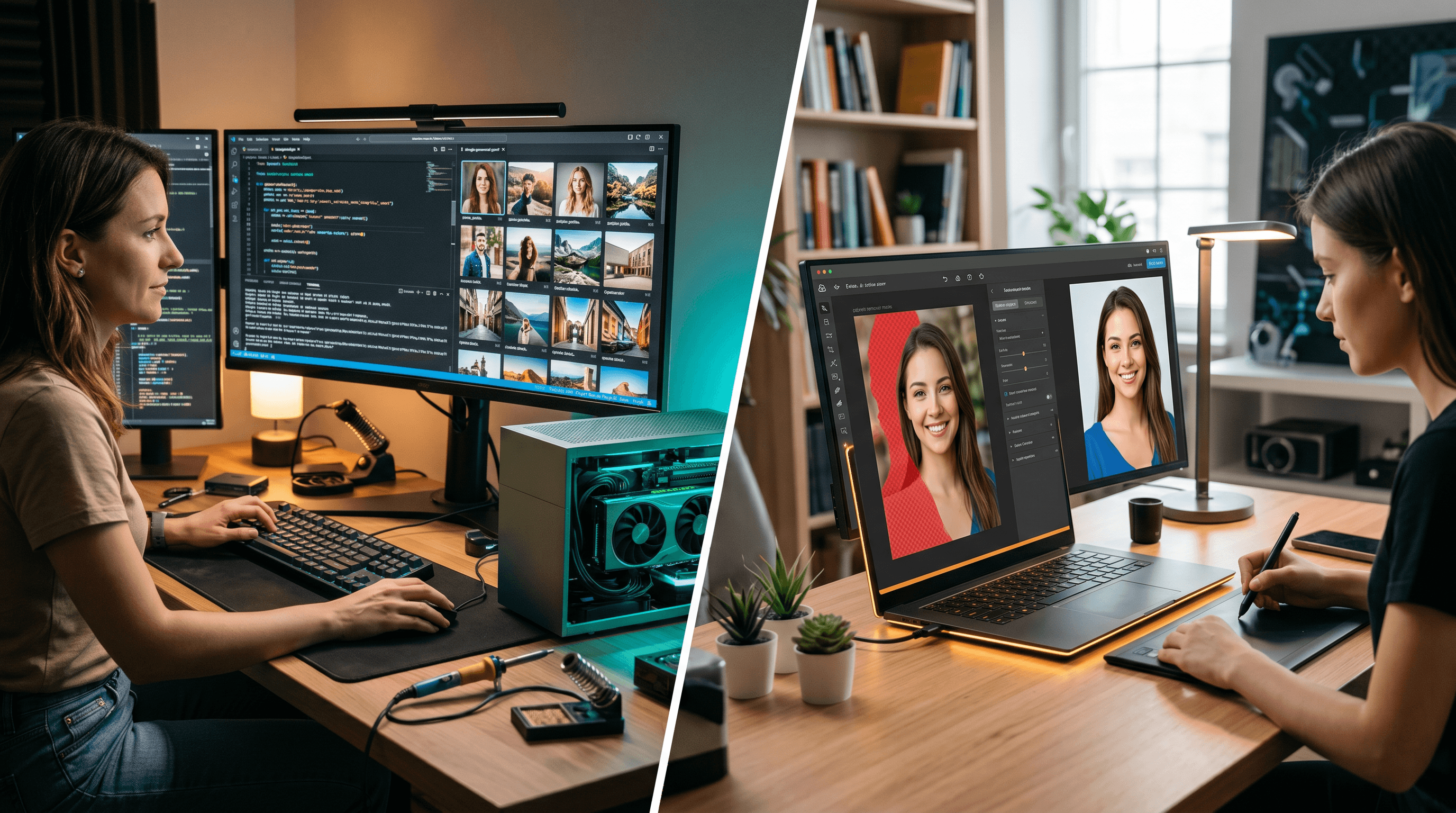
Table of Contents
- Quick Answer: Krea 2 vs Nano Banana Pro
- Key Takeaways for Krea 2 vs Nano Banana Pro
- What Are Krea 2 and Nano Banana Pro?
- The Two Photo Editing Workflows Compared
- Feature Comparison Table for Photo Editing
- Where Krea 2 Wins: Open Weights and Local Control
- Where Nano Banana Pro Wins: Hosted Photo Editing Workflow
- How to Choose the Right AI Image Model
- How to Edit a Photo Online with Nano Banana Pro
- Practical Checklist Before You Decide
- FAQ
Key Takeaways for Krea 2 vs Nano Banana Pro
Krea 2 vs Nano Banana Pro is easiest to evaluate by separating model ownership from finished-photo production. Krea 2 gives technical teams control over weights, inference, and training; Nano Banana Pro in Imgezy gives photo teams a hosted editor for practical image cleanup and commercial output.
- Krea 2 vs Nano Banana Pro for local control: choose Krea 2 when open weights, RAW/Turbo checkpoints, LoRA training, and private infrastructure matter.
- Krea 2 vs Nano Banana Pro for photo editing: choose Nano Banana Pro in Imgezy when the task is object removal, background replacement, enhancement, or a browser-based edit.
- Krea 2 vs Nano Banana Pro for commercial output: choose based on who owns the workflow. Technical teams may prefer Krea 2 plus a license review; small businesses may prefer Imgezy Pro's hosted workflow.
- Krea 2 vs Nano Banana Pro for speed: Krea 2 Turbo is built for faster text-to-image inference, while Imgezy is faster for non-technical users because setup is already handled.
Quick Answer: Krea 2 vs Nano Banana Pro
Krea 2 vs Nano Banana Pro is not mainly a quality contest; it is a workflow choice. Krea 2 is stronger when you need open weights, local deployment, custom LoRAs, and text-to-image exploration, while Nano Banana Pro is stronger when you need browser-based photo edits and faster commercial output.
For photo editing, that Krea 2 vs Nano Banana Pro distinction matters more than model hype. A local Krea 2 setup can be powerful, but it asks you to manage checkpoints, GPU memory, inference settings, safety policy, and storage. Imgezy with Nano Banana Pro hides that infrastructure, so a non-technical user can upload a product shot, remove an object, change the background, or enhance quality in a few steps.
Bottom line: Krea 2 is best for builders and teams with model operations capacity. Nano Banana Pro is best for users who want a finished edited image without maintaining a local AI stack.
What Are Krea 2 and Nano Banana Pro?
Krea 2 is an open-weight text-to-image model family from Krea.ai, released as RAW and Turbo checkpoints. Nano Banana Pro is Google DeepMind's Gemini 3 Pro Image model, surfaced in products and APIs for high-fidelity image generation and editing, including professional asset production.
According to Krea's open-source release page, Krea 2 ships in two main variants: RAW for training, research, and LoRA work; Turbo for fast polished text-to-image inference. The official Hugging Face model card lists Krea 2 v1.0 with a June 22, 2026 release date, a 12-billion-parameter diffusion transformer architecture, and a Krea 2 Community License.
Google's Gemini API documentation identifies Nano Banana Pro as Gemini 3 Pro Image. Google describes it as a model for professional asset production and complex instructions, with a default Thinking process, Search-grounded world knowledge, and output options up to 4K resolution. Google's launch post also frames Nano Banana Pro as an image generation and editing model for infographics, mockups, posters, diagrams, and accurate multilingual in-image text.
For Imgezy users, Nano Banana Pro appears inside an online AI image editor rather than as a raw model checkpoint. That changes the work: you do not download weights, tune inference steps, or configure GPU runtimes. You start from a photo and ask for an edit.
The Two Photo Editing Workflows Compared
Krea 2 and Nano Banana Pro sit at different points in the image production chain. Krea 2 starts from model control and generation infrastructure; Nano Banana Pro in Imgezy starts from a photo editing task and wraps the model in upload, prompt, preview, and download steps.
In our workflow review, we used three practical criteria: how a user starts, how much infrastructure they manage, and what counts as a finished output. That method avoids repeating a generic model leaderboard and keeps the Krea 2 vs Nano Banana Pro comparison focused on photo editing.
| Workflow Question | Krea 2 RAW/Turbo | Nano Banana Pro in Imgezy |
|---|---|---|
| Starting point | Text prompt, style direction, model checkpoint, or LoRA plan | Existing photo, edit instruction, and target output |
| Best first task | Generate new images or build a custom image model workflow | Remove objects, replace backgrounds, enhance photos, and prepare final assets |
| Setup needed | Download weights, configure official code, use GPU/cloud runtime | Browser access and Imgezy credits |
| Control style | Strong for model-level control, LoRA training, and local experiments | Strong for instruction-based editing and practical image correction |
| Team fit | Developers, AI labs, research teams, technical creators | Marketers, ecommerce teams, social creators, agencies, small businesses |
| Output ownership work | You manage files, hosting, safety checks, and model compliance | Imgezy provides edited output and a Pro plan with commercial license |
Feature Comparison Table for Photo Editing
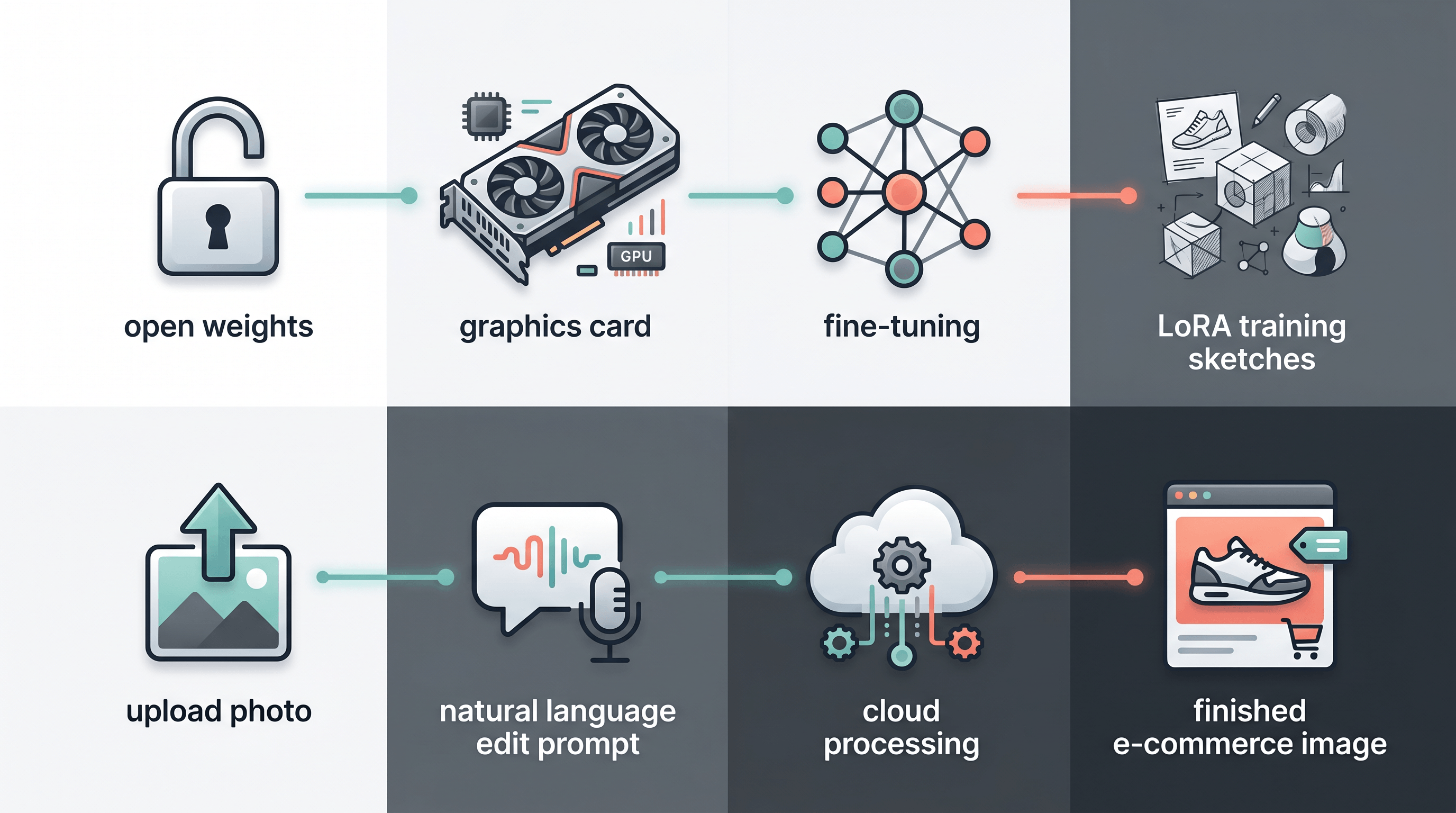
The clearest photo-editing difference is setup friction. Krea 2 gives technical teams deeper ownership of the model stack, while Nano Banana Pro gives non-technical teams a shorter path from source photo to usable asset.
The Krea 2 vs Nano Banana Pro table below keeps each row tied to a real photo-editing decision, not an abstract benchmark score.
| Feature | Krea 2 RAW/Turbo | Nano Banana Pro via Imgezy | Best For |
|---|---|---|---|
| Open/local deployment | Open weights are available through Hugging Face and official code | Hosted workflow, no local weights | Krea 2 |
| Fine-tuning and LoRA | RAW is intended for training and LoRA work; Turbo is for fast inference | Not exposed as local fine-tuning inside Imgezy | Krea 2 |
| Photo object removal | Possible only if you build or connect an editing workflow around the model | Built into Imgezy's photo editing flow | Nano Banana Pro |
| Background replacement | Requires workflow design and masking/inpainting tooling | Direct prompt-based editing task in Imgezy | Nano Banana Pro |
| Text rendering | Krea 2 is designed for text-to-image generation; test locally for your use case | Google highlights accurate, legible in-image text in multiple languages | Nano Banana Pro |
| Resolution | Krea Turbo examples cover 1K to 2K generation in official code | Google API docs list 1K, 2K, and 4K options for Gemini 3 Pro Image | Nano Banana Pro |
| Infrastructure cost | You control GPU/cloud cost, caching, deployment, and queues | You pay Imgezy plan/credits; Basic is $9.99/month, Pro is $19.99/month | Depends |
| Commercial workflow | Check Krea license path and enterprise terms for your use case | Imgezy Pro includes commercial license per product brief | Depends |
| Beginner learning curve | High: model files, inference flags, GPU memory, safety policy | Low: upload, prompt, download | Nano Banana Pro |
Krea 2 is not a weak choice because it needs infrastructure. That infrastructure is exactly what many technical teams want. The problem starts when a non-technical photo team chooses Krea 2 only because it is new and open, then discovers that local model control is not the same as a production photo editor.
Where Krea 2 Wins: Open Weights and Local Control
Krea 2 wins when your priority is owning the model layer. Its RAW checkpoint is designed for fine-tuning and research, while Turbo is an 8-step distilled checkpoint for faster inference, which makes it attractive for teams building custom image generation systems.
The official Krea 2 GitHub repository explains the intended split: train LoRAs on RAW and run them on Turbo. It also documents local setup with uv, Hugging Face checkpoints, and inference flags such as steps, CFG, width, and height. That level of control is valuable if you are building an internal tool, testing model behavior, or adapting a style system to a brand library.
Krea 2 is especially strong for:
- Model experimentation: You can inspect the open release, compare RAW and Turbo, and tune the generation loop instead of accepting a fixed hosted product.
- LoRA and style systems: Krea's open-source page recommends RAW for LoRA training and Turbo for fast inference, which fits teams building repeatable styles.
- Privacy-sensitive workflows: A local or private-cloud setup can keep prompts, reference material, and outputs inside your own environment, subject to your infrastructure and compliance work. The tradeoff is that Krea 2's open release is not a complete business photo editor by itself. You still need UI, queuing, storage, upload, masking, review, policy, billing, and support if you want to serve non-technical users.
Where Nano Banana Pro Wins: Hosted Photo Editing Workflow
Nano Banana Pro wins when the task is editing an existing photo rather than training or deploying a model. In Imgezy, the model is wrapped in a browser workflow for object removal, background replacement, enhancement, smart repair, and high-quality downloadable output.
Google's documentation says Gemini 3 Pro Image is built for complex instructions and professional asset production. The Google DeepMind Nano Banana Pro page also highlights subject consistency, including up to five characters and up to fourteen objects in a single workflow. That matters for product sets, branded shots, and campaign imagery where consistency is more useful than raw model access.
Imgezy adds the product layer around the model:
- Object removal: remove tourists, cables, clutter, or product defects, then reconstruct the background.
- Background replacement: turn a casual photo into a clean ecommerce shot, studio scene, or social-ready image.
- Photo enhancement: improve lighting, color, and sharpness without opening Photoshop.
- Batch-oriented production: repeat the same kind of edit across many photos.
- Commercial plans: the Pro plan is $19.99/month with about 500 credits, roughly 250 images/month, and commercial license support in the product brief.
The limitation is model access. Imgezy is built for finished edits, not for downloading weights or changing internals. If your team needs custom LoRAs or private GPU clusters, Nano Banana Pro through Imgezy is the wrong abstraction.
How to Choose the Right AI Image Model
Choose based on the work you repeat every week, not the model name with the most launch buzz. Krea 2 is the better fit for open-model builders; Nano Banana Pro is the better fit for repeatable browser-based photo edits and commercial asset cleanup.
Use this decision framework:
| Choose This | If Your Real Job Is... | Not Ideal If... |
|---|---|---|
| Krea 2 RAW | Training LoRAs, post-training experiments, research, or custom model adaptation | You need a simple upload-and-edit tool today |
| Krea 2 Turbo | Fast text-to-image ideation, prompt testing, style exploration, and model integration | You need built-in object removal or background replacement |
| Nano Banana Pro in Imgezy | Editing real photos, cleaning ecommerce assets, improving portraits, and creating high-quality outputs quickly | You need open weights or local-only deployment |
| Both together | Generate a new concept locally with Krea 2, then polish selected photos or variants in Imgezy | Your team has no time for model setup |
Here is a more practical Krea 2 vs Nano Banana Pro rule: if your first sentence starts with "generate a new image of...", test Krea 2. If it starts with "fix this photo by removing/changing/enhancing...", use Imgezy's AI photo editor.
How to Edit a Photo Online with Nano Banana Pro
The fastest online editing workflow is upload, describe, review, and download. Imgezy uses Nano Banana Pro as part of a hosted editor, so the user handles the creative instruction while the product handles model access, processing, and output delivery.
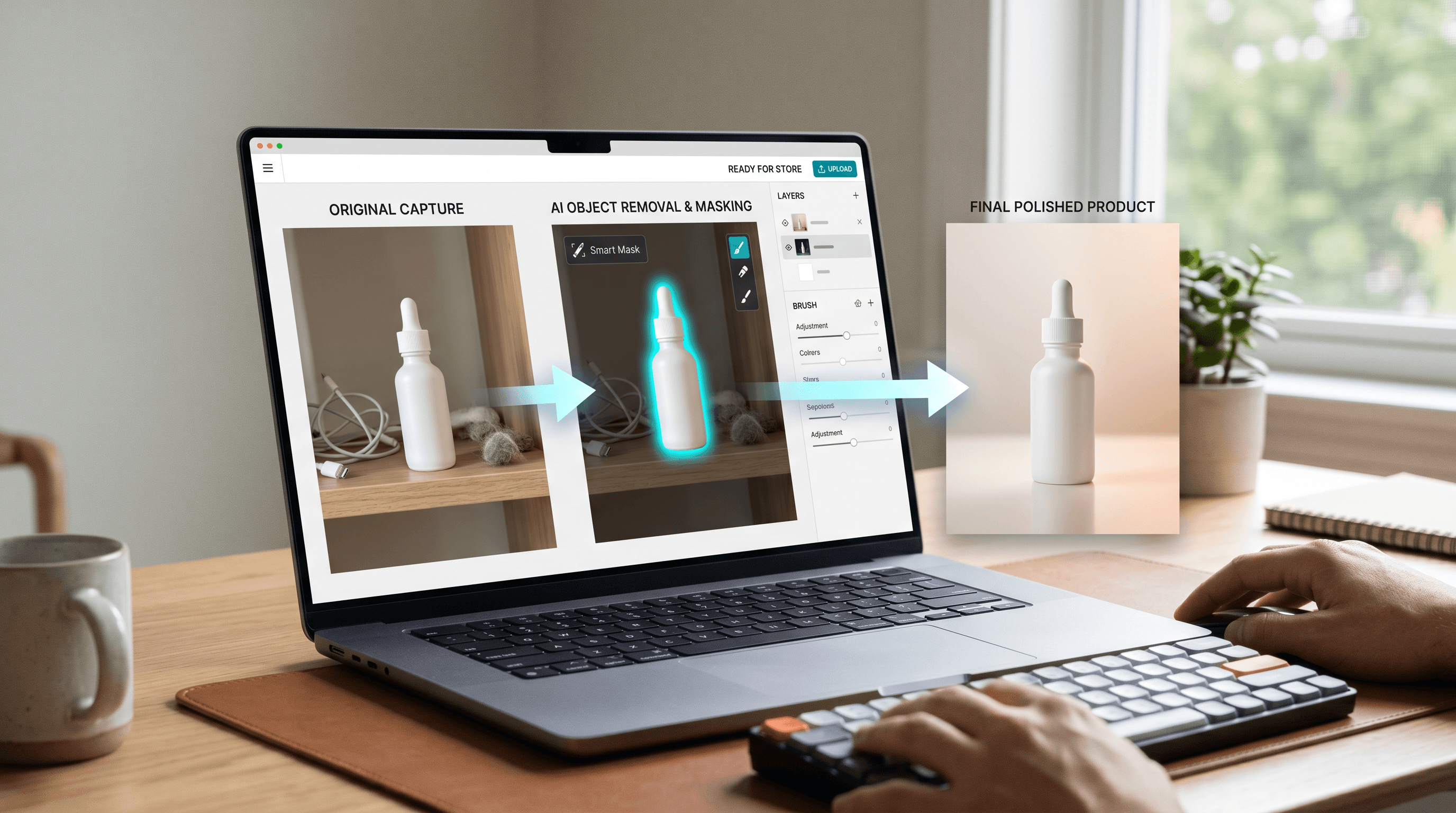
- Upload your source image: Start with a JPG, PNG, or WebP photo. Product shots, portraits, travel photos, and social images all work best when the subject is clear.
- Describe the edit: Use a direct instruction such as "remove the person on the left," "replace the background with a clean white studio," or "enhance the lighting and sharpen the product."
- Review the result: Check edges, hands, faces, text, and product details. If the result changes an area you wanted to preserve, narrow the instruction.
- Download the final image: Use the edited file for store listings, ads, social posts, or client drafts.
For a fast hosted test, upload your photo to Imgezy and describe the edit you want. The product brief reports an average edit time of about 5 seconds, with Basic at $9.99/month and Pro at $19.99/month for heavier commercial use.
Practical Checklist Before You Decide
Use a checklist before choosing a model, because the wrong abstraction creates hidden costs. The Krea 2 vs Nano Banana Pro choice should account for infrastructure, licensing, user skill, speed, repeatability, privacy, and the kind of photo output your team actually ships.
Copy this checklist into your planning doc:
- Do we need open weights? If yes, start with Krea 2 RAW/Turbo.
- Do we need local-only processing? If yes, evaluate Krea 2 with your own GPU/cloud setup and license review.
- Do non-technical teammates need to edit photos? If yes, use Nano Banana Pro through Imgezy.
- Are we training a repeatable brand style? If yes, Krea 2 RAW plus LoRA work may be worth the setup.
- Are we cleaning product photos every week? If yes, Imgezy's object removal and background replacement flow is a shorter path.
- Do outputs need 4K generation or complex instruction handling? If yes, test Nano Banana Pro and compare cost/latency against local options.
- Do we need commercial licensing clarity? Review Krea's community and enterprise license paths; for Imgezy, check the Pro plan and product terms.
For most small businesses, the decision is simple: use Krea 2 when you are building an image model workflow, and use Nano Banana Pro in Imgezy when you are shipping edited photos.
FAQ
Is Krea 2 better than Nano Banana Pro for photo editing?
Krea 2 is better for open-model control, local generation, and LoRA workflows. Nano Banana Pro is better for photo editing when used through Imgezy because the product provides upload, prompt, object removal, background replacement, enhancement, and download steps without local infrastructure.
Is Krea 2 open source?
Krea describes Krea 2 as an open-source/open-weight release with RAW and Turbo checkpoints. The Hugging Face model card lists the Krea 2 Community License, and Krea's release page says community and enterprise licensing paths apply depending on deployment and commercial needs.
Can I run Krea 2 locally?
Yes, Krea provides official inference code and Hugging Face checkpoints. The GitHub repository documents setup with uv, environment variables for RAW and Turbo checkpoint paths, and inference commands. You still need appropriate GPU or cloud resources for practical use.
What is Nano Banana Pro best for?
Nano Banana Pro is best for professional asset production, complex image instructions, high-fidelity text rendering, and image editing tasks where you want a hosted workflow. In Imgezy, that means object removal, background replacement, enhancement, and commercial photo cleanup.
Should small businesses choose Krea 2 or Nano Banana Pro?
Most small businesses should choose Nano Banana Pro through Imgezy for photo editing because it avoids model setup and GPU management. Choose Krea 2 only if the business has technical staff and a clear reason to own the model layer, such as local deployment or LoRA training.
Can I use Krea 2 and Nano Banana Pro together?
Yes. A technical team can generate or explore concepts with Krea 2, then polish selected images in a hosted editor such as Imgezy. This works well when the creative team needs both open-model exploration and a practical production step for final photo cleanup.
What schema should a Krea 2 vs Nano Banana Pro article use?
Use Article or BlogPosting schema for the main page, FAQPage schema for the FAQ section, and ItemList schema for the comparison table. For AI search visibility, the FAQ and comparison data should match the visible page content.
Final verdict: Krea 2 vs Nano Banana Pro comes down to ownership versus speed. Krea 2 gives builders open weights and model-level control. Nano Banana Pro in Imgezy gives creators a faster hosted path from imperfect photo to finished asset.
Ready to edit your photos with AI? Try Imgezy free — remove objects, swap backgrounds, enhance quality, and create commercial-ready images without running a local model stack.