

AI Photo Editing Meets Visual Reasoning: A Practical Guide
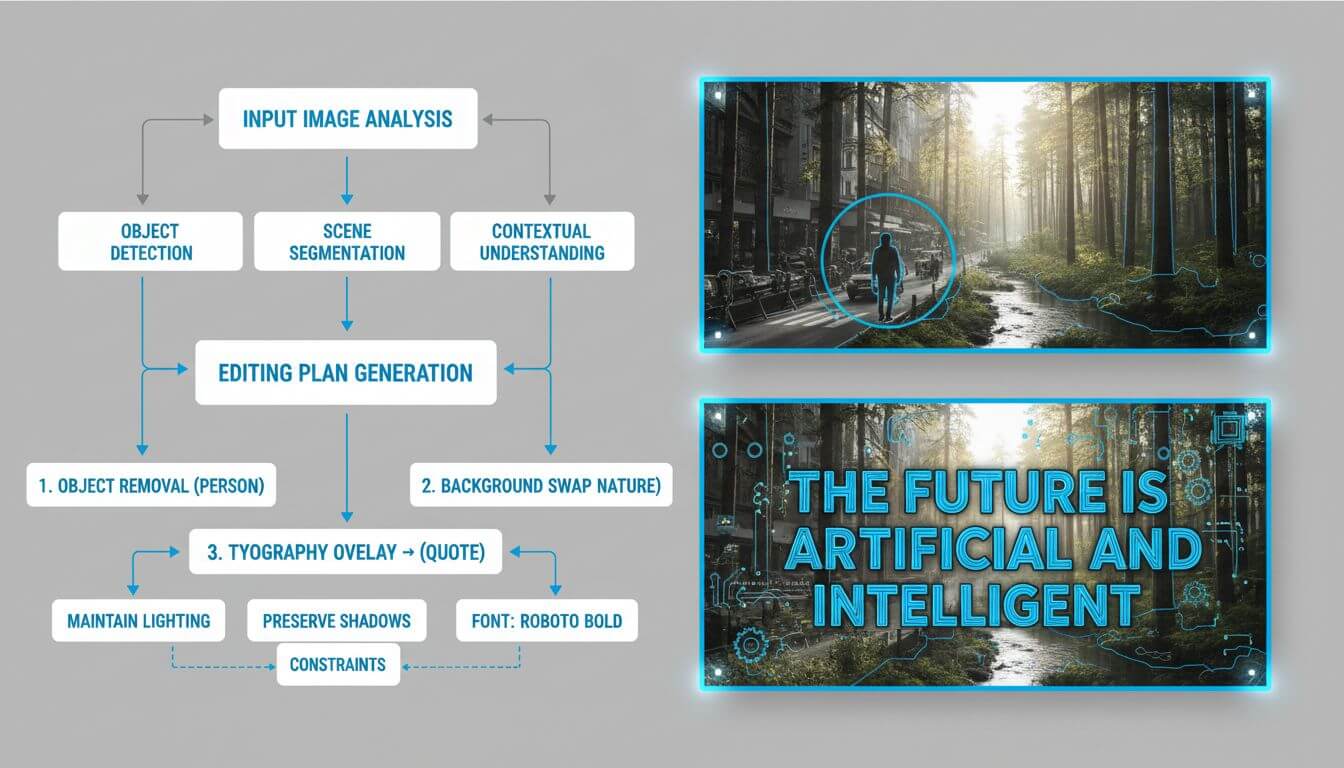
Modern AI photo editors are no longer just style filters. With reasoning-centric models (e.g., NanoBanana Pro in recent community reports), we can ask for structured layouts, typography that reads correctly, multi-image fusion, and consistent characters across shots. This article distills what actually matters when you move from single-shot prompts to dependable, repeatable editing workflows.
- Why visual reasoning matters in photo editing
- A pragmatic evaluation rubric
- Workflow patterns that actually ship
- Prompting beyond style tags
- Guardrails: ethics, copyright, and reliability
- FAQ
- Conclusion
Why visual reasoning matters in photo editing
When a model can plan before it paints, editing shifts from "make it prettier" to "satisfy constraints." Three capabilities illustrate the jump:
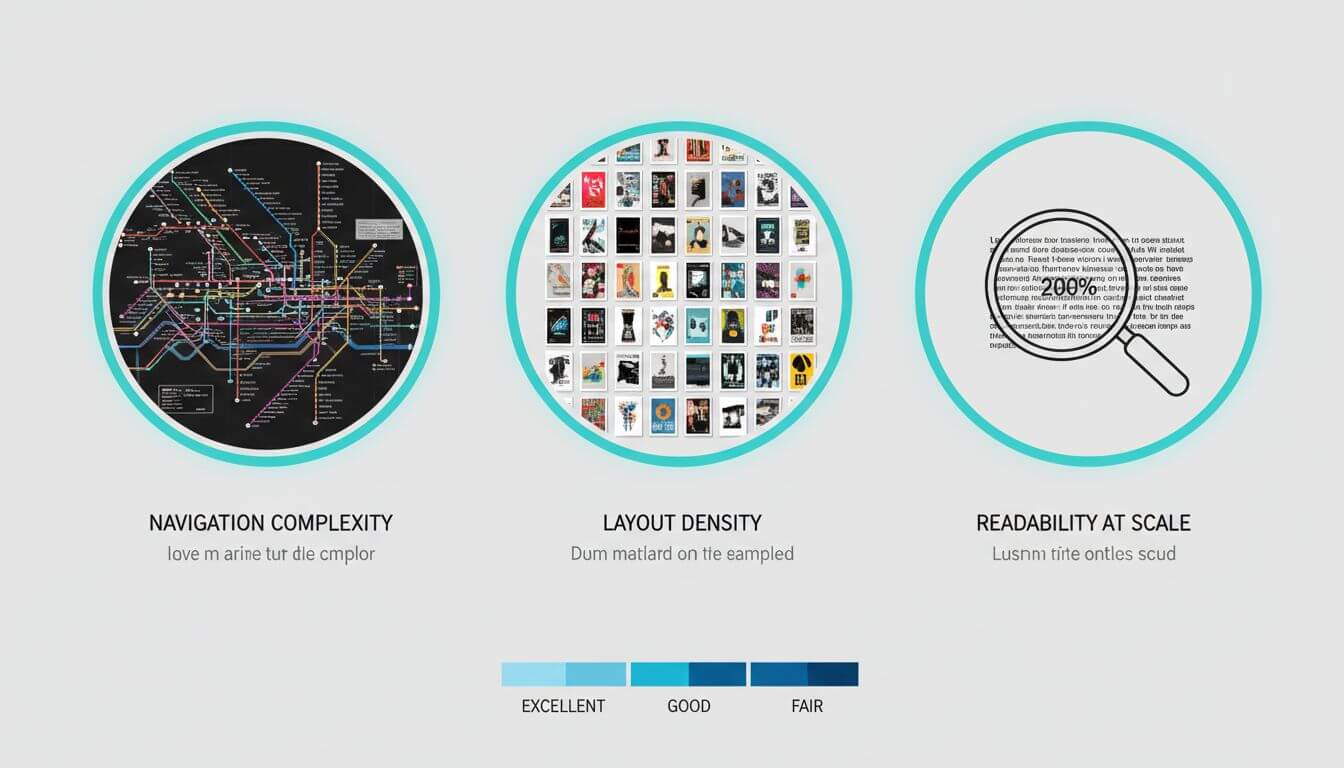
- Layout constraints: Generating clean subway maps with 10/20/30 lines or a strict 100×100 character grid stresses topology, counting, and non-interference across cells. This is closer to vector design than noise denoising.
- Typography fidelity: Rendering long passages (e.g., Classical Chinese or dense Latin text) exposes text legibility, spacing, and stroke integrity—vital for posters, packaging, and UI mocks.
- Multi-image fusion: Combining 10–15 references while preserving identities and styles is an agentic task: retrieve, align, decide what to keep, then render a consistent composition.
These are not vanity benchmarks; they predict whether object removal leaves seams, whether background swaps hold perspective, and whether batch jobs remain consistent under variation.
A pragmatic evaluation rubric
Before adopting any AI editor/model, run a one-hour battery that mirrors production risks.
1) Geometry and layout fidelity
- Tests: subway map with growing line counts (10 → 20 → 30); poster grids (e.g., 12×8 with precise gutters).
- What to measure: topological continuity (no broken lines), line separation under dense intersections, grid alignment.
2) Typography and text rendering
- Tests: short headings at multiple weights; a long paragraph; mixed-language labels; high-contrast placements.
- What to measure: letterform integrity, kerning, stroke completeness, small-size legibility (100–200 px height targets).
3) Multiref and character consistency
- Tests: storyboard with the same protagonist in 6–8 frames; identity transfer with 5+ references.
- What to measure: face/attire persistence, pose adherence without background drift, style continuity.
4) Perceptual quality and artifact rate
- Tests: object removal in clutter; background replacement with oblique perspective; micro texture edits (glass, metal, fabric).
- What to measure: texture continuity across inpainting seams, shadow coherence, specular highlights, haloing.
5) Speed, privacy, and reproducibility
- What to measure: latency, queue stability under batch, caching behaviors; data retention policies; ability to lock seeds and parameters for re-runs.
Workflow patterns that actually ship
Below are field-tested patterns you can adapt to teams of any size.
Pattern A: Reliable object removal
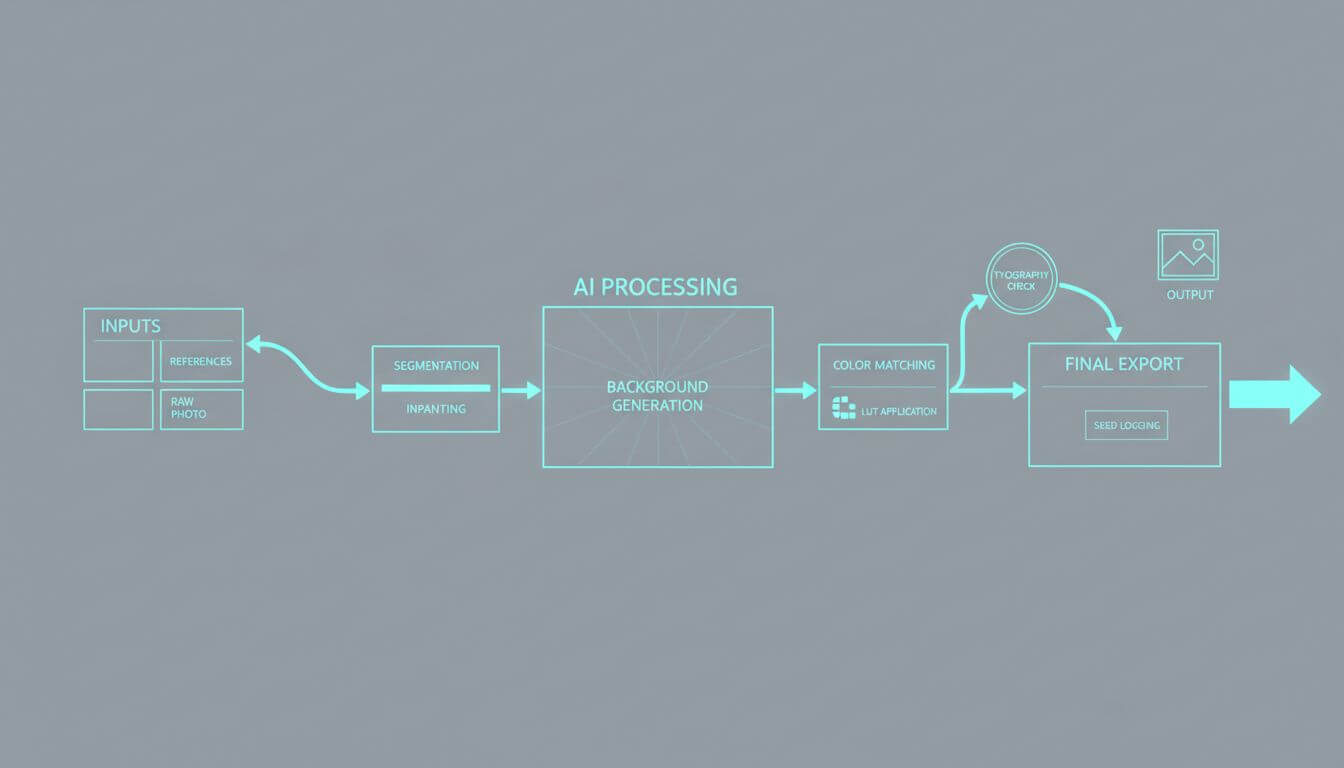
- Stage 1: Prompt for mask planning (describe target, boundaries, expected background reconstruction).
- Stage 2: Run segmentation/inpainting with a tight feather; specify lighting continuity (direction, hardness) and material continuity (texture frequency).
- Stage 3: Acceptance check (no duplicated limbs, no warped lines). If failed, re-run with refined boundary or context crop.
Pattern B: Background replacement without uncanny seams
- Stage 1: Detect vanishing lines or approximate camera pose; specify background perspective in the prompt (e.g., "two-point perspective, horizon at eye level").
- Stage 2: Generate background variants at matched color temperature and dynamic range.
- Stage 3: Composite with graded shadows and a unifying LUT; validate edge matte at 200% zoom.
Pattern C: Batch enhancement with guardrails
- Define a normalization profile (exposure, white balance, saturation ranges) and unify before enhancement.
- Add per-scene constraints: skin-tone preservation, fabric texture retention, logo protection.
- Log settings (seed, CFG/equivalent, aspect ratio) for reproducibility.
Pattern D: Multiref fusion for brand/story
- Collect 8–15 references: hero product, environment mood, typography sample, material swatches.
- Ask the model to "plan-as-text" first: palette, hierarchy, composition zones.
- Lock the palette and type scale; then allow style variation within bands.
If you prefer not to script these steps, an online editor like Imgezy (https://www.imgezy.com/) can cover quick object removal, background swaps, enhancement, and batch processing with previews—useful for non-coders.
Prompting beyond style tags
Reasoning-first prompts read more like a design brief than keywords. A robust skeleton:
- Role: "Act as a senior visual editor balancing brand consistency and photorealism."
- Context: inputs, target platform, aspect ratio, camera perspective, lighting conditions, and brand constraints.
- Constraints: geometry rules (grid sizes, gutters), typographic specs (font class, weight, min x-height), color bounds (palette, temperature), and artifacts to avoid.
- Steps: "Plan → propose 2 composition options as text → select best → render at 4K → downsample with sharpen=low."
- Acceptance criteria: legible 10 pt labels at 200% zoom, no haloing on edges, shadows align to key light at 35°.
- Output: "deliver PNG, sRGB IEC61966-2.1, seed logged."
Example snippet:
"Plan the layout for a 12×8 grid with 20 px gutters. No element may cross a cell boundary. All labels set in a geometric sans, medium weight. Avoid moiré on fine textures; bias to soft specular highlights. If removal is required, reconstruct bricks following mortar lines."
Guardrails: ethics, copyright, and reliability
- Consent and likeness: obtain permission before manipulating real people; avoid deceptive composites.
- Trademark and brand use: check usage rights for logos and proprietary typefaces.
- Provenance: keep a change log (inputs, seeds, parameters) and store originals; consider watermarking or C2PA when publishing.
- Privacy: ensure uploads are deleted on schedule; avoid feeding sensitive images into shared queues.
- Content validation: for documents and menus, cross-check translations; flag low-confidence OCR before committing.
FAQ
- What model should I start with? Start with the one that solves your constraint class. If you need strong layout/typography adherence or multi-reference consistency, prioritize models reported to handle reasoning and text well.
- How do I get crisp small text? Increase canvas size (e.g., 4K), specify weight/contrast, keep backgrounds calm, and downsample slightly with mild sharpening.
- How do I keep a character consistent across frames? Use 5–10 identity references, lock attire descriptors, and explicitly ask for consistency checks between frames.
- Why does object removal leave mushy textures? Expand the mask slightly, add a texture continuity instruction, and constrain lighting direction. Sometimes a two-pass inpaint (coarse → detail) helps.
- Can I use AI edits commercially? Yes, if your tool’s license permits and you own the rights to inputs. Keep provenance and check marketplace guidelines.
Conclusion
Visual reasoning upgrades AI photo editing from style imitation to constraint satisfaction. By measuring layout, typography, multiref consistency, and artifact rates—and by adopting staged workflows—you can ship images that stand up to scrutiny, at scale. Treat prompts as briefs, not wish lists, and log parameters like you would any production system. That’s how AI editing becomes a dependable part of your creative pipeline.