

FLUX 2.0 for Real-World AI Photo Editing
The past year turned AI photo editing from a novelty into a production tool. With FLUX 2.0, that shift accelerates: we get multi-reference consistency, readable fine text, stronger prompt obedience, and 4‑megapixel image editing that holds together under scrutiny. This article breaks down what actually changes for photographers, e‑commerce teams, and content designers—and how to integrate FLUX 2.0 into a repeatable, auditable workflow.
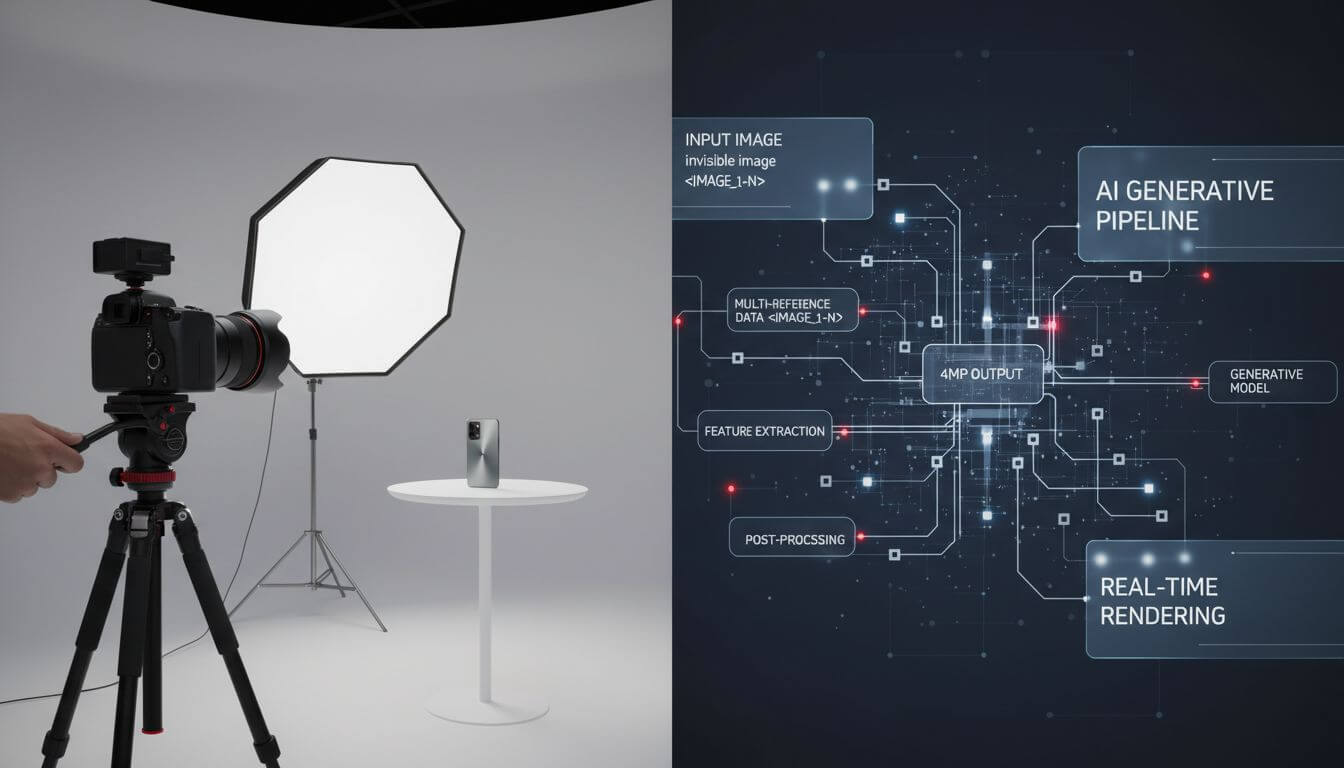
Table of Contents
Why FLUX 2.0 Changes AI Photo Editing
FLUX 2.0 isn’t about spectacular one‑offs; it’s about dependable pipelines. Several capabilities, announced by the Black Forest Labs community, matter directly to editing in production contexts.
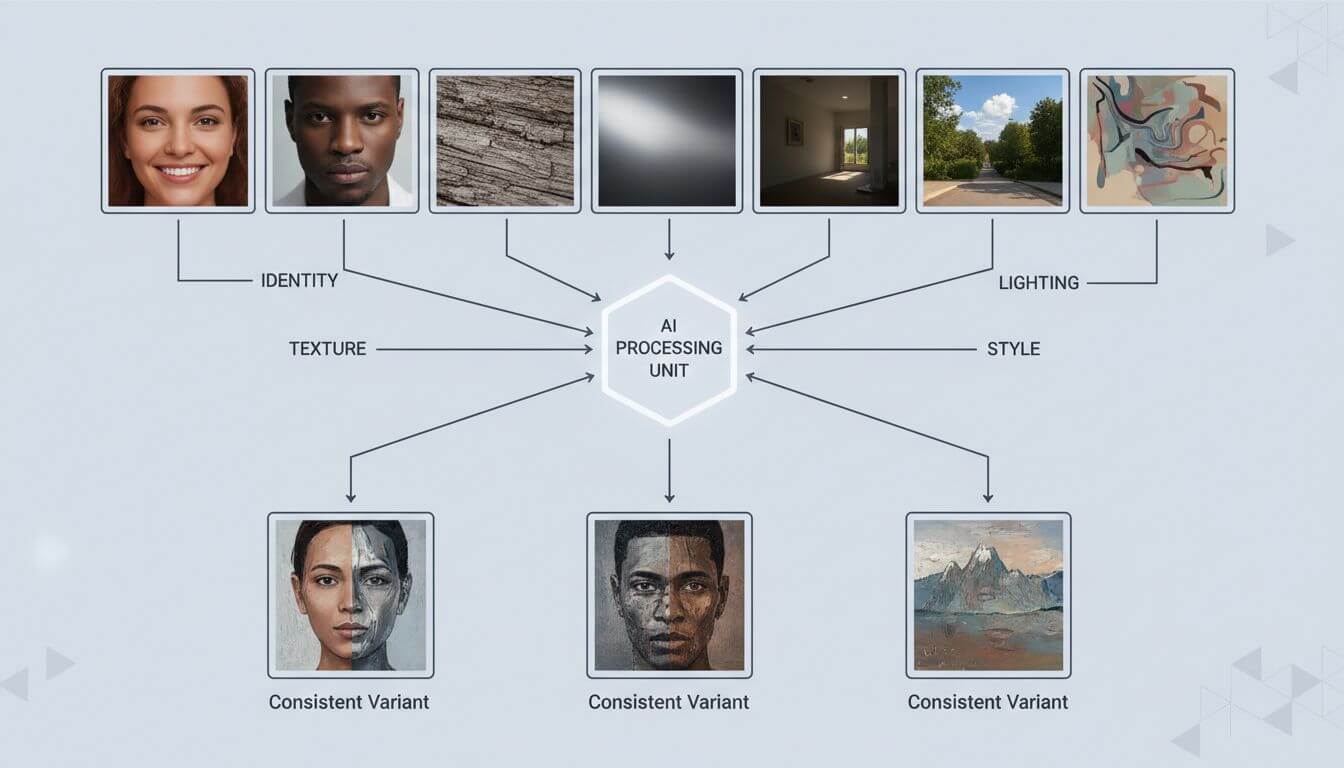
1) Multi-reference = consistent people, products, and styles
Using up to ~10 reference images, you can lock identity (faces, hair, garments), product finish (textures, edges), or art direction (lighting, palettes). For e‑commerce sets, this closes the loop between hero shots and long‑tail variations—key for A/B testing and catalog scale.
Practical tip:
- Curate references by purpose. Two for identity, two for material/texture, one for pose/gesture, one for lighting mood, one for background style. Avoid redundant near-duplicates.
- Normalize references (same color profile, similar exposure) to reduce conflicts.
2) Production-grade fine text rendering
FLUX 2.0 improves typography and micro‑text clarity—useful for mock packaging, ad slates, and UI comps. That reduces the need for post‑compositing in Photoshop or Figma when generating social variations or previewing brand rollouts.
Guardrails:
- Provide the exact wording as a dedicated text block in your prompt (e.g., "Headline: …\nSubhead: …\nDisclaimer: …").
- Add layout intent ("top-left headline, center product, bottom legal text").
3) 4MP editing with better compositional stability
Editing up to 4 megapixels means fewer artifacts when removing objects, restoring backgrounds, or upscaling detail. It also improves outpainting for banner crops or marketplace aspect ratios.
Good defaults:
- Keep native aspect ratio where possible; ask the model to match input ratio before forcing a new canvas.
- For background swaps, specify depth cues ("soft bokeh at f/2.8, rim light on the right").
4) Stronger prompt obedience and world knowledge
FLUX 2.0 follows multi‑section prompts and respects spatial rules better. That impacts brand work: it’s easier to enforce logo placement, consistent lighting direction, or category‑specific realism (e.g., liquids refracting, glass reflections).
Prompt pattern:
- System/Intent: brand constraints, style guardrails
- Scene: camera, lens, lighting, composition
- Subject: identity and materials
- Constraints: copy, logo, legal, prohibited elements
- Output: aspect, resolution, file format
5) Open-core options = flexibility for teams
You can choose between hosted endpoints (FLUX 2.0 [pro]/[flex]) and open weights (FLUX 2.0 [dev]), with a distilled [klein] on the way. That means:
- Speed/quality balance (pro) for tight SLAs
- Parameter control (flex) for typography-heavy work
- Local execution (dev) for privacy, GPU farms, or offline labs (weights on Hugging Face; optimized fp8 with NVIDIA + ComfyUI)
From Demo to Production: A Practical Workflow
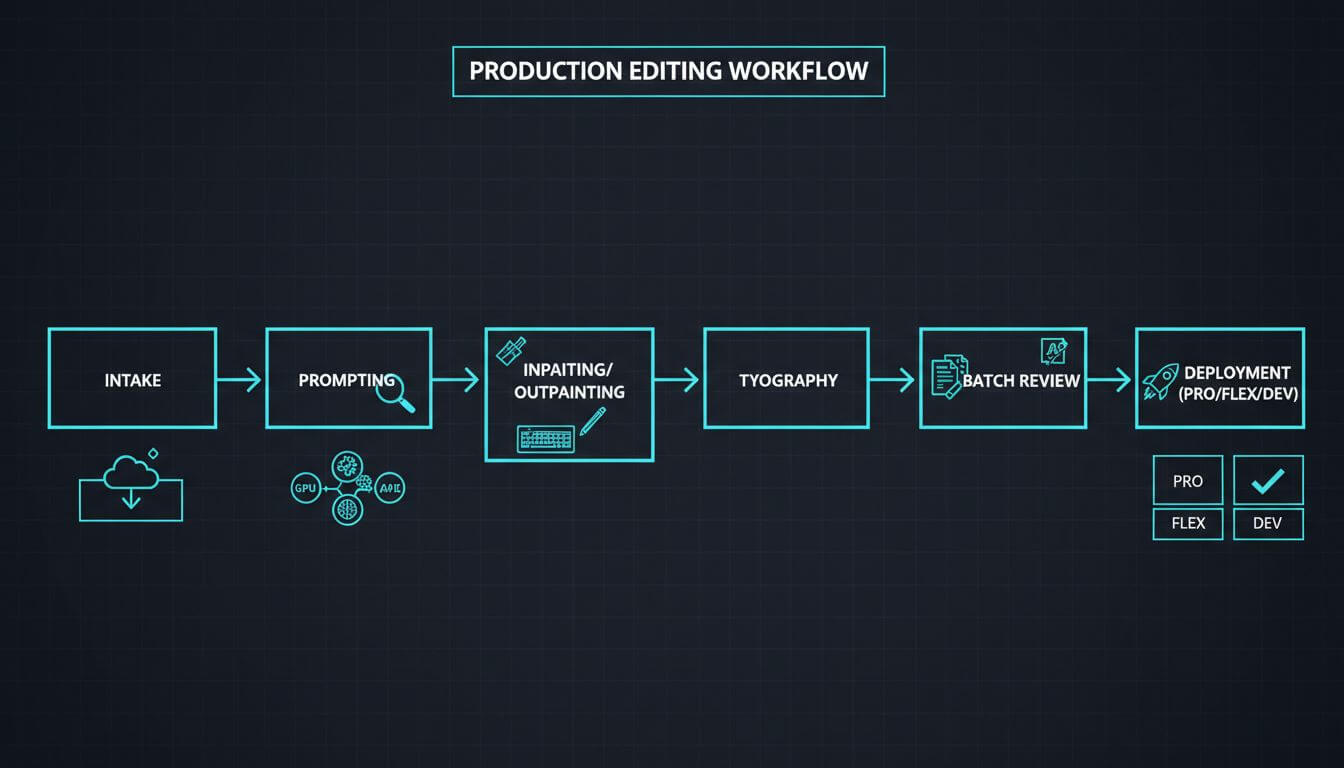
Below is a step‑by‑step process you can adapt to most editing tasks—from object removal and background replacement to brand-compliant social creatives.
A) Intake and reference curation
- Collect: brand guidelines, color profile, target frame sizes, approved product angles.
- Select 5–8 references max, each labeled for role (identity, lighting, texture, background, layout).
B) Structured prompting
Use a scaffold like this (adapt per job):
- Intent: "Clean e‑commerce packshot for marketplace listing; no watermarks; neutral, non‑distracting background."
- Camera/Light: "50mm equivalent; softbox key light 45° left; subtle bounce right; shadow length 1x object height."
- Subject: "Matte bottle, PMS 186C red cap, no dust.">
- Background: "#F5F6F7 light gray; gradient top to bottom 8%."
- Text/Logos: "No text on the bottle; logo centered, 12% of height."
- Output: "3000×2000 px, PNG, sRGB."
C) Image editing modes
- Inpainting: precise removal (tourists, power lines) with fill guided by depth and lighting cues.
- Outpainting: widen canvas for hero banners; declare composition (“negative space on right for copy”).
- Relighting: define key light direction; avoid mixing soft and hard shadow intents.
D) Typography and brand assets
- Provide SVG/PNG logos as overlays when possible; or describe exact safe‑area rules.
- For fine legal text, generate at higher resolution or as a separate pass, then composite.
E) Batch and review
- Batch generate 3–5 candidates per prompt; lock the best with multi‑reference for variants.
- Use a checklist (below) before sign‑off.
Quality checklist:
- Identity/product consistency across variants
- Edge fidelity (no haloes on masks)
- Material realism (metals, glass, skin)
- Text legibility at 100% and 50% zoom
- Brand color deltaE within tolerance
- Shadow direction and softness consistent
- No forbidden elements or artifacts
F) Cost–performance tuning
- FLUX 2.0 [flex]: reduce steps for drafts; raise guidance for copy‑critical frames.
- FLUX 2.0 [pro]: use for final renders or large batches under deadlines.
- FLUX 2.0 [dev]: local runs for privacy or iterative R&D; cache VAE and reference encodings.
G) Tooling options
- Hosted playgrounds/APIs: BFL Playground and BFL API for managed throughput.
- Local: open weights (FLUX 2.0 [dev]) via ComfyUI with fp8 on consumer GPUs.
- Editor layer: if you just need a straightforward AI photo editor (object removal, background change, enhancement) without pipeline setup, consider Imgezy (https://www.imgezy.com/) as a simple front‑end to get results fast.
FAQ
Does FLUX 2.0 replace classic editors?
No. It reduces the time to good first drafts and solves previously painful tasks (consistent identity, text). Precision retouching, color management, and final compositing still benefit from Photoshop, Affinity, or Nuke.
How is it different from earlier FLUX versions?
Compared to FLUX.1, you’ll see better prompt obedience, crisper micro‑detail, stronger typography, and more stable 4MP edits. Multi‑reference consistency is the headline feature for production.
Where can I run it?
- Managed: FLUX 2.0 [pro]/[flex] via BFL Playground/API.
- Open weights: FLUX 2.0 [dev] on Hugging Face; run locally (e.g., ComfyUI + NVIDIA fp8). Also exposed by partners such as FAL, Replicate, Runware, Verda, TogetherAI, Cloudflare, and DeepInfra.
Any privacy considerations?
For regulated content or confidential products, prefer local (dev) or a vendor with strict retention policies. Avoid uploading unreleased assets to public endpoints without a DPA.
Conclusion
FLUX 2.0 turns AI photo editing into a reproducible, brand‑safe process: multi‑reference consistency for identity and products, readable typography for real campaigns, and 4MP edits that survive cropping and zoom. Combine structured prompts with a rigorous checklist and pick the right deployment (pro/flex/dev) for your constraints. The result is less manual cleanup, faster iteration, and visuals that stay on‑brand across channels.